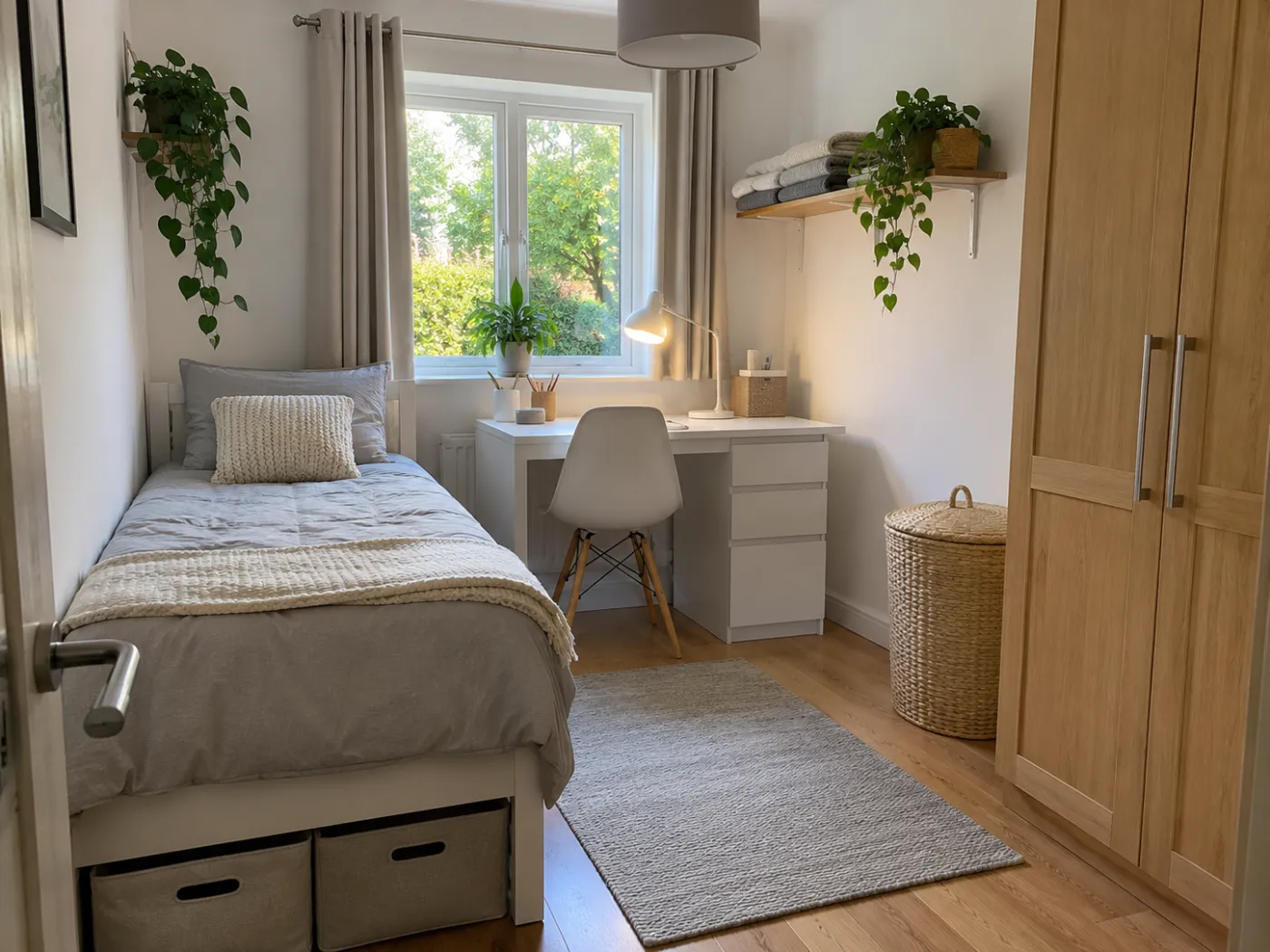
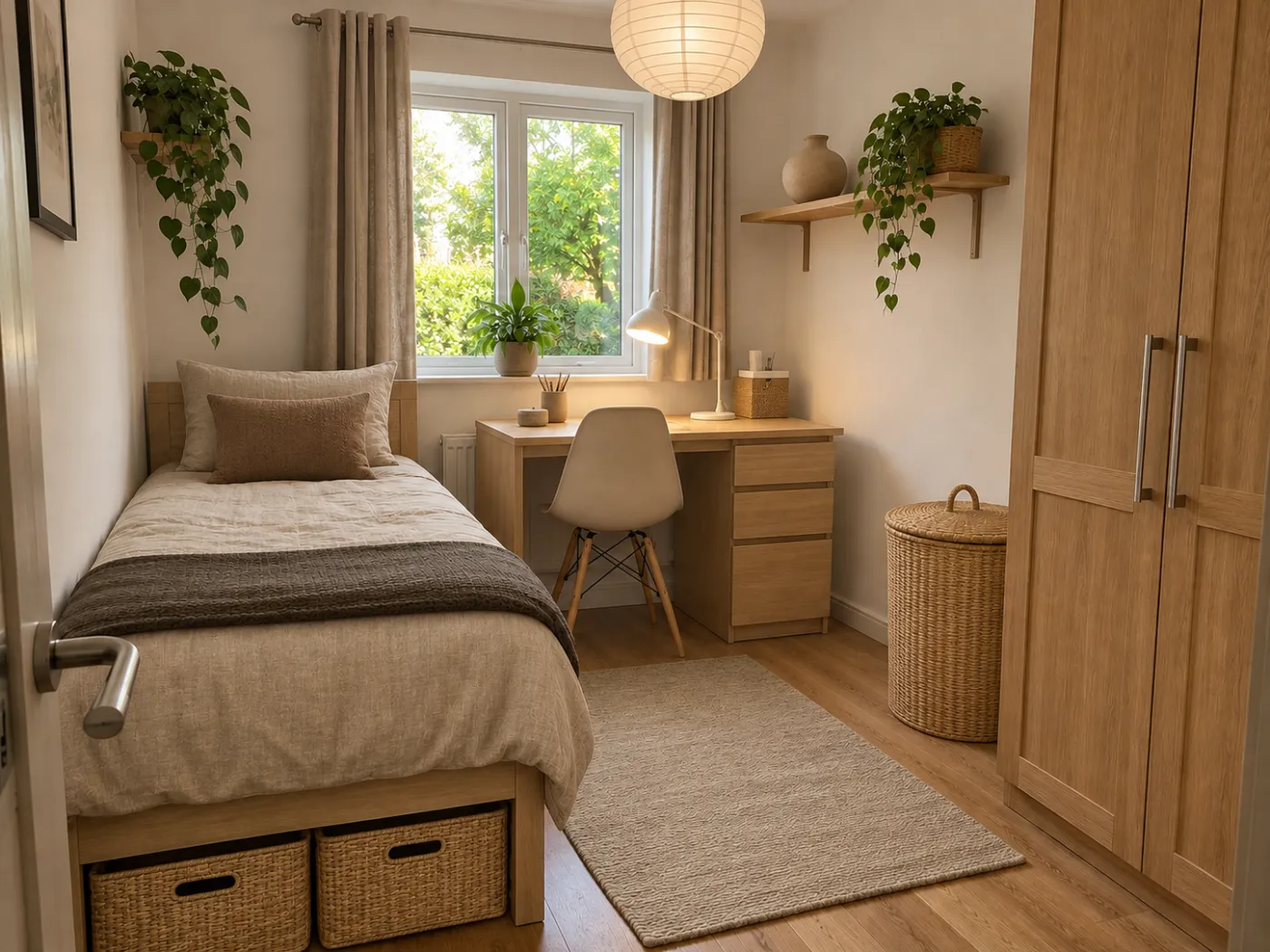
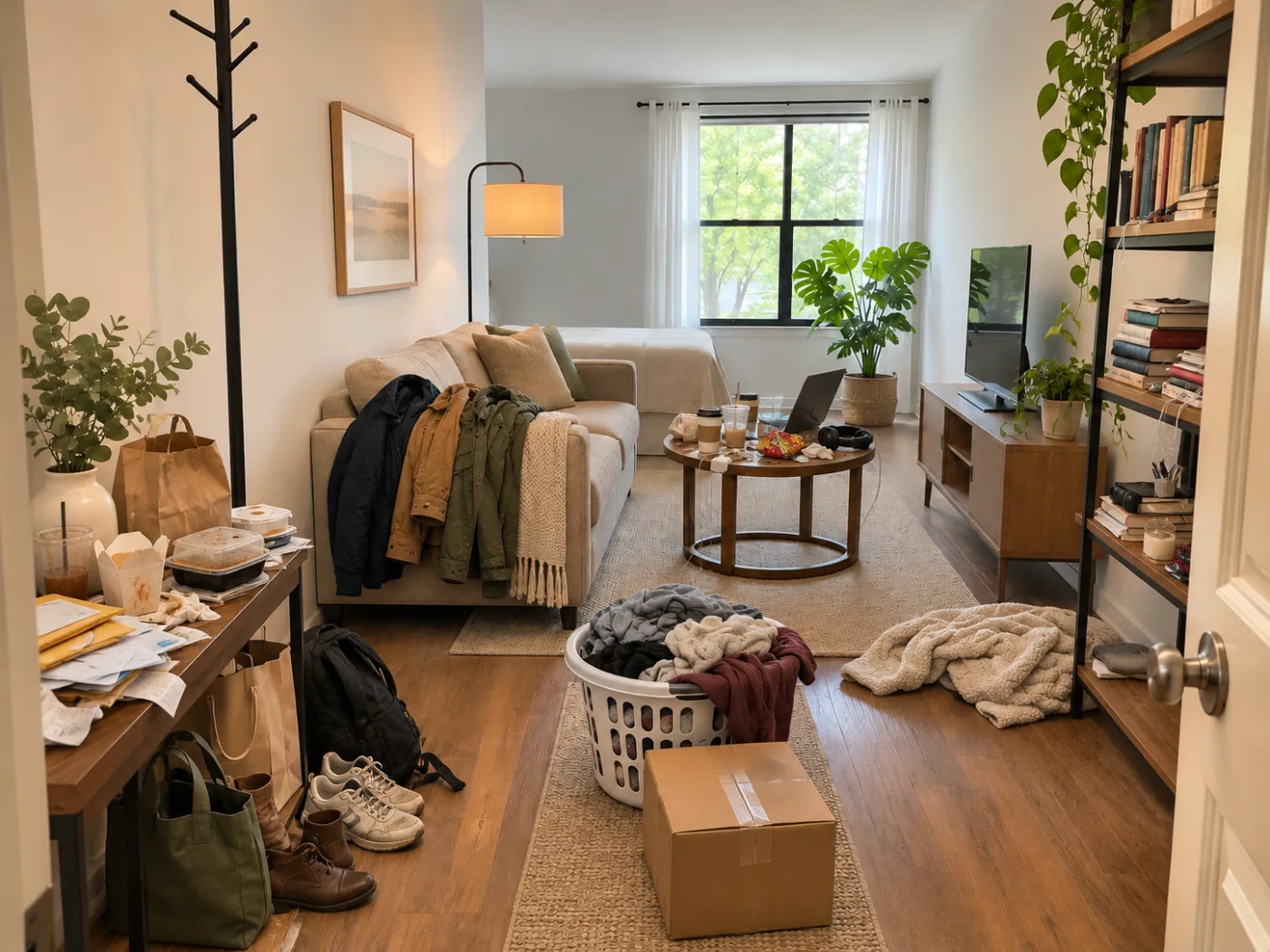
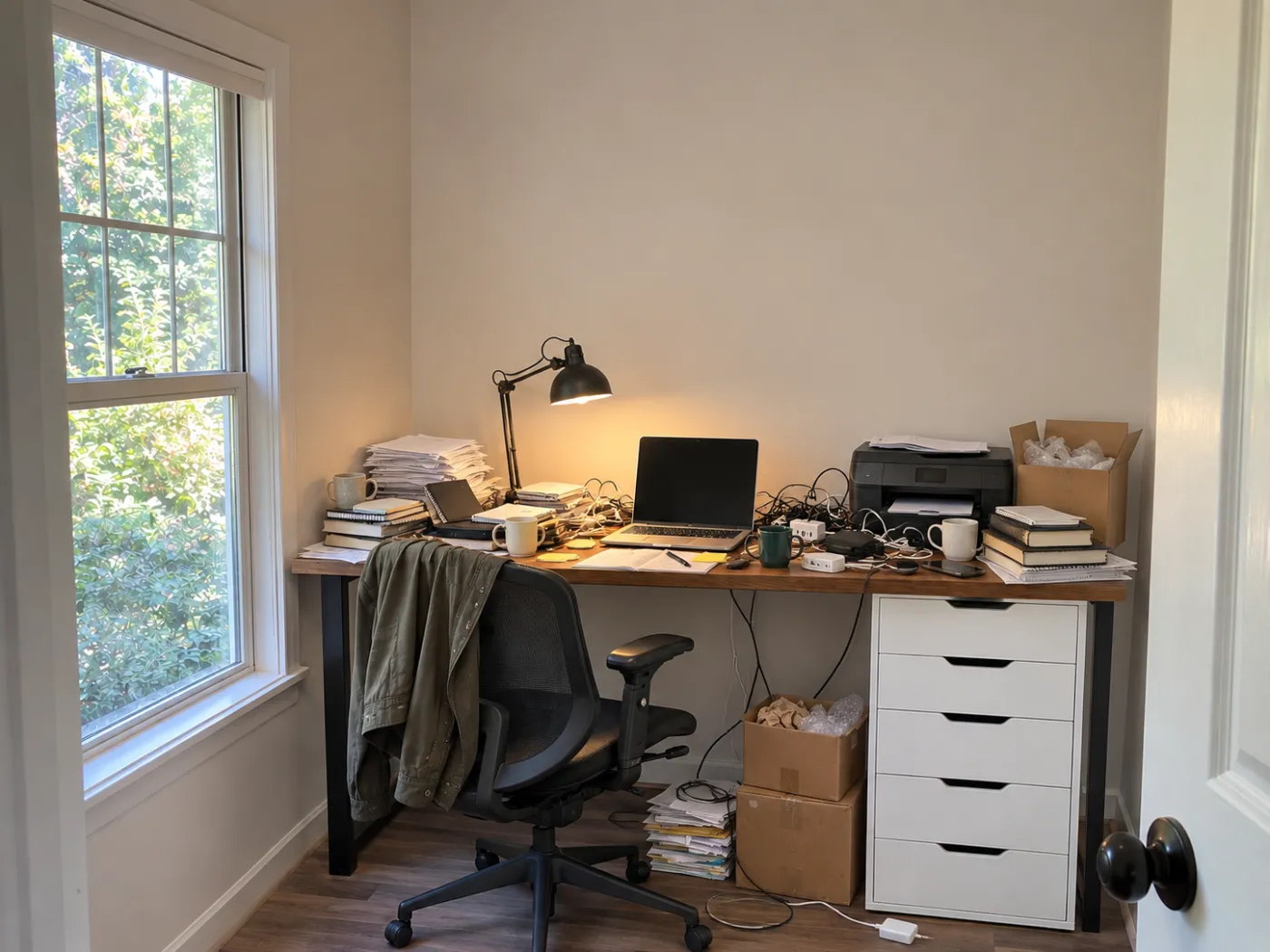
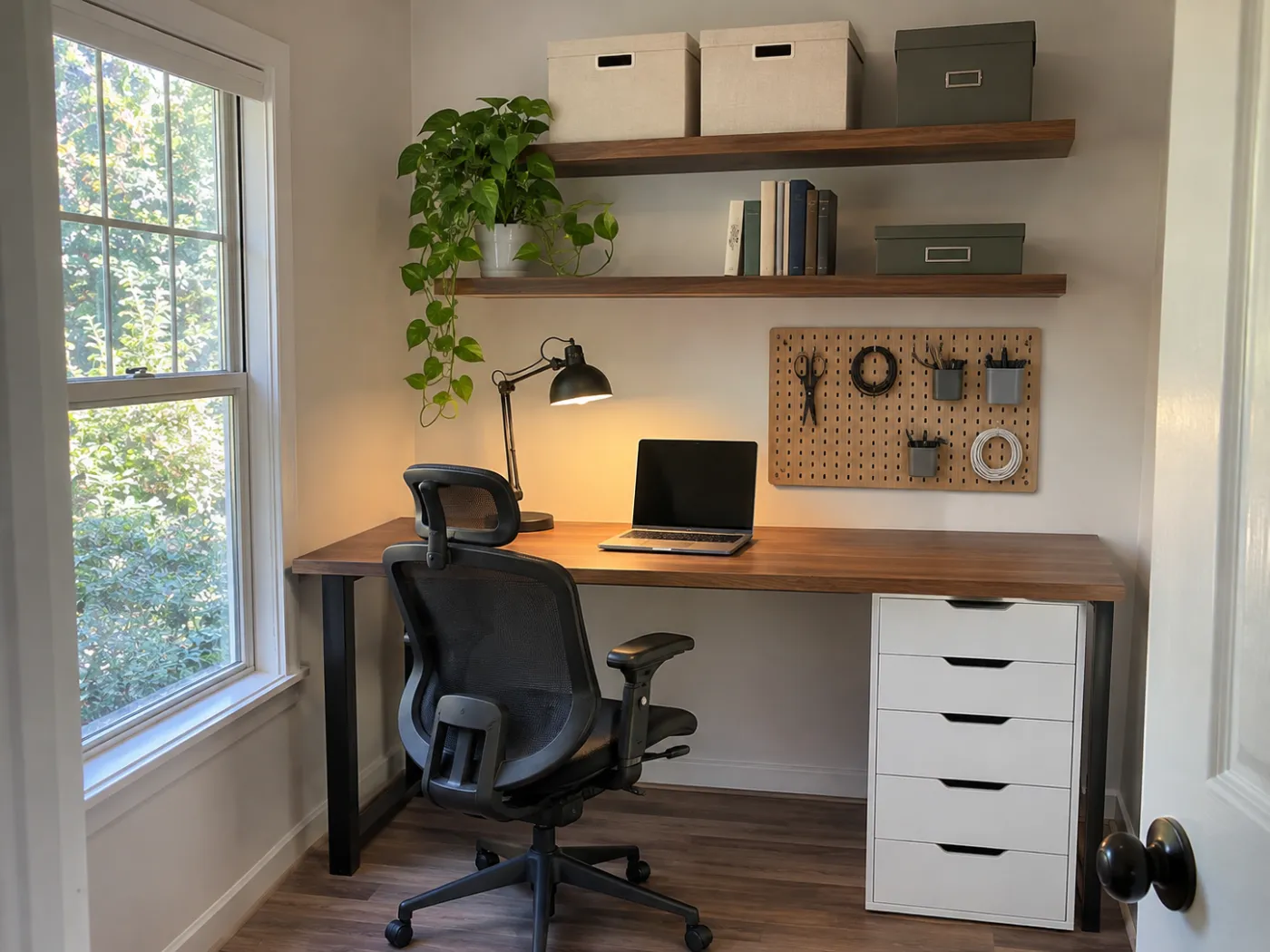
Take a photo of your room the way it looks right now, mess included. Idori shows you the same room organized: floor clear, surfaces calm, storage where it makes sense, and furniture where it works. You see the finish line before you pick up the first sock.
Free to start · Works from one photo · Your photos stay private
BeforeAfter
The flow
The hardest part of organizing is not knowing what done looks like.
A messy room is easy to see and hard to picture fixed. Idori gives you the picture first, so every bag you empty and every shelf you clear is moving toward something.
1
Photograph the mess
No tidying first. Stand in the doorway and take the room exactly as it is: the chair that became a closet, the desk you cannot see.
2
Ask for it organized
Type "organize this room and keep my furniture" in any language, or get AI Ideas for five ways to get there, each with a list of what to move, add, and keep.
3
See your room, done
Idori returns your own room organized: same walls, same bed, same window, with the clutter cleared and storage placed where it would actually work.
4
Work toward the picture
Keep the result on your phone as the target. When you finish, photograph the room again and Compare it with the plan.
Everything Idori does, for organizing
An organizing app that shows the room before it tells you what to do.
Clutter is three problems wearing one coat: stuff with no home, storage in the wrong place, and furniture arranged so mess collects. AI Ideas, Spot Edit, Style Match, 40+ Styles, Freeform Prompt, and the Workspace handle all three on your own photo.
5 ways to organize, read from your room
Clear the floor firstA lidded hamper by the wardrobe and two fabric bins under the bed give the clothes and shoes on the floor somewhere to go. Quick win.
Give the desk one jobOne lamp and one cup stay; papers move to a box on the shelf above, so the surface is a desk again.
Retire the chair-drobeA wall hook for the clothes worn twice, so the desk chair stops being a second wardrobe.
+ 2 more directions, each with what to move, add, and keep
AI Ideas
Don't know where to start? Get five plans, sized from quick win to weekend.
Staring at a messy room is paralyzing because every pile looks like the first job. AI Ideas reads your photo the way a professional organizer reads a room from the doorway: where things land because they have no home, which storage is in the wrong place, and which bit of the layout is quietly causing the mess. Tell it the goal in your own words, "organize this room, I have too much stuff for it" or "make it feel bigger", and it proposes five different ways to get there. Each one says why it works in this room, lists exactly what to move, add, replace, and keep, and tells you whether it is a quick win, a weekend, or a project. That last part matters: on a low-energy evening, pick the quick win. Tap any direction to see your own room finished that way.
Five organizing plans read from your own room, each with its reasoning
A list of what to move, add, replace, and keep for every plan
Each plan sized as a quick win, a weekend, or a project
Keep my furniture switch, so nothing gets replaced unless you ask
1Clothes off the chair
2Clear the desk
3Floor clear, rug only
4Two bins under the bed
Spot Edit
Organize one corner. See the storage before you buy it.
Nobody organizes a whole room at once. You do the desk, then the floor, then the thing under the bed you have been avoiding. Spot Edit works the same way: pin up to four spots on your photo, the chair, the desk, the floor, the gap under the bed, and say what each one should become. Only the pinned spots change, so the rest of the room stays exactly as it is. The best part is shopping: before you buy bins, a shelf, or a hamper, attach its product photo and call it out as @1. Idori places that exact piece in your room, so you know whether the under-bed boxes fit the look, and the space, before they arrive.
Tidy one corner at a time while the rest of the room stays put
Try a real bin, shelf, or hamper by attaching its product photo
Up to 4 precise spots per generation, each with its own instruction
BeforeAfter
Style Match photo
Style Match
Saved a calm room on Pinterest? Make yours look like it, tidy.
Half the pull of an organized room is how it looks: the woven baskets, the soft palette, the one plant where the pile used to be. If you have a photo of the feeling you want, attach it with Style Match. Idori carries its palette, materials, and mood onto your organized room, and keeps the storage and the clear walkway exactly where you put them.
Attach a screenshot, a photo, or a paste from Pinterest or Instagram
Your storage, layout, and camera angle stay put
Free for everyone, like Spot Edit and every Style
JapandiOrganic ModernDark Academia
Try on my space
Inspiration
No idea what organized should look like? Browse 1,000+ rooms.
Some people know exactly what they want once the mess is gone. Most do not. Inspiration is Idori's library of example rooms in every style, filterable by space, each with a short guide to why it works. Find a bedroom with the calm you are after, tap Try on my space, and it lands on your room through Style Match, with your furniture and layout kept.
1,000+ example rooms across Idori's 40+ Styles
A style guide, palette, and materials for every room
Heart favorites and try them one by one
Styles
Room finally clear? See it in 40+ styles, storage and all.
Clearing a room often shows you what it has been missing. Any of Idori's 40+ curated styles applies to the organized room in one tap and keeps the bins, the hamper, and the clear floor exactly where they are, while it restyles the palette, textiles, and lighting. Japandi and Scandinavian suit a room that has just been edited down. Organic Modern brings in the baskets and natural textures that make storage look intentional. Quiet Luxury hides everything behind calm, closed fronts.
Five families, Modern, Classic, Bold, Cozy, and Trending, 40+ styles and growing
Applied to your organized room and your furniture, not a stock render
Try several styles on one tidy room, then Compare them side by side
BeforeAfter
Compare, Branch & Version History
A picture to work toward, and proof you got there.
Organizing stalls in the middle, when the room looks worse than when you started and the end is hard to imagine. Idori keeps the end in your pocket. Every version of the room lives in its project, in one continuous Workspace: the mess you photographed, the organized version you chose, and any variations. Compare slides between them on the same photo, so you can check the plan against the pile in front of you. Branch from the organized version to try open shelves instead of closed ones without losing either, and Version History keeps the whole path. When you are done, add a fresh photo of the real room and slide it against the before. It is the most satisfying swipe on your phone.
Slide between the mess, the plan, and the finished room
Branch a version to try different storage without losing the rest
Export the organized version in full quality as your target picture
A bedroom collects clothes, a studio collects everything, a desk collects paper. Tell Idori what the room is for and what keeps piling up, and the organized version answers that problem instead of just hiding it.
Bedroom
Clothes are the usual culprit. Ask for a home for the worn-once pile, closed storage for what lives under the bed, and a nightstand with room for one lamp and one book.
A lidded hamper beats an open basket
Use the space under the bed on purpose
Give the chair back to sitting
Studio or small apartment
One room does every job, so things drift. Ask for a landing spot by the door for keys, bags, and shoes, and storage that climbs the walls instead of eating the floor.
An entry console stops the pile at the door
Baskets on open shelves hide the small stuff
Keep one clear path from the door to the window
Desk or home office corner
Paper and cables win by default. Ask for shelves above the desk, a drawer unit below it, and a pegboard or tray for the things you reach for every day.
Go vertical before you buy another table
One box per category, lid on
Route cables off the floor
BeforeAfter
Freeform Prompt: examples of how people brief Idori
A Freeform Prompt is how you describe the organized room in your own words and your own language: what stays, what keeps piling up, and what you would buy if it helped. Follow-ups read in context, so you can keep refining the same version. These are examples, not scripts: the decisions are yours.
“Organize this bedroom. Keep all my furniture, clear the floor and the desk chair, and add closed storage under the bed.”
“Show this studio tidy, with a spot by the door for keys and shoes and the jackets on the coat rack instead of the sofa.”
“Clear this desk and add two floating shelves above it with lidded boxes. Keep the laptop and the lamp.”
“Same room, but make it feel bigger: less on the surfaces, storage up the walls, nothing on the floor except the rug.”
When the layout is the real problem
Some rooms stay messy however often you tidy them, because the furniture is fighting you: the wardrobe door hits the bed, the desk faces the wall so the chair blocks the walkway, the only surface by the door is the floor. If that sounds familiar, organize and rearrange together.
“Organize this room and move the desk under the window so the wardrobe can open fully.”
“Tidy this living room and turn the sofa so there is a clear path from the door, with a basket for the kids' toys beside it.”
Use the picture as the plan, then do the real work. Idori shows what your room could look like organized. It does not sort your belongings, make a chore schedule, send reminders, or track an inventory of what you own. Before buying storage, measure the space under the bed, the shelf depth, and the wall you want to use. For moving the furniture itself, the room rearranging app page goes deeper, and our guide to planning a room layout lists the clearances designers check.
Organizing your room, answered
Questions before you start.
Yes. Idori is an iPhone and iPad app that helps you organize your room from a photo. Take a picture of the room as it is, mess included, and ask for it organized. Idori shows your own room with the floor clear, the surfaces calm, and storage placed where it would work, so you know what you are working toward before you start.
Idori. Most organizing apps are checklists or inventory trackers that never show you the room. Idori starts from your photo and returns the same room organized: same walls, window, and furniture, with the clutter cleared and storage added. You can Compare the messy and organized versions side by side on the same photo.
AI cannot pick up the clothes for you, but it can show you exactly what your room looks like organized and tell you how to get there. In Idori, type "organize this room and keep my furniture", or get AI Ideas for five organizing plans, each listing what to move, add, replace, and keep, and sized as a quick win, a weekend, or a project.
Take a photo of the room from the doorway without tidying first and open it in Idori. Ask for it organized in your own words, or get AI Ideas. Pick the version you like, keep it on your phone as the target, and work toward it one area at a time: the floor, the desk, the chair, the space under the bed. When you finish, photograph the room again and Compare it with the before.
Neither, exactly. Idori is a visual tool: it shows what your room could look like organized, and AI Ideas lists the moves to get there. It does not make a chore schedule, send reminders, run timers, or track an inventory of your belongings. Many people use the organized picture as the goal and a simple checklist for the doing.
Yes. With Spot Edit, pin the spot, for example under the bed or the wall above the desk, attach the product photo of the bins, shelf, or hamper you are considering, and call it out as @1. Idori places that exact piece in your room so you can judge the look before it arrives. Measure the real space too, since the image is not a measured plan.
Yes, if you ask. Say "keep all my furniture" in a Freeform Prompt, or turn on Keep my furniture in AI Ideas, and every organized version uses the bed, desk, wardrobe, and shelves you already own. Idori only adds storage or changes a piece when you ask it to.
Organizing is about your stuff: giving everything a home, clearing surfaces, and adding storage. Rearranging is about your furniture: where the bed, sofa, and desk sit. Idori does both from the same photo. If the room gets messy however often you tidy it, the layout is often the cause, so try both together, or start with the app to rearrange your room.
Yes. Ask for the room organized "so it feels bigger": fewer things on surfaces, storage up the walls instead of on the floor, and one clear path from the door. In AI Ideas, Make it feel bigger is one of the goals, and every direction comes with the reasoning and the list of moves.
Idori is free to start. The Free plan includes Freeform Prompt, Spot Edit, Style Match, Inspiration, all 40+ Styles, and Compare, Branch, and Version History on a weekly allowance, so you can ask for your room organized and try storage at no cost. Idori Pro adds AI Ideas, a larger allowance, faster processing, and priority.