Works on any room · Free to start · Your photos stay private
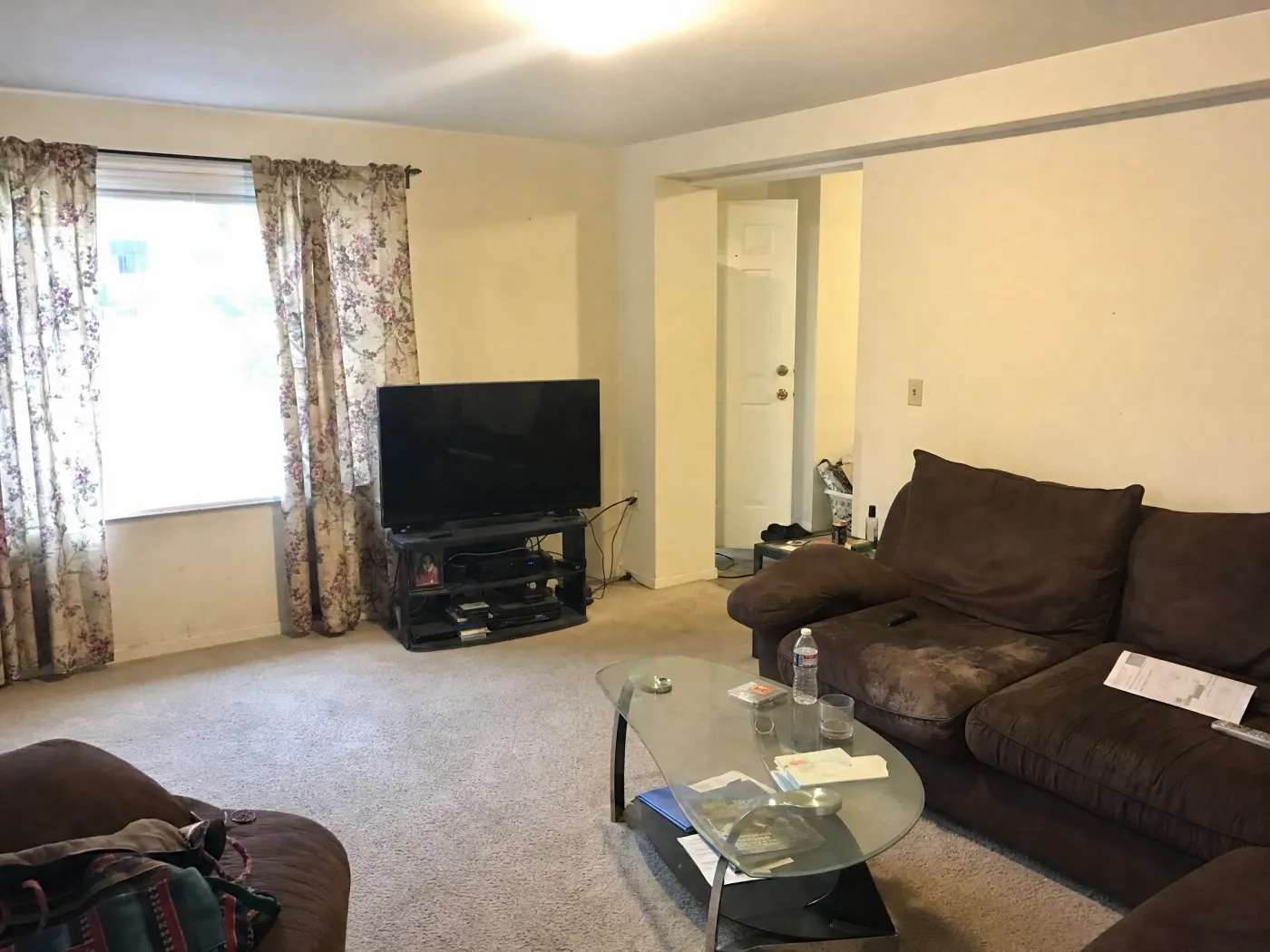
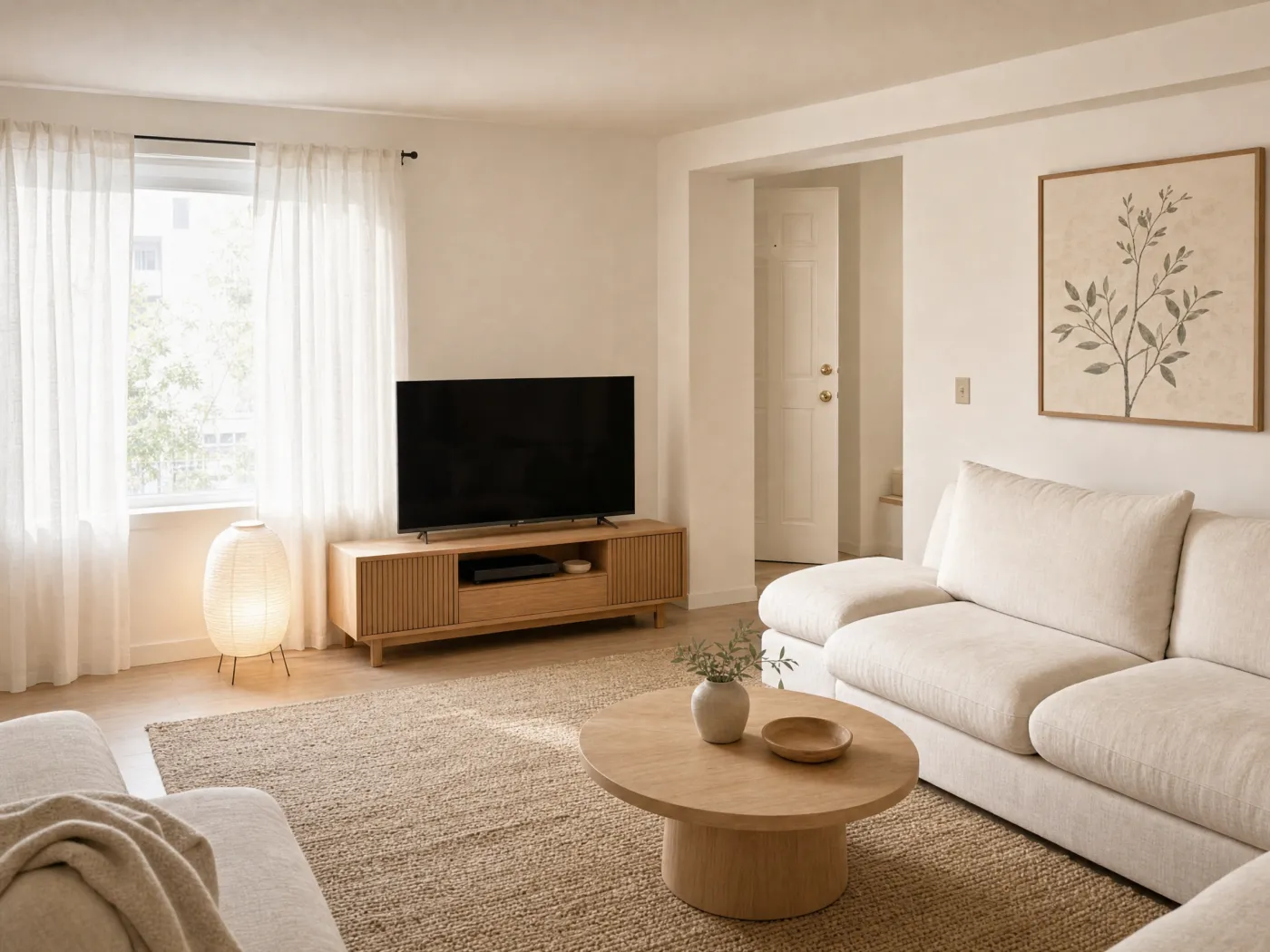
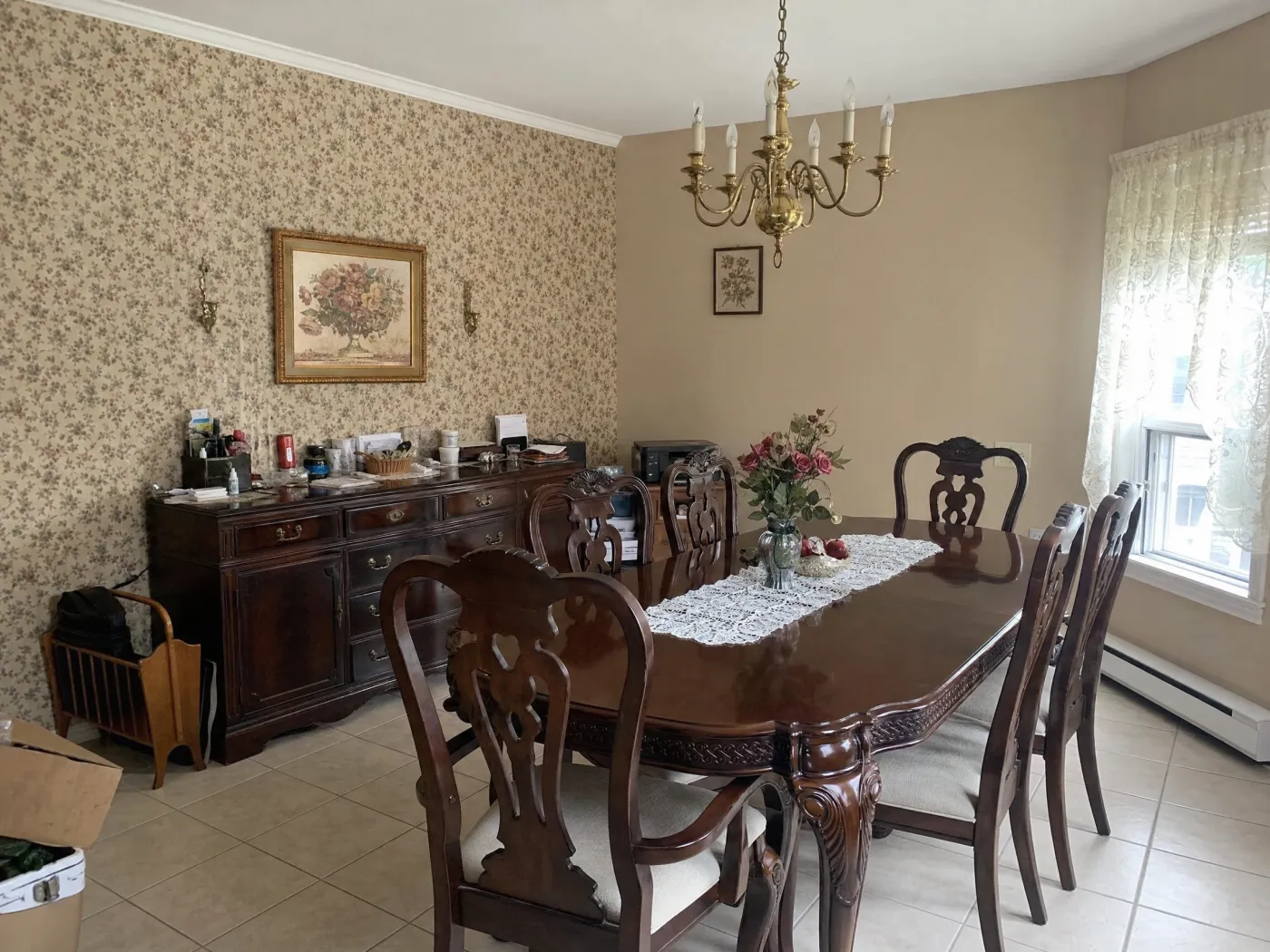
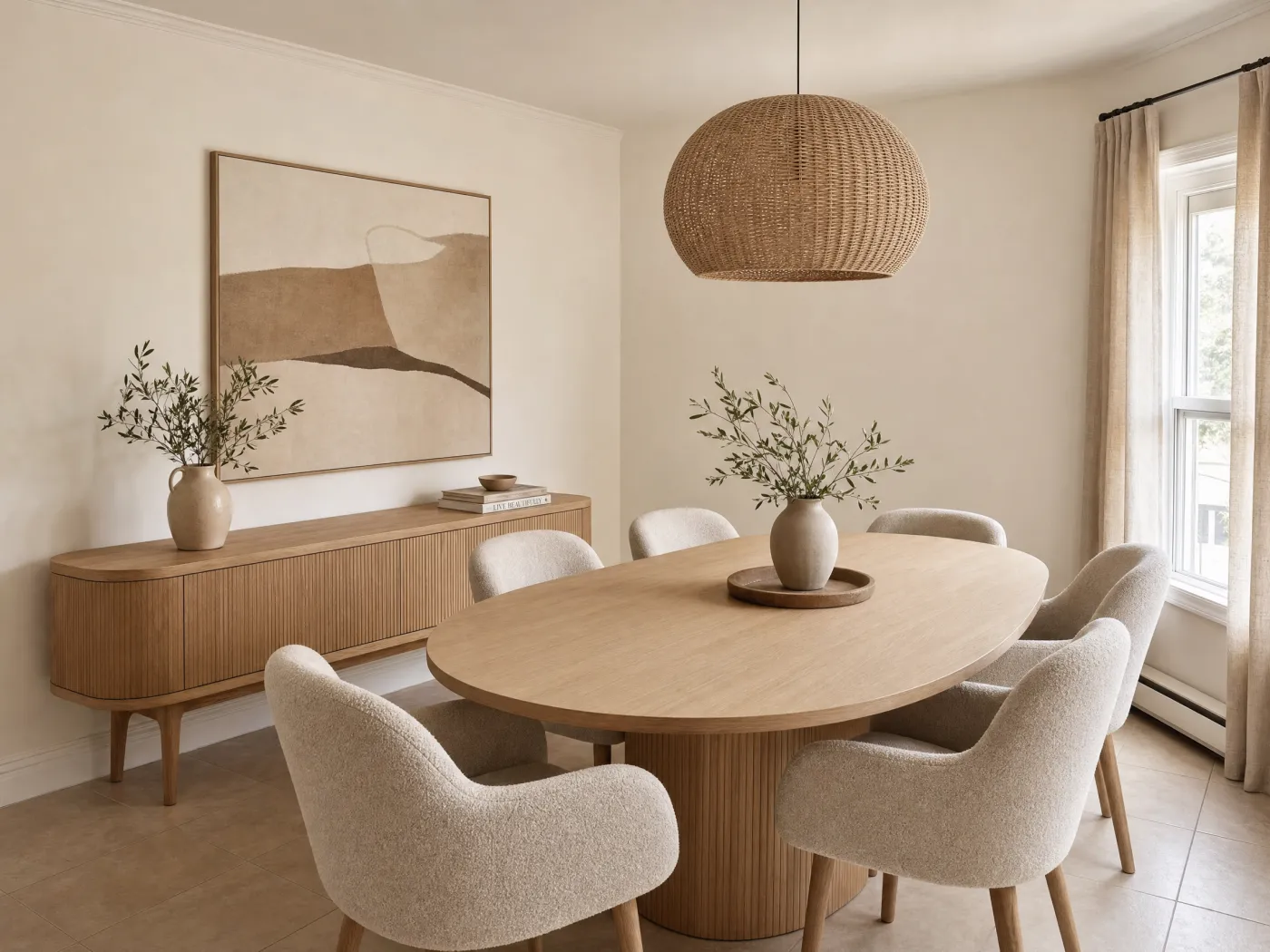
BeforeAfter
The flow
One photo in, a redesigned room out.
No mood boards, no measuring, no design degree. Just the room you already have.
1
Photograph the space
Living room, bedroom, dining room, hallway: if you can point a camera at it, Idori can redesign it.
2
Pick a direction
Get AI Ideas if the room feels wrong and you cannot name the fix, tap one of 30+ curated styles, from Japandi to Modern Farmhouse, or describe the change you want in your own words, in any language.
3
Let the AI redesign it
Idori uses the walls, windows, and layout in your photo as visual anchors while it restyles the room. Each version begins with your space, not a stock-room template.
4
Compare & decide
Slide before against after, Branch a version you like to push it further, and keep the direction you would actually live in.
Everything Idori does, for interior design
Interior design AI that treats your room as a project, not a prompt.
AI Ideas, Spot Edit, 30+ styles, Freeform Prompt, and a Workspace that keeps every version. The whole studio, pointed at the room in your photo.
5 directions, read from your room
Warm JapandiPale oak, low seating, and soft indirect light for a calmer, more deliberate living room.
Layered organic modernNatural wood, cream linen, and a larger rug to make the worn sofa read as intentional.
One bold focal wallA deep green wall and brass details to give the room weight without a full redo.
+ 2 more directions, each with its reasoning
AI Ideas
Interior design starts with a diagnosis, not a style.
A designer walking into your living room does not ask which style you want. They look: the sofa pushed against the longest wall, the one overhead light flattening everything at dusk, the corner that collects nothing but a cable. AI Ideas does that reading from your photo. It analyzes the actual room, then proposes five distinct directions with the reasoning behind each: what to change, and why the room would be better for it. Tap any direction to see it on your own walls and floor. The AI contributes the ideas. You keep the final word, which is the whole point of interior design AI that works with you instead of for you.
Five directions read from your own room, each with its reasoning
Trained on real work from professional interior designers
One tap to visualize any direction on your photo
1Wallpaper to warm plaster
2Lighter oak table
3Linen pendant
Spot Edit
Only what you pin changes. The rest of the room is yours to keep.
Generative AI is built to change things, which is exactly the problem when the room already has parts you love. Ask a one-shot tool for a new pendant and the floor, the table, and the window come back different. Spot Edit is Idori's answer, and it is a rule rather than a setting. Pin up to four exact spots, the wallpaper, the table, the light, the rug, and give each its own instruction. Attach a reference photo when a real paint color, fabric, or fixture has to match, and call the spot out as @1 in your prompt. Everything outside the pins stays exactly as photographed. Preservation is part of the design brief, and Idori treats it that way.
Restyle one wall, one piece, or one finish without touching the rest
Match a real paint, fabric, or fixture by attaching its photo
Up to 4 precise spots per generation, each with its own instruction
Styles
30+ complete interior styles, on your room, in one tap.
A style in Idori is not a filter over your photo. It is a complete, considered interior applied to the room you have: your window stays where it is, your floor stays put, and everything else is redesigned to the look. Modern styles like Japandi, Scandinavian, and Organic Modern read as clean lines, pale oak, and quiet color. Classic looks like Traditional, French Country, and Mediterranean bring warmth, texture, and character. Bold styles like Industrial, Moroccan, and Maximalist commit to pattern and hue. Cozy looks like Modern Farmhouse, Coastal, Wabi-Sabi, and Cottagecore turn a room into somewhere you want to end the day. Try five of the 30+ curated styles in five taps, then Compare them on the same photo.
Four families, Modern, Classic, Bold, and Cozy, 30+ styles and growing
Applied to your actual room, window and floor included, not a stock render
Every style becomes a version you can refine with a Spot Edit
BeforeAfter
Compare, Branch & Version History
Every room becomes a project. Every redesign, a version.
Interior design is iterative, and the expensive part has always been changing your mind after the paint is on the wall. Idori moves that cost to the part where it is free. Each room becomes a project in one continuous Workspace, and every result is a version you can return to: the AI Idea you chose, the Freeform Prompt that warmed it up, the Spot Edit that fixed the rug. Compare slides between any two on the same photo, the Japandi against the Organic Modern, so you judge them side by side instead of from memory. Branch from any version to explore a second direction without abandoning the first, and Version History keeps the whole tree. Change your mind five times here, so you only commit once out there.
Slide between any two designs of your own room
Branch a direction to explore it without losing the rest
Export any version in full quality to share, shop, or show a contractor
Start broad, then make the room unmistakably yours.
AI interior design works best as an editable sequence: explore a complete direction, protect the parts you already love, and refine one decision at a time instead of asking one image to solve everything.
Explore the whole room
Use a curated style or a plain-language prompt to test a new palette, furniture character, lighting mood, and material direction together.
Living rooms and bedrooms
Dining rooms and home offices
Bathrooms, entries, and awkward corners
Keep what already works
Name the architecture and objects that should remain recognizable: the floor, fireplace, sofa, windows, or a piece you would never replace.
State “keep” constraints first
Use a clear, well-lit source photo
Compare the result with the original
Refine exact details
Pin a Spot Edit for the wall, rug, lamp, art, or single furniture piece that still feels wrong. Everything else can stay as it is.
Attach a reference image for a finish
Branch before trying another option
Compare small changes side by side
Freeform Prompt: examples of how people brief Idori
A Freeform Prompt is how you brief Idori when no style fits: the room you want, in your own words and your own language. The best briefs name what must stay, what should change, and what the room is for, and Idori reads the intent behind them. These are examples, not scripts: the decisions are yours.
“Keep the oak floor and fireplace. Redesign this living room in a warm organic-modern style with softer lighting and a larger rug.”
“Make this bedroom calm and uncluttered with warm neutrals, linen textures, closed storage, and reading lights on both sides.”
“Keep all major furniture. Decorate this room with art, plants, layered lighting, and rust-colored accents that work with the blue sofa.”
“Turn this spare room into a comfortable home office and guest room without moving the window or built-in closet.”
A good source photo improves the concept. Photograph from a corner or doorway, keep the camera level, use even daylight, and show the floor-wall boundaries clearly. For a five-step walkthrough, read how to redesign a room with AI. Always measure the real space before buying or building.
Interior design with AI, answered
Questions before you start.
Photograph your room as it is now, then pick a direction: get AI Ideas, which reads the room and proposes five redesigns with the reasoning behind each, apply one of the 30+ curated styles, or describe the change you want in any language. Idori redesigns your real room while keeping the walls, windows, and layout, so you can Compare each version against the original.
Yes. Idori is an AI interior design app for iPhone and iPad. It starts from a photo of your real room, then generates full redesigns: you can apply one of 30+ curated styles or describe the change you want in your own words, and Compare each version against the original.
Yes. Idori is free to download and free to start. The Free plan includes Freeform Prompt redesigns and all 30+ curated styles on a weekly credit allowance, with full Compare and Version History. Idori Pro adds AI Ideas, precise Spot Edit, and watermark-free exports.
Photograph the room as it looks today, then pick a direction: tap a curated style or type what you want to change, in any language. Idori redesigns your actual space while keeping the walls, windows, and layout, so you can slide between before and after and Branch the versions you like.
Yes. Decorating requests work well as prompts: ask for new textiles, art, plants, lighting, or a color direction and Idori applies it to your own photo. Smaller changes read especially clearly because everything else in the room stays recognizable.
Any room you can photograph: living room, bedroom, kitchen, dining room, home office, bathroom, hallway, even a stubborn corner. Idori redesigns the space in the photo, so nothing about the room type needs configuring.
No. One photo is enough to start exploring. Idori reads the room from the picture, so there is nothing to measure, sketch, or import before the first redesign. Measure the real space before buying furniture or beginning work.
No. An AI redesign is a visual concept for exploring color, style, furniture, and decor in the context of your room. It does not verify scale, fit, codes, or construction feasibility. Use it to choose and communicate a direction, then confirm real-world details before purchasing or building.