
Discover a direction
When you know the room feels wrong but not why, AI Ideas analyzes the photo and proposes distinct changes with the reasoning behind each one.
AI app that designs your room
Idori is the AI app that designs your room from a photo. Take a picture and watch it redesigned in seconds: a new style, restyled furniture, or a whole makeover, all before you move a thing.
Free to start · No design skills needed · Your photos stay private
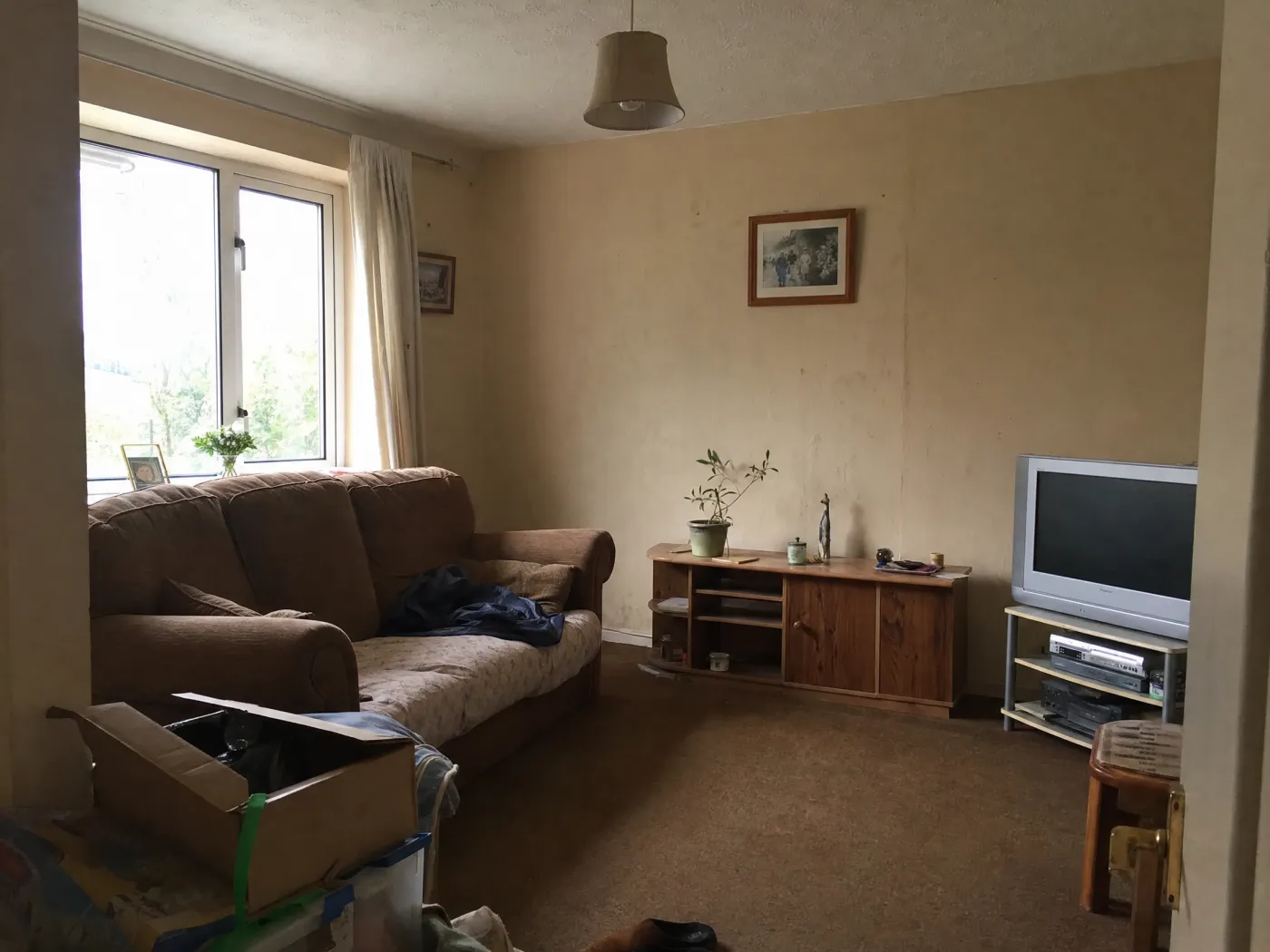
 Before
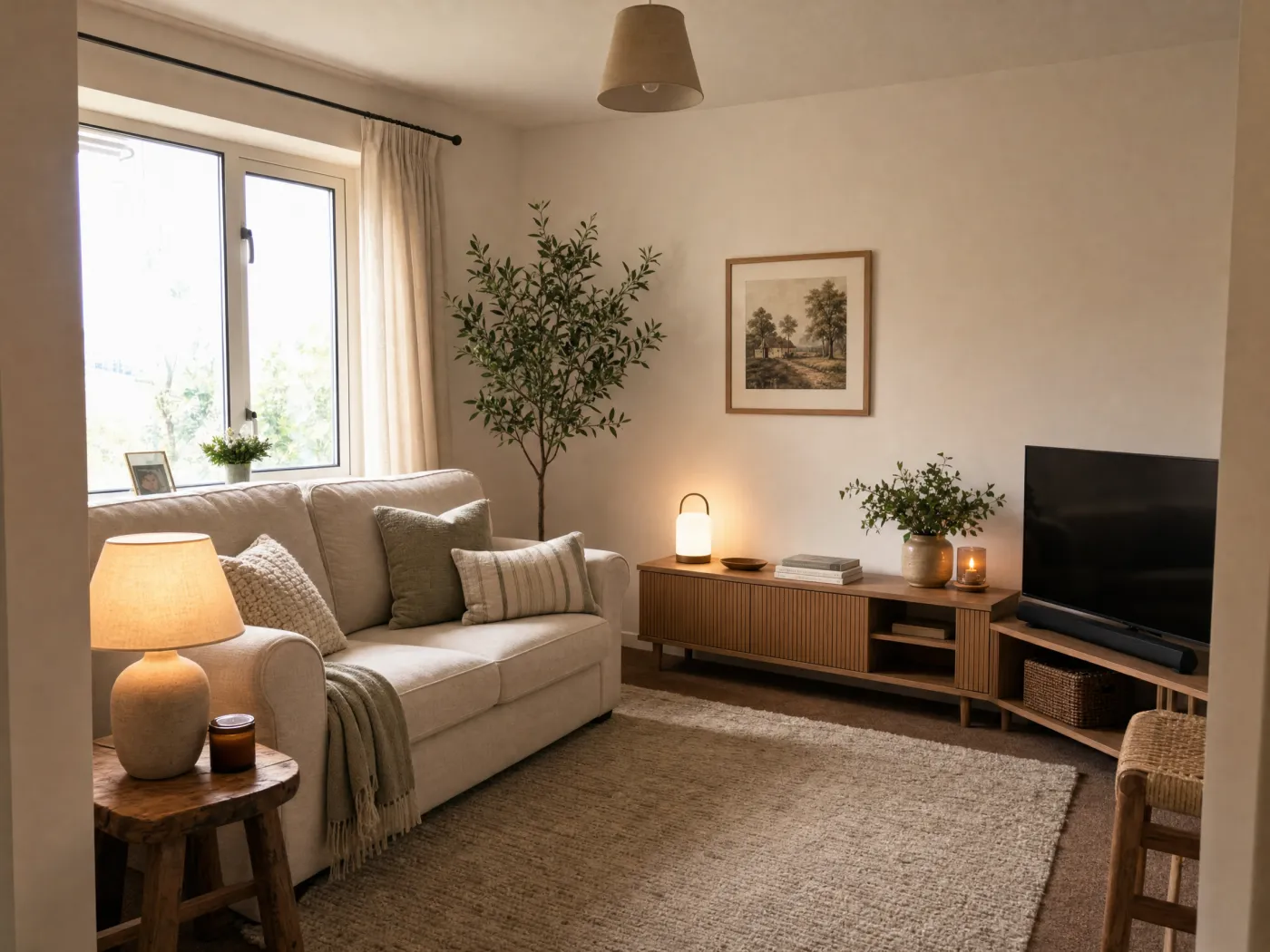
After
Before
After
The flow
No mood boards, no measuring tape, no design degree. Just your room and an idea.
Snap or upload the room you want to change, exactly as it looks right now.
Not sure what to do? Get AI Ideas. Know the look? Tap a curated style. Know exactly what you want? Describe it in any language.
It returns a redesigned version of your actual room: same layout and angle, brand-new look.
Compare versions side by side, Branch any one to explore a new direction, then export the winner to save or share.
Everything Idori does, for any room
AI Ideas, Spot Edit, 30+ styles, Freeform Prompt, and a Workspace that keeps every version. Take a picture, and the whole studio goes to work on it.
The hardest part of designing a room is not generating a picture. It is knowing what to change. AI Ideas starts there. Point the camera at your room and Idori reads what is really in the photo, the sofa that hogs the wall, the rug too small for the seating, the lighting that dies at dusk, then proposes five distinct design directions, each with the reasoning: what to change and why the room would be better for it. One tap visualizes any direction on your photo. It is the difference between an app that designs your room and an app that helps you design it, and only one of those leaves you knowing why the result works.
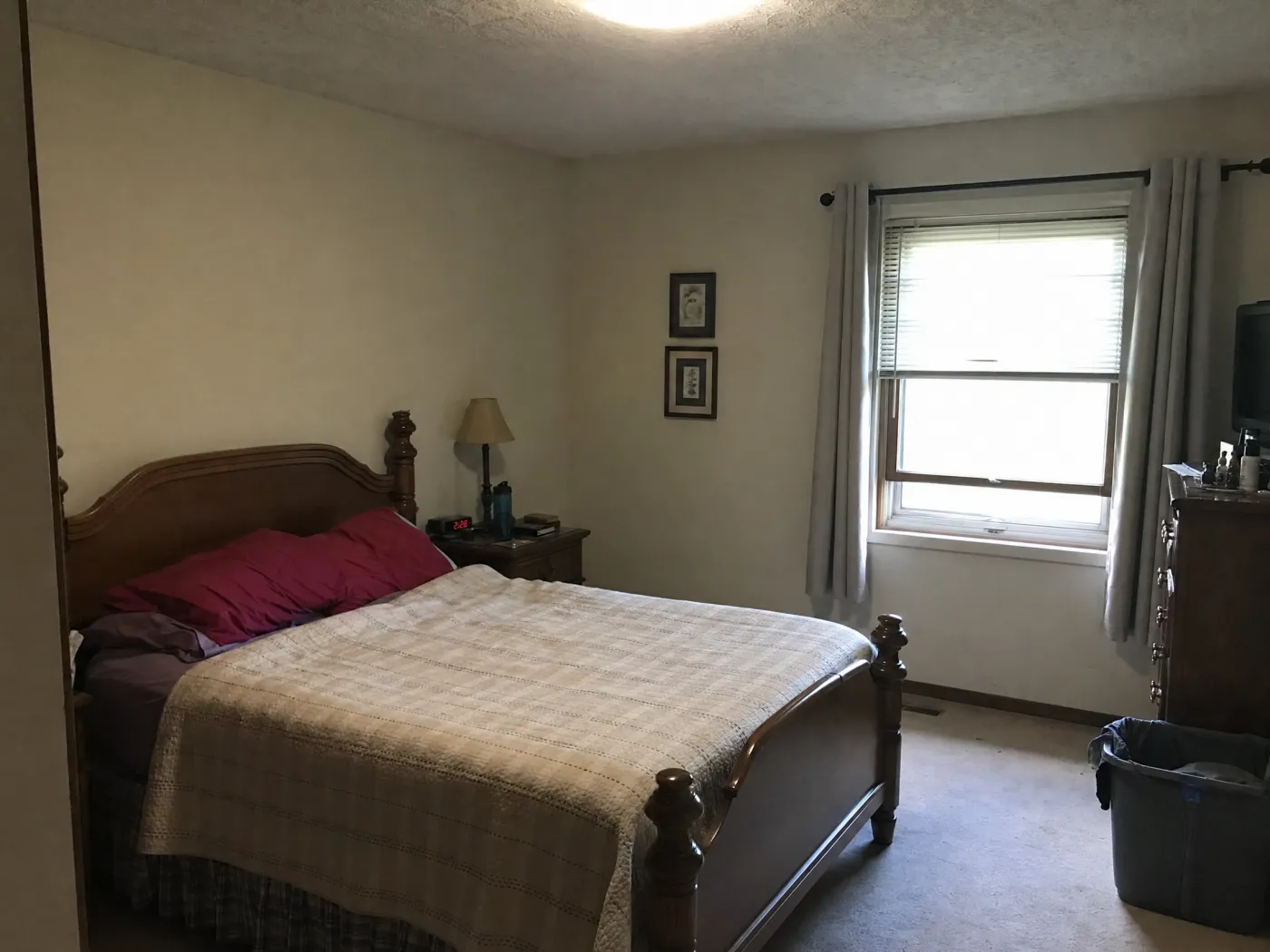
Once a design is close, the last thing you want is to start over. Spot Edit lets you finish it piece by piece. Pin up to four spots on your photo, the headboard wall, the bedding, the dresser, the lamp, and tell Idori what each should become. Attach a reference photo of the actual sofa, paint color, or rug you are looking at and call it out as @1 in your prompt, and you see that product in your room. Everything you did not pin stays exactly as it is. Most AI tools redraw the whole room the moment you ask for one thing. Idori was built so that they cannot.
When you can name the mood but not the pieces, a curated style designs the whole room at once. Each of Idori's 30+ styles is a complete, considered look applied to your actual room: the same walls, window, and layout, redesigned with new furniture, palette, textiles, and light. Modern styles like Japandi and Mid-Century read as clean lines and warm wood. Classic looks like Traditional and French Country bring softness and detail. Bold styles like Bohemian, Dark Academia, and Maximalist commit to color and character. Cozy looks like Modern Farmhouse, Coastal, and Cottagecore make a room you want to come home to. Five taps, five complete designs of your room, ready to Compare.
 Before
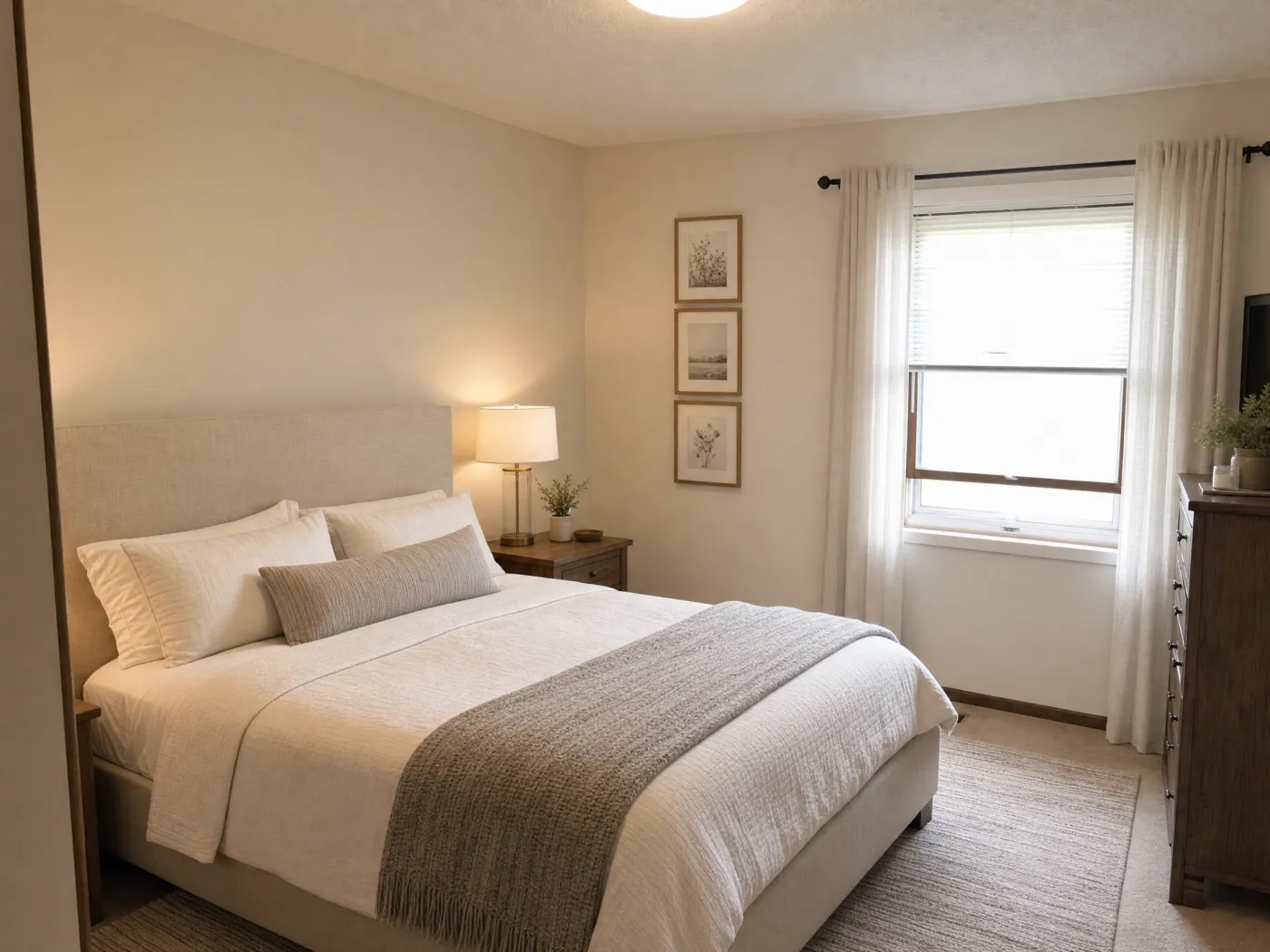
After
Before
After
Designing a room is a sequence of decisions, and a good app should remember them. In Idori each room becomes a project in one continuous Workspace, and every result is a version you can return to: the AI Idea you picked, the Freeform Prompt that warmed it up, the Spot Edit that fixed the lamp. Compare slides between any two on the same photo, so you judge the warm neutrals against the Japandi side by side instead of from memory. Branch from any version to explore a second direction without losing the first, and Version History keeps the whole tree. You are not generating images. You are working through a design, and every step of it is still there.
One photo, three starting points
Take a picture of your room, then choose the kind of decision you are making now. Every result stays in Version History, so the next idea can build from it.
When you know the room feels wrong but not why, AI Ideas analyzes the photo and proposes distinct changes with the reasoning behind each one.
Describe the mood, palette, materials, and pieces you want, or apply one of 30+ curated styles. Prompts work in any language.
Pin the sofa, wall, rug, or light with Spot Edit, add an optional reference photo, and refine that area while preserving the rest.
A Freeform Prompt is how you tell the app what to design: the room you want, in your own words and your own language. Say what stays, what changes, and what the room is for, and Idori reads the intent. These are examples, not scripts: the decisions are yours.
“Keep the layout and sofa. Give this living room a warmer palette, larger rug, layered lighting, and quieter storage.”
“Design this bedroom in a calm Japandi style. Preserve the floor and windows, and add linen, pale oak, and soft indirect light.”
“Decorate this home office without replacing the desk: add closed storage, task lighting, art, and a comfortable reading chair.”
“Keep every piece but show a better arrangement with a clear walkway and the seating focused on the fireplace.”
Choose the right output for the job. Use Idori to explore and communicate visual directions. For furniture placement, see the room rearranging app page; for a remodel, verify dimensions, products, codes, and construction feasibility in the real space.
The app that designs your room, answered
Yes, that app is Idori. Take a photo of your room and Idori redesigns it for you: generate full redesigns, apply a curated style in one tap, or restyle a single piece. You see the new room before you change anything in real life.
Idori starts from a photo of your actual room. Describe the look you want in any language, get AI Ideas, or pick a style, then it returns a redesigned version of your real room, keeping the same layout and angle.
Yes, Idori is free to start. The Free plan includes Freeform Prompt redesigns, the full library of 30+ curated styles, and full Compare and Version History, on a weekly credit allowance. Pro unlocks AI Ideas, precise Spot Edit, and watermark-free exports.
Yes. Living room, bedroom, kitchen, bathroom, nursery, home office, or outdoor space. If you can photograph it, Idori can redesign it.
No design skills, measurements, or floor plan are needed to explore a direction. Point your camera at the room and describe what you want. The result is a visual concept, so measure the real room before buying furniture or beginning work.
Yes. Take or upload a clear photo in Idori, then choose AI Ideas, a curated style, or your own prompt. Idori creates a new version based on that room photo so you can compare the direction with the space you have now.
Idori is an iOS app for iPhone and iPad.
Designing a specific space? See AI kitchen design, explore the full app, or read how to redesign any room with AI.
Your room is waiting
Download Idori, photograph any room, and watch the redesigns appear.