The Best AI Landscape Design Apps for iPhone and iPad in 2026, Ranked by the Job
 The Idori team
·
·
11 min read
The Idori team
·
·
11 min read
Every roundup in this category crowns one winner and treats the rest as filler. The useful truth is different: eight very different tools are the "best AI landscape design app" depending on what you are about to do with your yard. Here is the honest map, backyard to front yard, garden to facade.
The best AI landscape design app in 2026 depends on the job. Designing your own yard from a photo and staying in control of what changes: Idori. A free first render: Neighborbrite. A climate-matched plant list for the nursery: Gardenly. One project, paid once, with contractor paperwork: Hadaa. A quick one-shot restyle on Android or the web: Remodel AI. Placing individual plants in augmented reality: iScape or DreamzAR. A human designer: Yardzen. Below, each one is ranked for the job it wins, and the job it does not.
"Best AI app for landscape design" is one of the fastest-rising searches in home design this year, and the phrasing says something. People have stopped asking whether AI can redesign a yard from a photo. Every tool on this page can, and every one of them runs on an iPhone or iPad, natively or in Safari, except the design service at the end. They are asking which one to trust with the yard they actually have, on the device already in their hand, and that is a question about control, not rendering.
One more thing worth knowing before you read any list in this category, including this one: almost all of them are published by an app that ranks itself first. Four of the top results for this search are. This one is published by Idori, and Idori is first. The difference is that the case below is made of things you can check on your own yard in ten minutes: does the app read the yard or just repaint it, does it keep the house and the fence when you ask for a new patio, and does it still have the version you liked on Tuesday.
How this ranking works
Every app here can produce a beautiful yard. In 2026 that is table stakes, and it tells you almost nothing about whether the yard is yours. So we judge each tool against one question: does it get you to a landscape you will actually build and be glad you built? That breaks into six things you can test with a single photo of your own property.
- Your real yard, not a lookalike. Does it redesign the property in the photo, with your house, your fence line, your slope and light, or return a stock render of a yard like yours?
- Idea discovery. When you know the yard is wrong but cannot name the fix, does the app propose directions and explain them, or does it hand you a style menu and wait?
- Preservation. Ask for a new bed and see whether the siding, the mature tree, and the deck survive. This is where most landscape AI fails, and it is the failure that costs you trust.
- Iteration. Are results disposable images, or versions you can compare, branch, and come back to in autumn?
- What you can take outside. A plant list with hardiness zones, a blueprint, an AR walkthrough, an exported image for the landscaper. Different apps hand you different things, and this decides several rankings below.
- Honest pricing and privacy. Is the free plan real, and where do photos of your home end up?
| App | What it is | Reads your yard, proposes directions | Keeps what you didn't pin | Versions & Compare | Plant list / climate | Free to start |
|---|---|---|---|---|---|---|
| Idori | Photo redesign + iteration studio (iPhone, iPad) | AI Ideas: 5 directions with reasoning | Spot Edit: only pinned spots change | Projects, Version History, Compare, Branch | No, visual concept; export for the nursery | Yes, weekly credit allowance |
| Neighborbrite | One-shot photo restyle (web) | No, you pick a style | Magic edit on the paid tier | No | Plant finder on the paid tier | Yes, generous |
| Gardenly | Photo restyle + planting guide (web, iPhone) | No, you pick a style | Limited | No | Yes, zone-matched with quantities | No, subscription only |
| Hadaa | Batch renders + contractor deliverables (web) | No, automated batch of styles | Masking brush | No | Yes, plus blueprint and quantities | No, pay per render |
| Remodel AI | One-shot photo restyle (web, iPhone, Android) | No, you pick a style | No pinned control | No | No | A few one-time designs |
| iScape | AR and 2D drag-and-drop (iPhone, Android) | No, manual placement | Yes, you place objects yourself | Manual saves | Catalog with zone filtering | Limited free plan |
| DreamzAR | AI styles + AR walkthrough (iPhone, Android, web) | No, you pick a style | Chat-based edits, not pinned | No | Catalog of 2,000+ plants | No, subscription |
| Yardzen | Human design service with renders | Yes, a designer does | Yes, a designer does | Revision rounds | Yes, full plan | No, from about $1,000 per project |
Characterizations reflect each product's published features and plans in early September 2026. Prices and free allowances in this category change monthly; check before you subscribe anywhere.
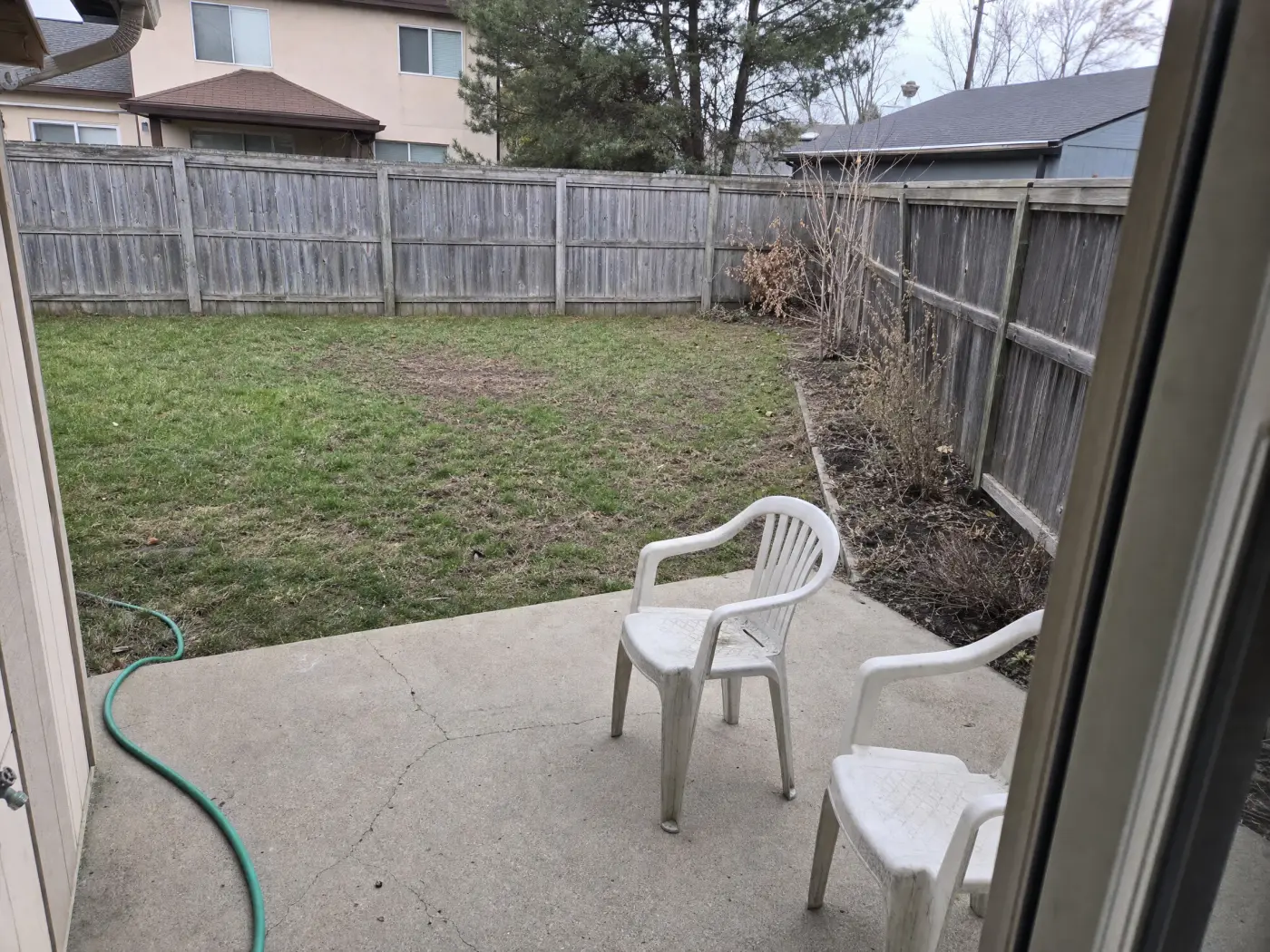
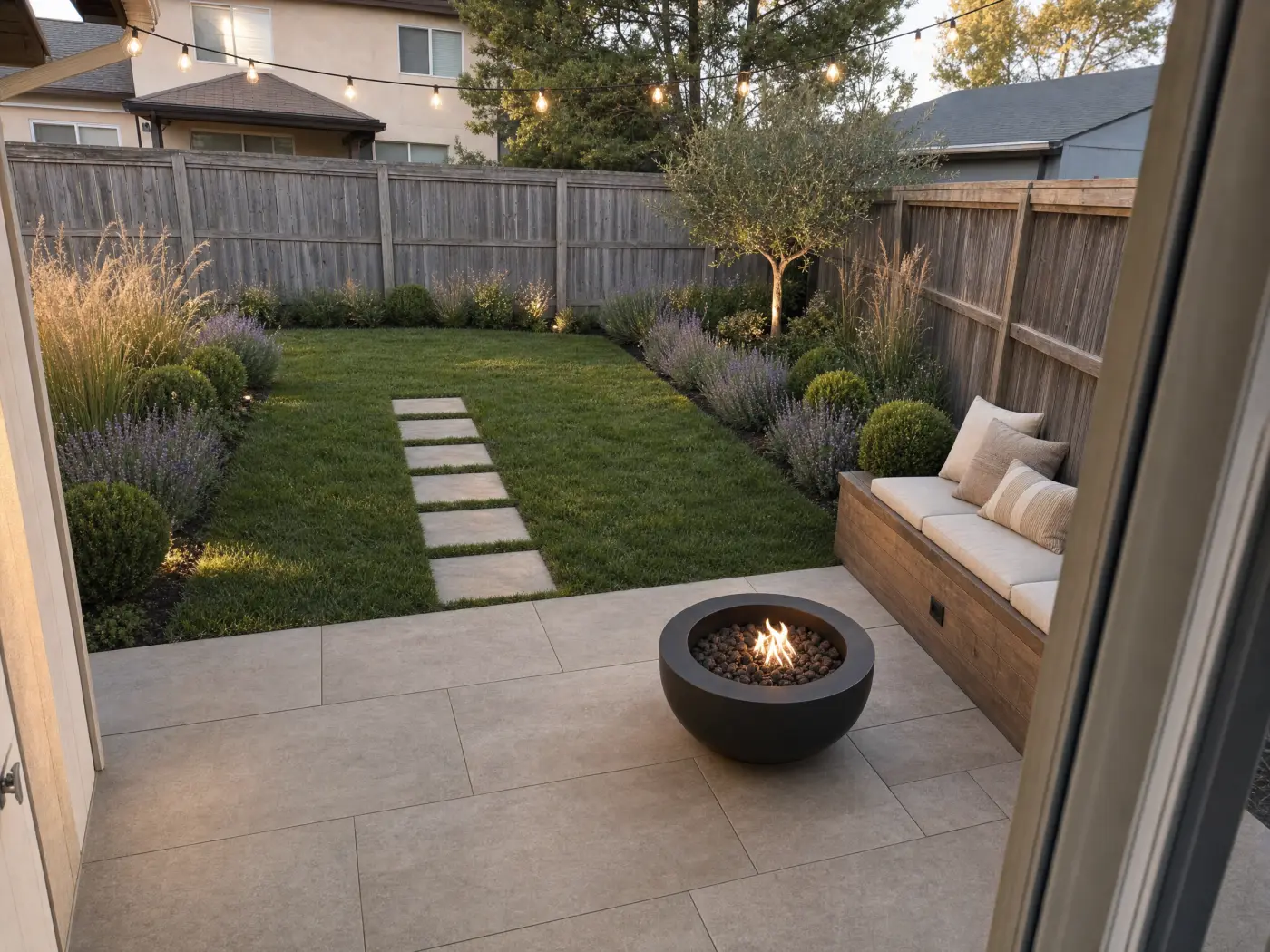 Before
After
Before
After
1. Idori: best for designing your own yard, and staying in control
Idori is first because it is the only app on this list built on the right premise for a homeowner: the point of AI landscape design is not to design your yard for you. It is to help you make better decisions about a yard you already own and will have to live with. Every other photo tool here runs the same loop: upload, pick a style, receive an image, repeat until something looks nice. Idori treats the yard as a project and hands you a studio. Five things separate it, and each one is checkable on your own photo.
It reads your yard and tells you what it sees. Most people know a yard is not working long before they know why: the blank fence, the bed nobody planted, the patio that is too small for the table. AI Ideas starts there. It reads and analyzes the actual outdoor space in your photo and proposes five distinct directions, each with the reasoning: what to change and why it would lift the space. Layered curb-appeal beds to hide the foundation line. A curved paver walk in place of the cracked path. A low-water gravel garden instead of the thin lawn. One tap visualizes any of them on your property. No other landscape app on this list proposes anything; they all wait for you to pick from a menu, which is fine if you already know what you want and useless if you do not.
Only what you pin changes. This is the failure the rest of the category cannot shake. Reviews of one-shot landscape apps are full of the same complaint: ask for new planting and the app repaints the siding, adds a gazebo nobody asked for, moves the fence. Spot Edit is Idori's answer, and it is a rule, not a setting. Pin up to four exact spots on the photo, tell Idori what each should become, attach a reference photo when you need to match a real paver, a specific plant, or a fence stain, and call out spots like @1 right in the prompt. Everything you did not pin stays exactly as it is: the mature tree, the roofline, the deck you paid for last year. That precision is why "replant one bed and touch nothing else" is a promise Idori can actually make.
Thirty-plus complete looks, every one of them outdoors. Idori's 30+ curated styles are full, considered looks rather than filters, and all of them apply to a yard exactly as they do to a living room. Japandi and Organic Modern read as clean pavers, gravel, and sculptural planting. Mediterranean and French Country bring terracotta, clipped hedges, and climbing vines. Tropical, Moroccan, and Maximalist go big on foliage and color. Modern Farmhouse, Coastal, Rustic, and Cottagecore turn a yard into somewhere you want to sit at dusk. Try five in five taps on your own backyard, then Compare them side by side. Most competitors offer ten to forty outdoor presets; the number matters less than the fact that Idori's are applied to your actual property, house and fence included, not to a generic yard.
Your own words, in any language. A Freeform Prompt is how you brief Idori when no preset fits: "keep the house, the fence, and the big maple, then redesign this backyard with a large paver patio, built-in bench seating, a fire bowl, and a border of grasses and lavender along the fence." Write it in Spanish, German, Arabic, or Japanese and it works the same; Idori reads the intent, not the English. Naming what stays and what the space is for is most of what makes an AI landscape design good, and Idori was built to be briefed that way.
Every result is a version, not a download. A landscape is a sequence of decisions, so Idori keeps the sequence. Each outdoor space becomes a project in one continuous Workspace, and every result is a version you can return to. Compare slides between any two on the same photo: the gravel garden against the lawn, the paver patio against the deck. Branch turns any earlier version into the start of a new path instead of a dead end, and Version History keeps the whole tree, so the idea you rejected in spring is still there when the nursery has a sale in autumn. Export any version in full quality for the landscaper, the nursery, or the neighbor who has to agree about the fence. No other app in this ranking treats your design process as something worth keeping.
Your photos stay yours. Projects and Version History live on your device. Uploaded photos and prompts are used only to complete a generation and are not retained on Idori's servers, and your content is never used to train models. Several apps in this category publish no statement at all about where photos of your home go.
The trade-offs, plainly: Idori runs on iPhone and iPad only, so Android and desktop users need Neighborbrite or Remodel AI below. It produces a visual concept, deliberately, not a species list or a hardiness check; if you want botanical names with quantities for your zone, take the version you chose to Gardenly, Hadaa, or a local nursery. And AI Ideas and Spot Edit are part of Idori Pro, while Freeform Prompt, all 30+ styles, Compare, and Version History are in the free plan. If your yard is a real decision rather than a curiosity, this is the tool that respects that. Free to start.
2. Neighborbrite: best free first render
Neighborbrite is the most generous free tool in the category, and it earns its place on that alone. Upload a yard photo in the browser, choose a garden style, and get a redesign back with no card and no countdown. It has a large user base, a plant identification feature, and a paid tier that adds a magic edit tool and a plant finder with quantities and hardiness zones. If you want to see what AI does to your yard in the next two minutes without installing anything, start here.
The trade-offs: it is a style menu, not a design partner. Nothing proposes a direction or explains one, precise editing sits behind the paid plan and is a brush rather than a pinned promise, and each result is a standalone image with no version history. You will get a pretty yard. Getting to your yard is on you.
Best for: a free, zero-commitment first look at AI landscaping on any device.
3. Gardenly: best for a climate-matched plant list
Gardenly's distinguishing feature is what comes with the render: a planting guide with species, quantities, and maintenance notes matched to your hardiness zone, rainfall, and sun exposure. For the person whose next step is a trolley at the nursery, that is genuinely valuable, and no photo-only tool provides it. It runs on the web and iPhone, with around thirty garden styles and seasonal views of the design.
The trade-offs: there is no free plan, only a paid subscription with a money-back window, and the design side is the standard one-shot loop: pick a style, generate, regenerate. It optimizes for a shoppable list more than for the decision about what the yard should become, so the render is the means and the list is the product. Iteration and preservation are limited.
Best for: turning a design you already believe in into a plant order.
4. Hadaa: best for paying once and getting contractor paperwork
Hadaa is the odd one out in pricing: no subscription, one fee per render, and each project returns a large batch of styles and camera angles plus a zone-verified planting guide, a color-coded placement blueprint, and a bill of quantities. It also accepts sketches and multiple photos, and it has a masking brush to protect structures you do not want touched. If you are about to hire a contractor and want a document to hand them, this is the most complete deliverable on the list.
The trade-offs: it is an automated batch pipeline rather than a conversation. You do not explore; you receive a set and choose. That is efficient for one project and wrong for someone still figuring out what they want. It is browser-only, per-render pricing adds up if you change your mind, and nothing resembles a version history across attempts.
Best for: one decided project that needs a blueprint and quantities.
5. Remodel AI: best one-shot restyle on Android and the web
Remodel AI began as an interior tool and added exterior and landscape modes, which makes it the broadest one-shot restyler here: interiors, facades, and yards from a single photo on web, iPhone, and Android, with a handful of free designs to try. Its landscape styles are few but fast, and its before/after slider is a nice touch for a single result.
The trade-offs: the workflow is upload, pick a style, generate, done, and the landscape mode is the thinnest of its tools. There is no idea discovery, no pinned control over what stays, and no versions. Worth knowing too: its "best landscape app" article is written by Remodel AI's founder and scores Remodel AI first, which is a fair reminder to read this whole category with your eyes open.
Best for: a quick style test on a device that cannot run Idori.
6. iScape: best for placing individual plants, and for contractors
iScape is not AI photo redesign; it is a drag-and-drop landscape designer with a large catalog of real plants and hardscape you place onto a photo in 2D or view in augmented reality. It has been around for over a decade, filters plants by USDA zone, and on its Pro plan generates branded proposals with pricing. That is why so many landscape professionals use it on site.
The trade-offs: everything is manual. You place every shrub, resize every paver, and decide every relationship yourself, which is exactly what a homeowner with no design training was hoping to avoid. Nothing proposes a direction, the free plan is limited, and the Pro price is aimed at businesses.
Best for: contractors building proposals, and homeowners who already know exactly which plants go where.
7. DreamzAR: best AR walkthrough
DreamzAR combines AI style generation with a 2D editor and a true-scale augmented reality walkthrough, so you can stand in the yard and look at the design through your phone. Its catalog runs to a couple of thousand plants and features, refinement happens through a chat interface, and it works on iPhone, Android, and the web.
The trade-offs: subscription only with no free plan, and chat refinement is not the same as pinned preservation; asking for one change can still redraw more than one thing. The AI-styles side is a menu like everyone else's, and the app's store ratings are mixed. The walkthrough is the reason to pay.
Best for: checking scale and sightlines in AR before you dig.
8. Yardzen: best when you want a human
Yardzen is not an app; it is an online landscape design service with a real designer, photorealistic renders, a plant plan, and an optional network of vetted contractors, starting around a thousand dollars and rising with the package. If the project is large, the grading is real, and you would rather approve than design, this is the honest answer.
The trade-offs: the cost, the wait, and the loss of the cheap, fast, private exploration that AI made possible. Many Yardzen customers would get more out of the designer conversation if they arrived with a version they already loved. That is a job for the tool at the top of this list.
Best for: a fully designed, permit-adjacent project with professional accountability.
What about Gemini and ChatGPT?
General-purpose image models will redesign a yard photo if you ask nicely, they are free or nearly so, and they are probably already on your phone. For entertaining yourself or ruling out an entire direction ("definitely not a pool"), they are a fine playground.
They are the wrong instrument for a decision. They regenerate the whole image, so your house drifts a little each time, the fence moves, and the neighbor's tree changes species. There is no memory of the version you liked, no way to protect one area, no reasoning behind anything, and no idea what a Japandi courtyard needs that a cottage border does not. Play here; decide somewhere built for it.
The rest of the store
Search "landscape design" on any app store and most of what comes back is one of three things. Thin one-shot clones with a dozen styles and a weekly subscription, whose reviews mention the house being repainted unprompted; skip them. 3D property planners like Planner 5D, where you rebuild your lot from scratch before seeing a single idea, useful for measured layouts and wrong for "what should my yard become." And plant-care and vegetable planners, which track what you grow rather than show you what it could look like. None of them answers the question this page is about.
Match the app to the job
Reach for Idori when
- It is your yard, and you want it to feel right, not just look impressive
- You know something is off but cannot name the fix
- The house, the fence, or the tree must survive the redesign
- You want to try five directions and Compare them on the same photo
- You will change your mind, and want the earlier version still there
- You want photos of your home to stay private
Reach for the others when
- You want one free render in the browser right now: Neighborbrite
- You need species names and quantities for your zone: Gardenly
- You need a blueprint and a bill of quantities, paid once: Hadaa
- You are on Android and want a quick style test: Remodel AI
- You want to place specific plants by hand or build a proposal: iScape
- You want to walk through the design in AR: DreamzAR
- You want a professional to own the plan: Yardzen
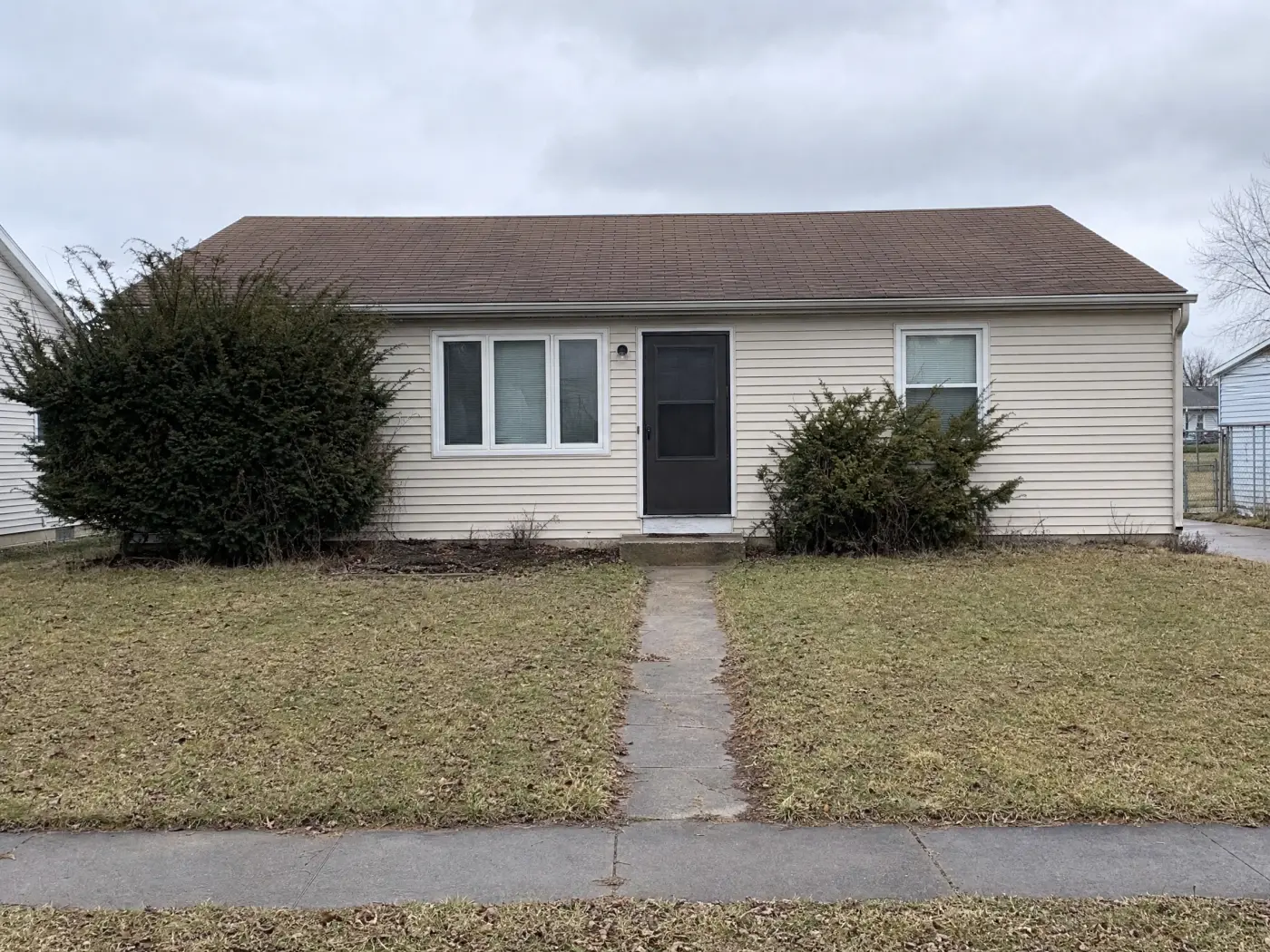
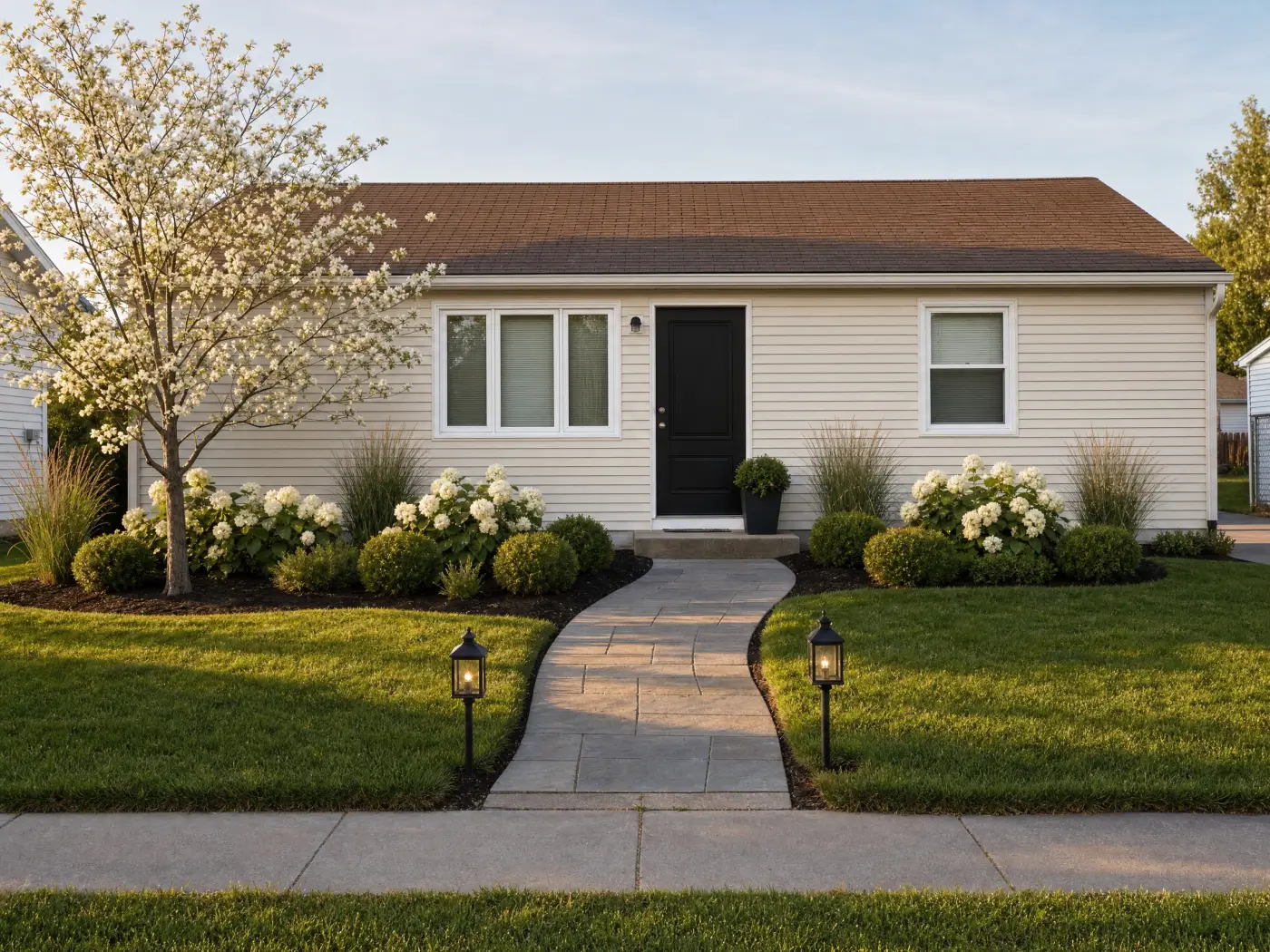 Before
After
Before
After
Why the ranking comes out this way
Strip the marketing away and the category has three shapes. One-shot restylers generate impressions. Planners and AR tools make you build the model yourself. Services hand the whole thing to a professional. Idori is built for the part in between, which is the part that actually decides how your yard turns out: you look at your real property, get directions you would not have thought of, protect what you love, change your mind cheaply, and stop when what you see matches what you want. The AI brings the capability. You keep the yard.
That is also why the ranking is not a popularity contest. Several apps here have more downloads, more styles, or more countries than Idori. None of them will tell you why your front yard feels flat, replant one bed without repainting the house, or still have last spring's rejected patio when you want it back. A landscape is a decision you will live with for years. Use the tool built for decisions.
Run the comparison on your own yard
The fastest way to judge any of this is with your own backyard, garden, or front yard. Idori redesigns it from one photo, keeps what you pin, and remembers every version. Free to start on iPhone and iPad.
Download Idori freeQuestions people ask
For designing your own yard from a photo, Idori. It reads the actual backyard, garden, or front yard in your picture and proposes five directions with the reasoning behind each, changes only the spots you pin so the house, fence, and trees stay put, and keeps every result as a version you can Compare and Branch. For a free first render, Neighborbrite. For a climate-matched plant list, Gardenly. For placing individual plants in augmented reality, iScape or DreamzAR.
Yes. Idori is free to download on iPhone and iPad and free to start: the Free plan includes Freeform Prompt redesigns of your yard and all 30+ curated styles on a weekly credit allowance, with Compare and Version History. Neighborbrite is free on the web with a set of preset garden styles. Remodel AI gives a few free designs before a subscription. Most other landscape apps offer a one-time trial or none at all.
It depends on whether you are designing the look or ordering the plants. To design the look on a photo of your own garden, Idori: describe a perennial border, a gravel garden, or raised vegetable beds, or pin one bed with Spot Edit and replant only that. To turn a design into a species list with quantities for your hardiness zone, Gardenly or Hadaa. Many people use both: decide the design in Idori, then take the winning version to a nursery or a plant-list tool.
Photograph the backyard from the door or patio you use most, with the house edge and the fence in frame. In Idori, get AI Ideas to see five directions read from your actual yard, tap a curated style, or describe the patio, planting, and lawn you want in your own words and language. Then refine one area at a time with Spot Edit and use Compare to slide between versions before you buy anything. The full walkthrough, from small city yards to family lawns, is on the AI backyard design page.
One-shot apps often do, because generative AI is built to change things: reviews of several landscape apps report the siding or the house being altered unprompted. Idori is built around the opposite rule, and it is the only landscape design app on the App Store where preservation is a pinned guarantee rather than a hope. With Spot Edit, you pin up to four exact spots and only those change; everything else in the photo stays exactly as it is. With a Freeform Prompt, naming what must stay (keep the house, the fence, and the maple) anchors the redesign around it.
Idori. Photograph the house from the street, pin the siding, the trim, or the front door with Spot Edit, and describe the color. Only the pinned surfaces change, so the roof, windows, and planting stay as they are, and every color you try becomes a version you can Compare side by side. Remodel AI also restyles facades, as a one-shot render of the whole photo.