Free to start · No measurements needed · Your photos stay private
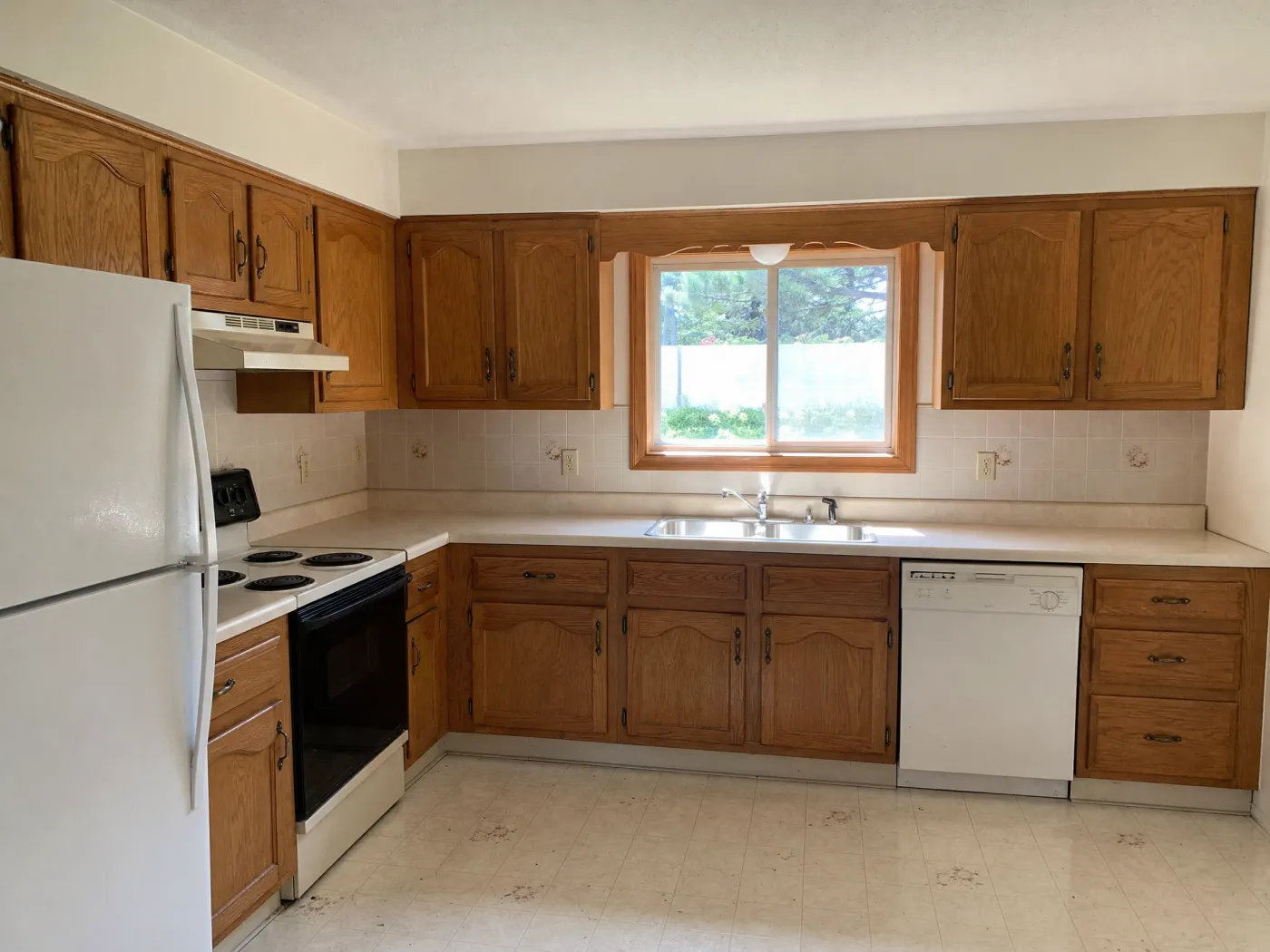
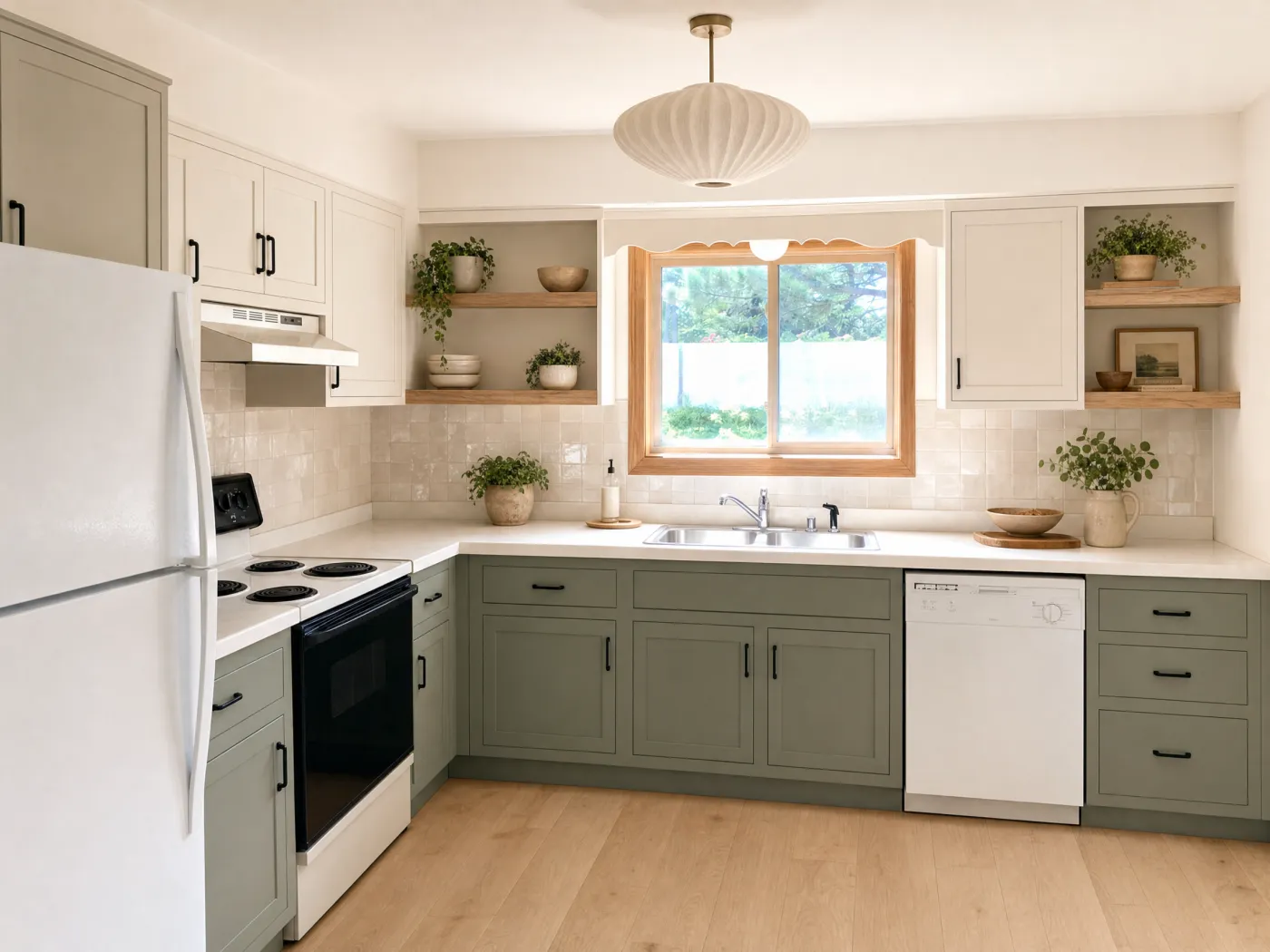
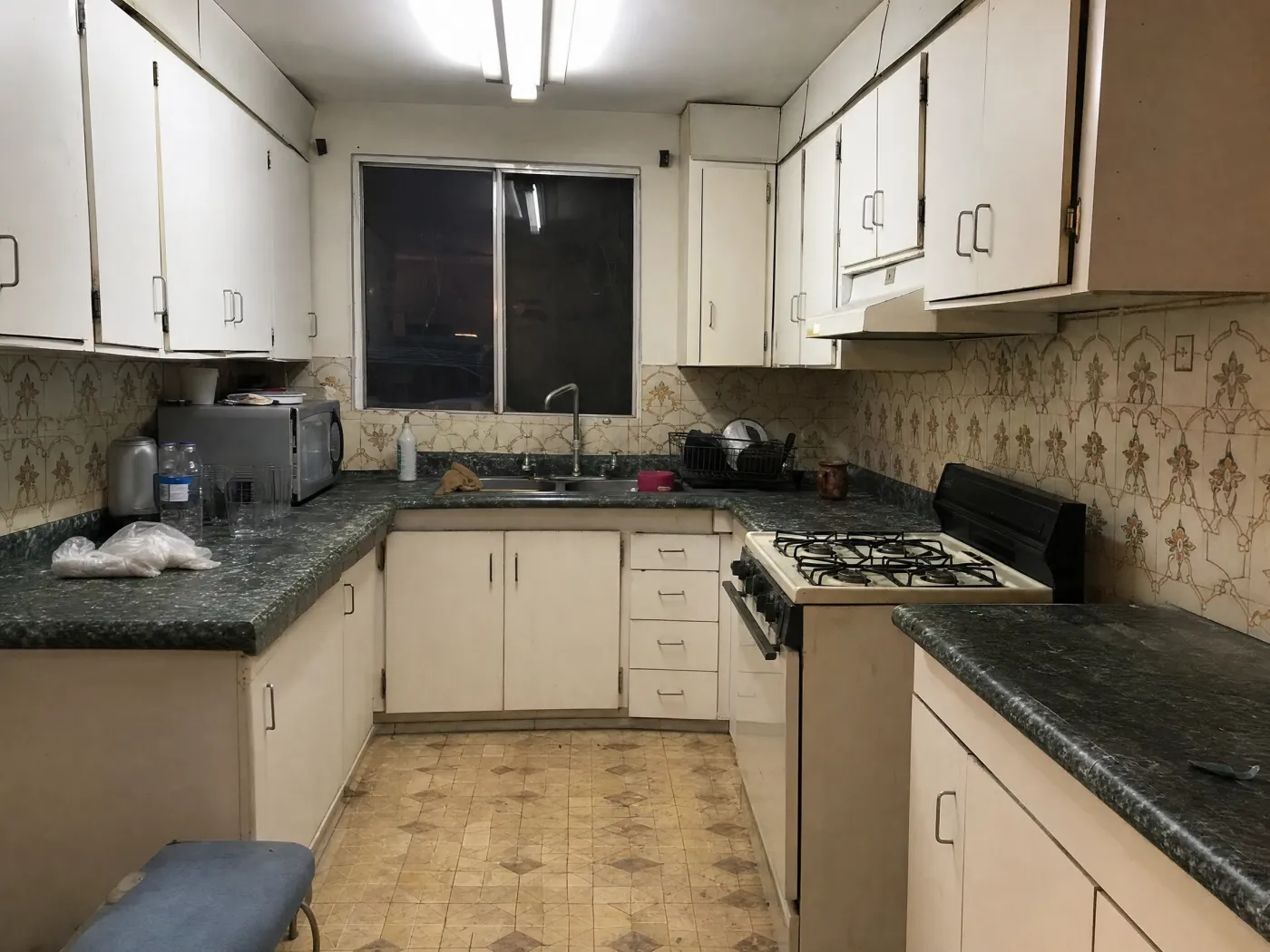
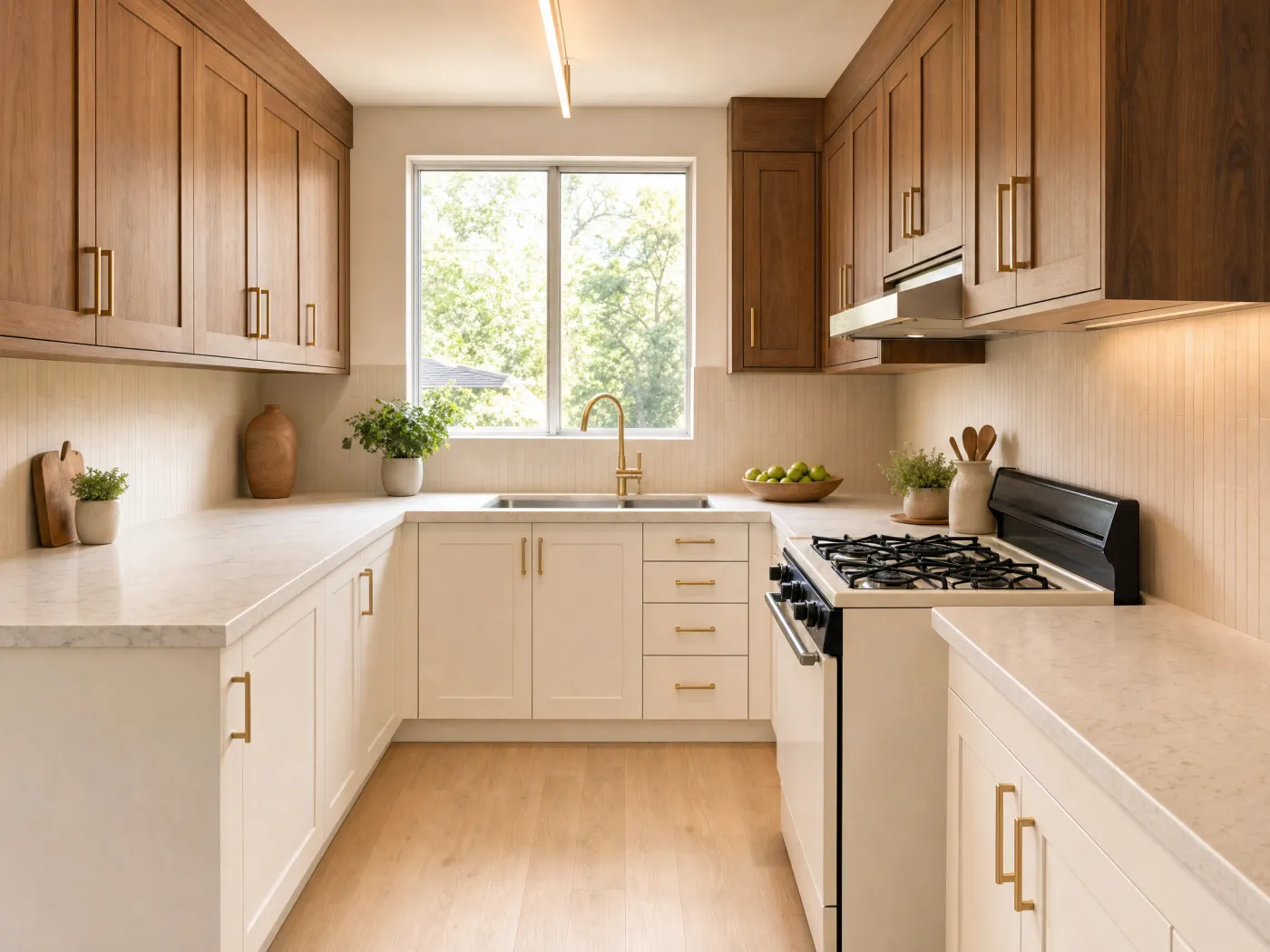
BeforeAfter
The flow
From a kitchen photo to the remodel you imagined.
No showroom visits, no contractor mock-ups, no guesswork. See the kitchen first.
1
Photograph your kitchen
Snap or upload your real kitchen, exactly as it is today.
2
Choose a direction
Not sure what to do? Get AI Ideas. Know the look? Tap a curated style. Know exactly what you want? Describe it in any language.
3
Refine the details
Pin a Spot Edit to recolor the cabinets, change the backsplash, or swap a fixture precisely, while the rest of the kitchen stays untouched.
4
Compare & decide
Slide between versions to Compare before and after, Branch any one to explore a new direction, then export the winner to share with your contractor.
Everything Idori does, for your kitchen
See the remodel on your kitchen before anyone quotes it.
AI Ideas, Spot Edit, 30+ styles, Freeform Prompt, and a Workspace that keeps every version. Built for the most expensive room in the house.
5 remodel directions, read from your kitchen
Warm modern remodelCream shaker cabinets, a sage green island, and brass hardware for a kitchen that feels current without a full teardown.
Two-tone cabinetryWalnut lowers with painted white uppers to add depth and break up a long wall of same-color cabinets.
Budget-first refreshKeep the cabinets and appliances; change the wall color, hardware, and lighting for a low-cost kitchen makeover.
+ 2 more directions, each with its reasoning
AI Ideas
Kitchen feels dated? Find out what is actually dating it.
In most kitchens the problem is not everything. It is two or three things: the orange oak that reads as 1998, the backsplash that fights the counter, the single ceiling fixture over a room that needs three. AI Ideas finds them. It reads and analyzes the kitchen in your photo, then proposes five remodel directions with the reasoning behind each, from a budget-first refresh that keeps the cabinets to a full two-tone rethink. Each one says what to change and why the kitchen would be better for it. Tap a direction to see it on your own cabinets and counters. The decision stays yours, and now it is an informed one.
Five remodel directions read from your own kitchen, each with its reasoning
Trained on real work from professional interior designers
One tap to visualize any direction on your photo
1Cabinets in warm white
2Zellige backsplash
3Pale quartz counter
Spot Edit
Recolor the cabinets. Keep the layout, the counters, and the floor.
A kitchen remodel is usually a partial remodel, and partial is where one-shot AI falls apart: you ask for new cabinet doors and the tool moves the window, changes the tile, and swaps the appliances. Spot Edit is how Idori keeps the promise. Pin the cabinets, the backsplash, the countertop, or the island and give each pin its own instruction. Attach a photo of the exact paint chip, tile sample, or slab from the showroom and call it out as @1 in your prompt, and Idori puts that material on your kitchen. Everything you did not pin stays exactly as it is. That is how you test a two-thousand-dollar decision for the price of a tap.
Recolor cabinets, swap a backsplash, or change a countertop without touching the rest
Match a real tile, paint chip, or slab by attaching its photo
Up to 4 precise spots per generation, each with its own instruction
Styles
30+ complete kitchen looks, one tap, on your cabinets and counters.
Every one of Idori's 30+ curated styles is a complete kitchen, not a color swap. Modern styles like Japandi, Scandinavian, and Minimalist read as flat-front cabinets, warm oak, and hardware that disappears. Classic looks like French Country and Traditional bring painted shaker doors, stone, and a range you would build a room around. Bold styles like Industrial, Moroccan, and Art Deco commit to dark cabinets, pattern, and brass. Cozy looks like Modern Farmhouse, Rustic, and Cottagecore make a kitchen people gather in. Each applies to the kitchen you photographed, same footprint, same window, so you are comparing real options rather than showroom fantasies.
Four families, Modern, Classic, Bold, and Cozy, 30+ styles and growing
Applied to your actual cabinets, counters, and layout, not a stock render
Try five styles in five taps, then Compare them side by side
BeforeAfter
Compare, Branch & Version History
Every kitchen becomes a project. Every remodel, a version.
A kitchen remodel is dozens of decisions spread over months, and the physical ones cannot be undone. Idori keeps the decisions where reversing them is free. Each kitchen becomes a project in one continuous Workspace, and every result is a version: the warm modern direction, then the version with walnut lowers, then the one where only the island changed. Compare slides between any two on the same photo of your kitchen. Branch from the version with the white cabinets to try the green ones without losing either, and Version History keeps the whole path for the day the contractor asks what you decided. Export any version in full quality and hand it over as the brief.
Slide between any two kitchen designs on your own photo
Branch a direction to explore it without losing the rest
Export any version in full quality to share with a designer or contractor
Use one kitchen photo to test the decisions that change the whole room.
A useful AI kitchen remodel is more than a style filter. Explore the high-impact choices separately, keep the versions you like, then combine them into a direction you can discuss with a designer or contractor.
Cabinets and color
Try painted, stained, light, dark, or two-tone cabinetry on the kitchen you already have. Specify which cabinets should change and which should stay.
Warm white or muted green paint
Walnut lowers with lighter uppers
A contrasting island color
Surfaces and fixtures
Compare a backsplash, countertop, floor, pendant, faucet, or hardware finish without regenerating every decision around it. Spot Edit is built for this kind of precise change.
Slab stone versus tile backsplash
Brass, nickel, or matte-black hardware
Wood, stone, or porcelain flooring
A complete remodel direction
Explore a coordinated modern, Japandi, farmhouse, Mediterranean, or transitional kitchen. Compare complete versions before narrowing the materials.
Keep the room's recognizable architecture
Name the mood and maintenance needs
Save each version as a visual brief
Freeform Prompt: examples of how people brief Idori
A Freeform Prompt is the brief you would give a kitchen designer, in your own words and your own language: the layout to keep, the cabinets and counters to change, and how the kitchen needs to work. Idori reads the intent. These are examples, not scripts: the decisions are yours.
“Keep this kitchen layout. Refinish the cabinets in warm white, add aged-brass hardware, and use a handmade cream tile backsplash.”
“Show this exact kitchen with medium walnut cabinets, pale quartz counters, and two simple linen pendants over the island.”
“Keep the cabinets and appliances. Make only low-cost cosmetic changes: wall color, hardware, lighting, runner, and counter accessories.”
“Create a warm modern kitchen remodel with durable, easy-care finishes and preserve the window, doors, and current footprint.”
Treat the image as a visual brief, not a construction plan. AI can help you compare color, material, and style directions; it cannot verify measurements, building codes, structural changes, ventilation, plumbing, or electrical work. Confirm the final direction and product samples with qualified professionals.
Kitchen design, answered
Questions before you start.
Photograph your kitchen as it is now, then choose a direction: get AI Ideas, which reads the kitchen and proposes five remodels with the reasoning behind each, apply one of the 30+ curated styles, or describe the cabinets, backsplash, and counters you want in any language. Idori returns your real kitchen redesigned, keeping the layout, window, and footprint.
Yes. Idori redesigns your kitchen from a single photo. Snap your real kitchen, then generate full redesigns, try curated styles, or recolor cabinets and walls. You see the result before changing anything in real life.
Yes, Idori is free to start. The Free plan includes Freeform Prompt redesigns, the full library of 30+ curated styles, and full Compare and Version History, on a weekly credit allowance. Pro unlocks AI Ideas, precise Spot Edit, and watermark-free exports.
No. Idori works straight from a photo, with no measurements, floor plan, or CAD file needed. Point your camera at the kitchen you want to rethink and start generating.
Yes. With Spot Edit you can pin an exact area, like the cabinets, backsplash, or wall, and tell Idori precisely what to change, while the rest of the kitchen stays exactly as it is.
No. Idori is for exploring and communicating visual directions on your real kitchen. It does not produce construction drawings or verify dimensions, clearances, codes, plumbing, electrical, or structural feasibility. Confirm the chosen direction with qualified professionals before building.