The Best AI Interior Design Apps for iPhone and iPad in 2026, Ranked by the Job
 The Idori team
·
·
Updated September 5, 2026
·
11 min read
The Idori team
·
·
Updated September 5, 2026
·
11 min read
Every roundup in this category crowns one winner and pretends the other six do not exist. The useful truth is different: seven very different tools are the "best AI interior design app" depending on what you are about to do with your room. Here is the honest map, from a photo of the room you already have to a floor plan of one that does not exist yet.
The best AI interior design app in 2026 depends on the job. Redesigning your own room from a photo and staying in control of what changes: Idori. One free render right now: RoomGPT. Staging a listing on a desktop: Interior AI or REimagine Home. A quick one-shot restyle on Android: Remodel AI. Drawing walls, layouts, or a home that only exists on paper: Planner 5D or Homestyler. Below, each one is ranked for the job it wins, and the job it does not.
"Best AI app for interior design" is the most-searched phrasing in this category, and "iPad app for interior design" is close behind it, which tells you two things. People are no longer asking whether AI can restyle a room; every tool on this page can. They are asking which one to trust with the room they actually live in, on the device already in their hand. That is a question about control, not rendering, and it is the question this ranking answers.
One thing worth knowing before you read any list in this category, including this one: most of them are published by an app that ranks itself first, and few say so. This one is published by Idori, and Idori is first. The difference is that the case below is made of things you can check on your own room in ten minutes: does the app read the room or just repaint it, does it keep the floor when you ask for a new sofa, and does it still have the version you liked on Tuesday. Where another tool is the better pick for a job, it says so.
How this ranking works
An impressive render is table stakes now. Every tool on this list can produce a beautiful image of a room. So we judge each one against a single question: does it get you to a room you will actually live in and be glad you chose? That breaks into six things you can test with one photo of your own space.
- Your real room, not a lookalike. Does it redesign the actual space in your photo, keeping its geometry, windows, and proportions, or return a stock render of a room like yours?
- Idea discovery. When you know something is off but cannot name the fix, does the app propose directions and explain them, or hand you a style menu and wait?
- Preservation. Ask for a new sofa and see whether the flooring, the built-ins, and the window survive. This is where most AI design apps fail, and it is the failure that costs you trust.
- Iteration. Are results disposable images, or versions you can compare, branch, and come back to next month?
- Freedom of expression. Can you describe what you want in your own words and your own language?
- Honest pricing and privacy. Is the free plan real, and where do photos of your home end up?
| App | What it is | Reads your room, proposes directions | Keeps what you didn't pin | Versions & Compare | Free to start |
|---|---|---|---|---|---|
| Idori | Photo redesign + iteration studio (iPhone, iPad) | AI Ideas: 5 directions with reasoning | Spot Edit: only pinned spots change | Projects, Version History, Compare, Branch | Yes, weekly credit allowance |
| Interior AI | Photo restyle + virtual staging (web) | No, you pick a style | Limited | No | Very limited; free uploads are public |
| Remodel AI | One-shot photo restyle (web, iPhone, Android) | No, you pick a style | Object removal and furniture swap, not pinned control | No | A few one-time designs |
| RoomGPT | One-shot photo restyle (web) | No, you pick a style | No | No | Roughly one free generation |
| REimagine Home | Virtual staging for listings (web) | Style-led | Limited | No | One-time allowance |
| Planner 5D | 3D floor-plan modeling (web, iPhone, Android) | No | Manual, you model everything | Manual saves | Yes, with limits |
| Homestyler | 3D design with furniture catalog (web, iPhone, Android) | No | Manual, you model everything | Manual saves | Yes, with limits |
Characterizations reflect each product's published features and plans at the time of writing, updated September 2026. Prices and free allowances in this category change monthly; check before you subscribe anywhere.

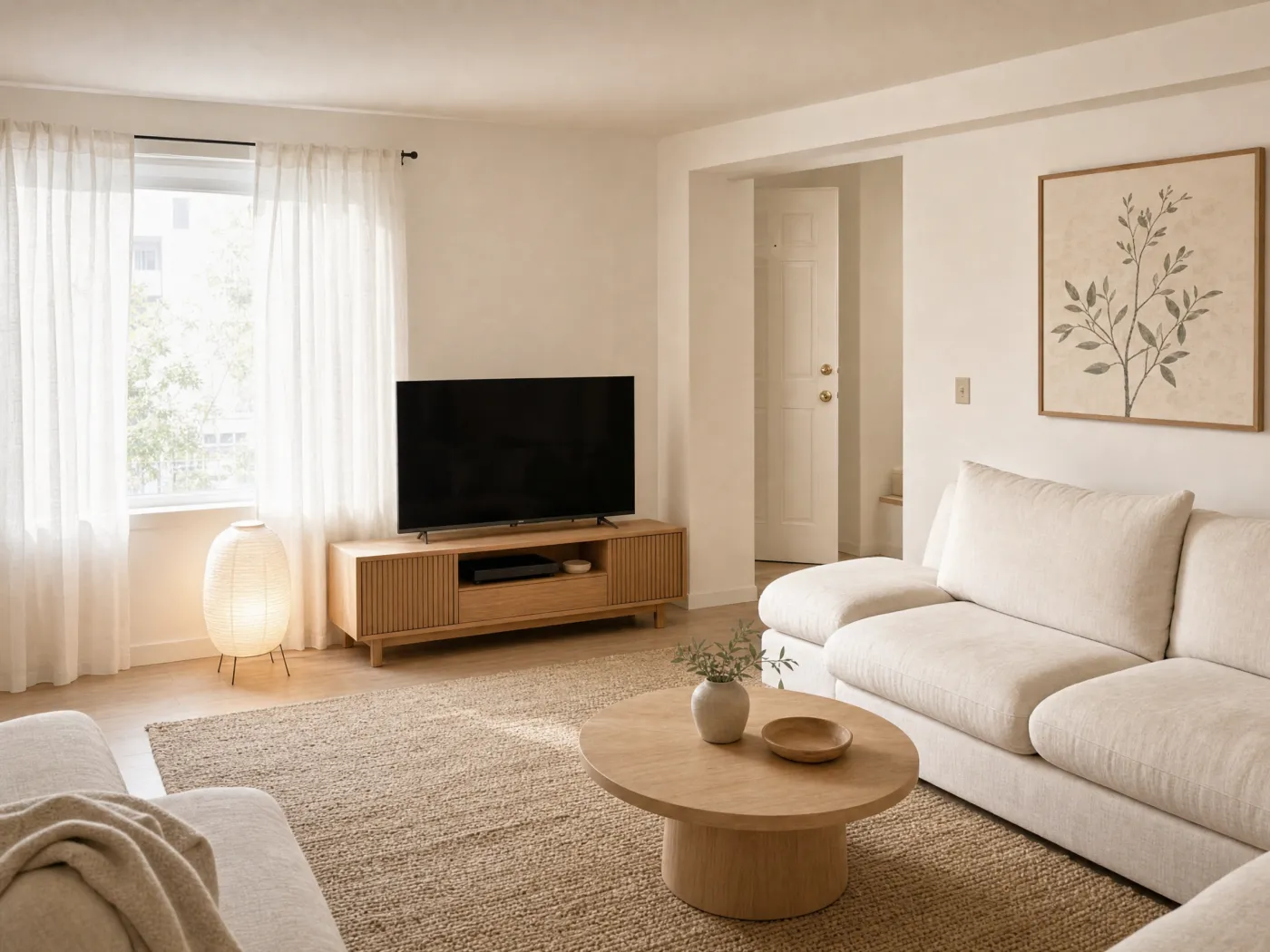 Before
After
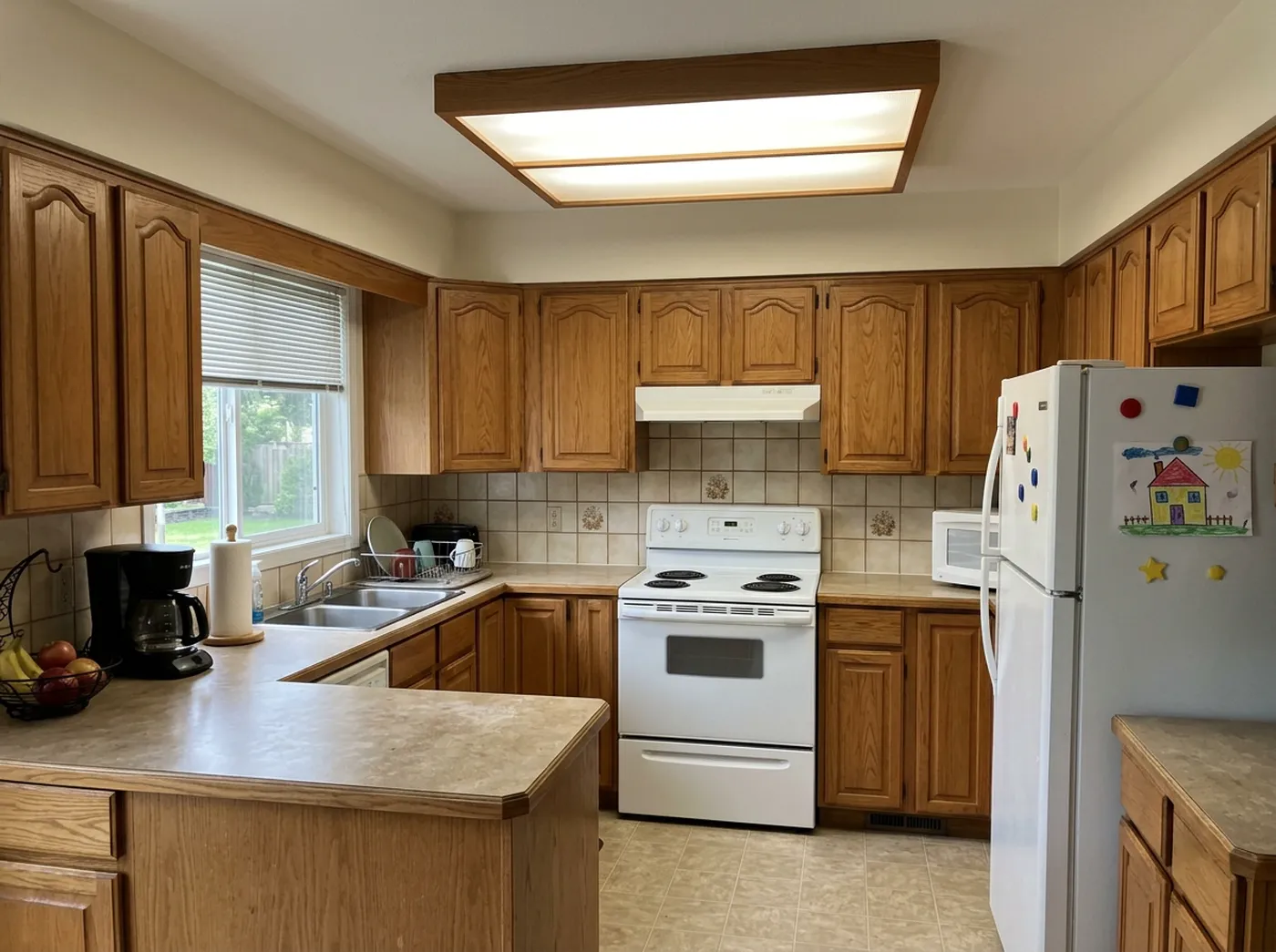
Before
After
1. Idori: best for redesigning your own room, and staying in control
Idori is first because it is the only app on this list built on the right premise for the person holding the phone: the goal of AI interior design is not to design your room for you. It is to help you make better decisions about a room you already own and will have to live in. Every other photo tool here runs the same loop: upload, pick a style, receive an image, repeat until something looks nice. Idori treats the room as a project and hands you a studio, on iPhone and iPad. Five things separate it, and each one is checkable on your own photo.
It reads your room and tells you what it sees. Every other app here assumes you arrive knowing your style. AI Ideas assumes the opposite, which is how taste actually works. It reads and analyzes the actual room in your photo, trained on real work from professional interior designers, then proposes five distinct directions, each with the reasoning: what to change and why it would improve the space. Warmer wood tones to soften the cold tile. A lower, wider sofa to open the sightline to the window. One large artwork instead of six small frames. One tap visualizes any of them on your photo. Behind that simple interaction sit multiple model calls that analyze the space and ground each recommendation in it, a deliberately more expensive pipeline than a single generation. There are cheaper ways to build this. A meaningfully better result is worth the inference cost.
Only what you pin changes. The recurring failure of one-shot tools is unwanted change: you ask for a new sofa and lose the flooring you loved, or the window moves, or the built-ins vanish. Spot Edit reverses that relationship, and it is a rule, not a setting. Pin up to four exact spots, tell Idori what each should become, attach a reference photo when you need to match a specific lamp, tile, or finish, and call out spots like @1 right in the prompt. Everything you did not pin stays exactly as it is. This interaction is much harder to get right than it looks; it has been refined with user feedback for over half a year, and it is the reason "keep my floor" is a promise Idori can actually make.
 @3
Replace
@3
Replace
Thirty-plus complete looks, one tap. Idori's 30+ curated styles are full, considered looks rather than filters, organized in four families. Modern: Japandi, Scandinavian, Minimalist, Mid-Century, Organic Modern. Classic: Traditional, French Country, Mediterranean, Art Deco. Bold: Industrial, Bohemian, Maximalist, Dark Academia, Moroccan. Cozy: Modern Farmhouse, Coastal, Wabi-Sabi, Cottagecore. Try five on your own living room in five taps, then Compare them side by side. Most competitors offer a longer list of presets; the number matters less than the fact that Idori's are applied to your actual room, window and floor included, not to a generic one.
Your own words, in any language. A Freeform Prompt is how you brief Idori when no preset fits: "keep the sofa and the rug, swap the coffee table for a round oak one, paint the wall behind the TV a deep green, and add a floor lamp in the corner." Write it in Spanish, German, Arabic, or Japanese and it works the same; Idori reads the intent, not the English. Naming what stays and what the room is for is most of what makes an AI redesign good, and Idori was built to be briefed that way.
Every result is a version, not a download. A room is a sequence of decisions, so Idori keeps the sequence. Each room becomes a project in one continuous Workspace, and every result is a version you can return to. Apply an AI Idea, refine it with a Freeform Prompt, recolor one wall with Spot Edit: that is three versions, three explored decisions, nothing lost. Compare slides between any two on the same photo, and Branch turns any earlier version into the start of a new path instead of a dead end. Version History keeps the whole tree, so the sofa you rejected in March is still there when it goes on sale in June. Export any version in full quality for the contractor, the partner, or the landlord. No other app on this list treats your design process as something worth keeping.
Your photos stay yours. Projects and Version History live on your device. Uploaded photos and prompts are used only to complete a generation and are not retained on Idori's servers, and your content is never used to train models. Contrast that with web tools where free-plan uploads are publicly viewable.
The trade-offs, plainly: Idori runs on iPhone and iPad only, so Android and desktop users need one of the web tools below. It deliberately does not draw or measure floor plans, so if you are laying out a home that does not exist yet, model it in Planner 5D and then bring the plan into Idori to design and furnish it. And AI Ideas and Spot Edit are part of Idori Pro, while Freeform Prompt, all 30+ styles, Compare, and Version History are in the free plan. If your room is a real decision rather than a curiosity, this is the tool that respects that. Free to start.
2. Interior AI: best for staging listings on a desktop
Interior AI is one of the earliest and best-known photo restyling tools, and its renders are consistently strong. Upload a photo, choose from a wide set of style presets, and get a convincing restyled image. Its virtual staging mode is genuinely useful for real estate listings, which is the job it wins.
The trade-offs: it is a one-shot tool at heart. Nothing proposes a direction, there is no pinned editing, and no version workflow; refining means re-rolling. Its pricing is aimed at professionals rather than homeowners, and on its free plan your uploaded images are publicly viewable and output resolution is limited, which matters when the images are of your own home.
Best for: real estate professionals staging listings on a desktop.
3. Remodel AI: best one-shot restyle on Android
Remodel AI covers unusual breadth for a one-shot tool: interiors across 30+ styles, exterior facades, and landscaping, on web, iPhone, and Android, with fast generations and a few free designs to try. If you want to see one style applied to a room in under a minute on a device that cannot run Idori, it does that well.
The trade-offs: the workflow is upload, pick a style, generate, done. No idea discovery, no version history or compare, and its editing tools (object removal, furniture swap) are not the same as pinned control over what must stay unchanged. Worth knowing too: its "best app" articles are written by Remodel AI itself and score Remodel AI first, which is a fair reminder to read this whole category with your eyes open.
Best for: a quick one-shot interior or exterior restyle on any platform.
4. RoomGPT: best free first render
RoomGPT made AI room restyling famous, and simplicity is still its charm: upload a photo, pick a theme, get a redesigned room in seconds. For a first taste of what AI can do to a room, it remains one of the easiest on-ramps.
The trade-offs: the free allowance is roughly a single generation, there is no way to control what changes (results can be dramatic in unwelcome ways), no reasoning behind anything, and nothing resembling a design workflow. It shows you a possibility; it does not help you decide.
Best for: a free, zero-commitment first look at AI restyling.
5. REimagine Home: best purpose-built virtual staging
REimagine Home is aimed squarely at real estate: furnishing empty listings, refreshing dated ones, and producing listing-ready images at volume, with floor-plan-aware features that most photo tools lack.
The trade-offs: it optimizes for "makes buyers click," not "matches what you want to live in." Idea discovery is style-led, precision editing is limited, and the free allowance is a one-time gift rather than an ongoing plan. Homeowners designing for themselves are not really its audience.
Best for: agents and sellers staging property listings.
6. Planner 5D: best for floor plans and 3D home design
Planner 5D is a different kind of tool doing a different job, and doing it well: draw a floor plan, model rooms in 3D, place furniture from a large catalog, and render the result, on the web and on iPad. For planning a renovation with wall changes, or furnishing a home that only exists on paper, this category is the right one.
The trade-offs for the question this post answers: it does not start from your real room. You rebuild an approximation of your space by hand, which takes hours before you see a single idea, and the output is a model of a room like yours rather than your room. AI assists the process, but taste decisions are still fully manual.
Best for: layouts, wall changes, and homes that do not exist yet.
7. Homestyler: best for catalog-driven furnishing
Homestyler is Planner 5D's closest rival: floor plans, 3D modeling, and a large catalog of real, often shoppable furniture, with strong rendering. If you want to place a specific brand's sofa in a modeled room, it is arguably the best at that.
The trade-offs: the same category limits. Modeling your room is a project in itself, the learning curve is real, and the tool answers "how would this furniture fit" more than "what should my room become."
Best for: catalog-driven furnishing of a modeled space.
What about Gemini and ChatGPT?
General-purpose image models will restyle a room photo if you ask nicely, they are free or nearly so, and they are probably already on your phone. For entertaining yourself or ruling out an entire direction ("definitely not all-white"), they are a fine playground.
They are the wrong instrument for a decision. They regenerate the whole image, so the window drifts, the floor changes species, and the room gets a little wider each time. There is no memory of the version you liked, no way to protect one area, no reasoning behind anything, and no idea what a Japandi living room needs that a maximalist one does not. Play here; decide somewhere built for it.
The rest of the store
Search "interior design" on the App Store and most of what comes back is one of three things. Thin one-shot clones with a dozen styles and a weekly subscription, whose reviews mention the window or the floor being changed unprompted; skip them. Furniture-brand AR viewers that place one retailer's catalog in your camera view, useful for checking one sofa, useless for deciding what the room should become. And mood-board and inspiration apps, which show you other people's rooms rather than yours. None of them answers the question this page is about.
Match the app to the job
Reach for Idori when
- It is your room, and you want it to feel right, not just look impressive
- You know something is off but cannot name the fix
- The floor, the built-ins, or the window must survive the redesign
- You want to try five directions and Compare them on the same photo
- You will change your mind, and want the earlier version still there
- You want photos of your home to stay private
Reach for the others when
- You want one free render in the browser right now: RoomGPT
- You are staging a listing on a desktop: Interior AI or REimagine Home
- You are on Android and want a quick style test: Remodel AI
- You are planning walls, layouts, or a home that does not exist yet: Planner 5D
- You want to place a specific brand's furniture in a modeled room: Homestyler
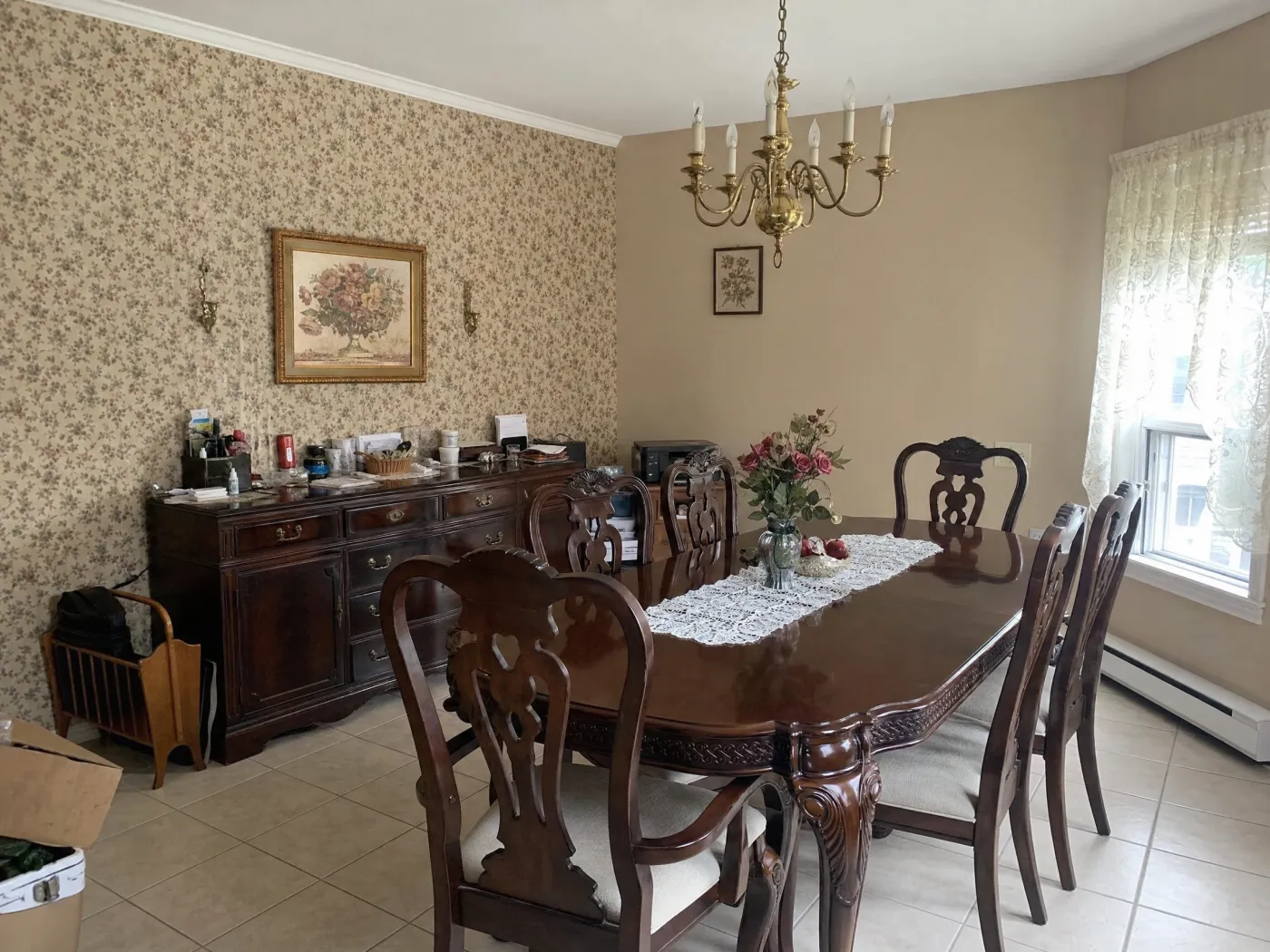
 Before
After
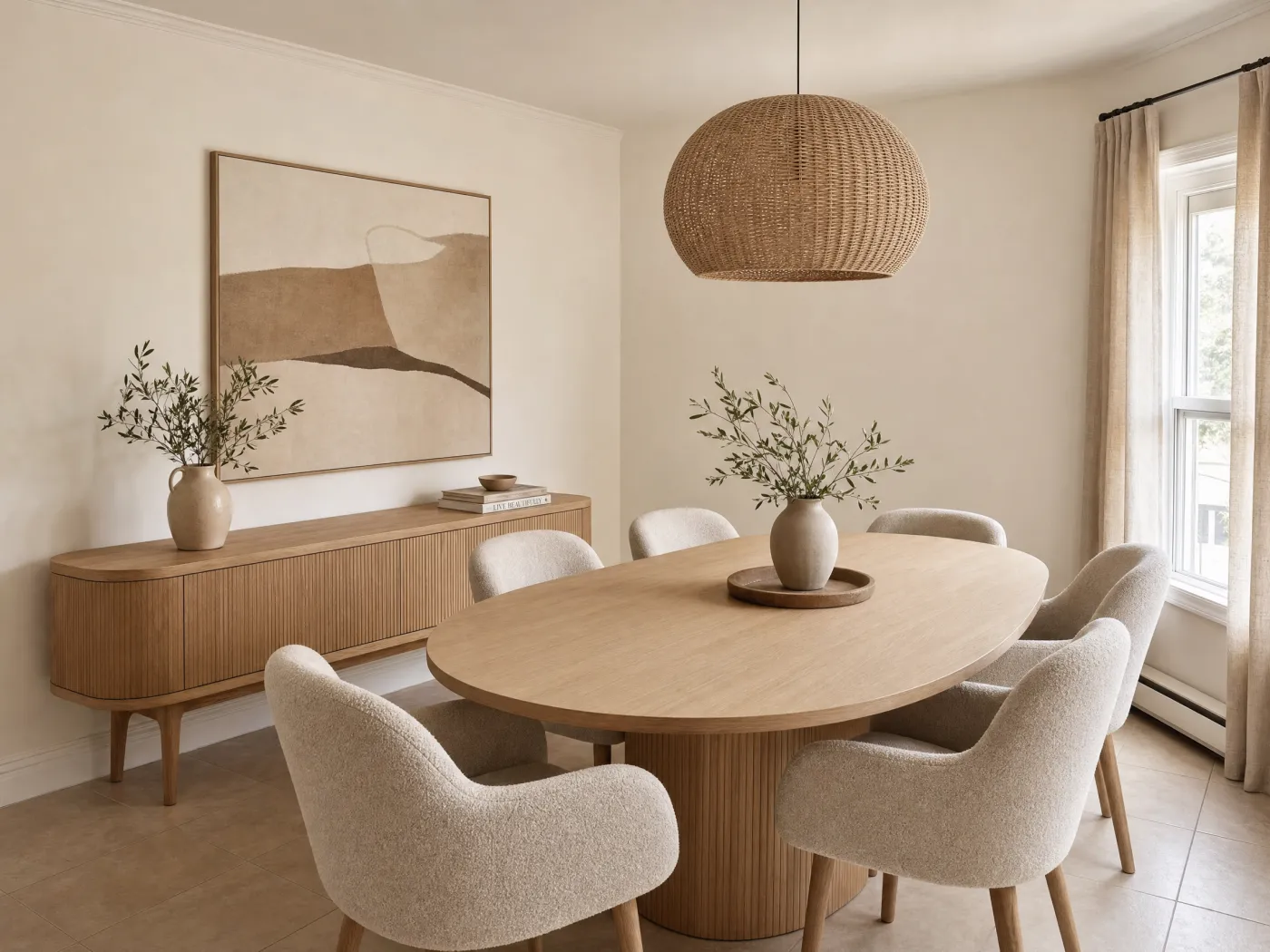
Before
After
Why the ranking comes out this way
Strip the marketing away and the category has three shapes. One-shot restylers generate impressions. Planners make you build the model yourself. Staging tools serve buyers, not the people who live there. Idori is built for the part in between, which is the part that actually decides how your room turns out: you look at your real space, get directions you would not have thought of, protect what you love, change your mind cheaply, and stop when what you see matches what you want. The AI brings the capability. You keep the room.
That is also why the ranking is not a popularity contest. Several apps here have more downloads, more presets, or more platforms than Idori. None of them will tell you why your living room feels flat, recolor one wall without repainting the floor, or still have last month's rejected sofa when you want it back. A room is a decision you will live with for years. Use the tool built for decisions.
Run the comparison on your own room
The fastest way to judge any of this is with your own space. Idori is the app that designs your room with you, from one photo, on iPhone and iPad. Free to start.
Download Idori freeQuestions people ask
For redesigning your own home from photos while keeping control over what changes, Idori. It reads the actual room in your picture and proposes five directions with the reasoning behind each, changes only the spots you pin so the floor and the window stay put, and keeps every result as a version you can Compare and Branch. For one free render, RoomGPT. For staging a listing, Interior AI or REimagine Home. For drawing floor plans from scratch, Planner 5D.
Yes. Idori runs natively on iPad and iPhone, and the larger screen suits it: pins in Spot Edit are easier to place precisely, and Compare's slider between two versions reads better at iPad size. Planner 5D and Homestyler also have iPad apps for floor-plan work. Web tools like RoomGPT and Interior AI run in Safari on iPad but are built for a desktop browser.
Home design splits into two jobs. If you are designing a home that exists, photo-based apps like Idori redesign your real rooms and exteriors from a picture. If you are planning a home that does not exist yet, floor-plan tools like Planner 5D or Homestyler let you model the layout in 3D first. Most people asking this question have a real home in front of them, which is the photo-based job.
Yes. Idori is free to download on iPhone and iPad and free to start, with Freeform Prompt redesigns, the full library of 30+ curated styles, and Compare with Version History included on a weekly credit allowance. Several web tools offer small one-time allowances instead, and on some, free uploads are publicly viewable, so check before uploading photos of your home.
One-shot apps often do, because generative AI is built to change things: ask for a new sofa and the floor, the window, or the built-ins come back different. Idori is built around the opposite rule. With Spot Edit, you pin up to four exact spots and only those change; everything else in the photo stays exactly as it is. With a Freeform Prompt, naming what must stay (keep the floor and the fireplace) anchors the redesign around it.
Most AI design apps are one-shot: upload, pick a style, generate, done. Idori is built for iteration: every room becomes a project, every result becomes a version, and you can Compare versions side by side and Branch from any one. It is also the only interior design app on the App Store with Spot Edit's level of pinned precision, and the only one that proposes design directions with the reasoning behind them.