The Best AI Exterior Home Design Apps for iPhone and iPad in 2026, Ranked by the Job
 The Idori team
·
·
12 min read
The Idori team
·
·
12 min read
The outside of a house is the most public design decision you will ever make, and one of the hardest to undo. You cannot repaint the siding three times to see which one you like. The best AI exterior home design app is the one that lets you do exactly that on a photo, while the roof, the windows, and everything you are keeping stay put. Here is the honest map of the category, from full redesigns to paint-chip apps to measured 3D scans.
The best AI exterior home design app in 2026 depends on the job. Redesigning the house you actually own, colors, materials, porch, and door, and changing only what you mean to change: Idori. Measuring the house in 3D and trying real manufacturer siding and roofing: Hover. Finding and ordering samples of one brand's exact paint: Sherwin-Williams Color Expert. Matching named colors across several paint brands: Repaint. Painting each surface a different brand color, pay as you go: Exterior Paint Visualizer. A one-shot exterior restyle on Android or the web too: Remodel AI. A big library of preset exterior looks: Renovate AI. A quick outdoor mood board: Home AI. Below, each one is ranked for the job it wins, with the trade-offs in plain terms.
Search "best AI for exterior home design" and the first page is made of three things: App Store listings, lists written by the apps on them, and scraped listicles on borrowed domains. The most visible list, written by a founder, scores his own app 9.4 out of 10 and every rival 6 or below, and calls his app the only one that treats exteriors as a first-class feature. No independent roundup shows up at all. This list is published by Idori, and Idori is first. The difference is that the case below is made of things you can check on your own house in ten minutes: does the app start from a photo of your house or a generic one, do your windows stay where they are when you ask for a new color, can you paint the trim without painting the brick, and is the color you liked last week still there when the painter's quote arrives. Where another tool is the better pick for a job, this page says so.
There is also a real split in this category that most lists blur. Some apps redesign an exterior: colors, materials, the porch, the door, the whole style, generated on a photo. Some are paint visualizers: they keep the house and fill surfaces with named colors from a paint catalog. And one kind measures: it builds a 3D model of the house so a contractor can price siding and roofing. All three are useful. They are different jobs, and the right app depends on which one you are doing today.
How this ranking works
Every app on this list can put a nice house on your screen, so a nice house proves nothing. Each one is judged against one question instead: will it get you to an exterior you are glad you paid for? Six checkable things follow.
- Your house, not a house. Does it start from a photo of the house in front of you, keeping the roofline, the windows, and the light, or from a model, or from a style preset that redraws everything?
- Structure stays put. The most common one-star review for AI exterior apps is the same story: asked for a color, got moved windows, a new roofline, or "an entirely new house." An exterior you cannot build is not a design.
- Surface by surface. Can you change the siding and keep the brick, paint the trim and not the garage door, swap the front door and nothing else? Paint apps live or die on this, and their reviews say many struggle with it.
- It explains what it sees. When the house looks tired and you cannot say why, does the app diagnose it and propose directions, or wait for you to pick a swatch?
- Memory. An exterior is decided over weeks of samples, HOA forms, and quotes. Is each result a version you can return to and Compare, or a download you lose track of?
- Honest pricing and private photos. Is there a real free plan or a three-day trial into a weekly charge, and what happens to photos of your home?
| App | What it is | Starts from your house | Keeps what you didn't ask to change | Versions & Compare | Free to start |
|---|---|---|---|---|---|
| Idori | Photo redesign + iteration studio (iPhone, iPad) | Yes: one photo from the street | Spot Edit: only pinned spots change | Projects, Version History, Compare, Branch | Yes, weekly credit allowance |
| Hover | 3D scan, measurements, manufacturer products (iPhone, iPad, Android, web) | Yes: a guided scan of the house | You choose products per surface on a model | Saved models | Design advertised as free; often via a contractor |
| Sherwin-Williams Color Expert | Brand color app with photo visualizer (iPhone, iPad) | Yes: your photo or live camera | Tap a surface; reviews report bleed onto brick and trim | No | Free, Sherwin-Williams colors only |
| Repaint | AI paint visualizer, 7+ paint brands (iPhone, iPad, Android, web) | Yes: from a photo | Auto-separates siding, trim, doors, and brick | Not described | 5 free credits, then credit packs |
| Exterior Paint Visualizer | Per-surface paint visualizer, 100+ brands (iPhone, iPad) | Yes: from a photo | You pick each surface | Not described | 1 free visualization, then credit packs |
| Remodel AI (REIMAGE AI) | One-shot restyle, plus separate paint and roof apps (iPhone, iPad, Android, web) | Yes: from a photo | Brush areas; reviews report moved windows | No | Trial, then weekly to yearly plans |
| Renovate AI | 75+ preset looks, box-select edits (iPhone, iPad, Android, web) | Yes: from a photo | Box selection ("Spot Design") | Not described | 3-day trial, then plans or credit packs |
| Home AI | One-tap style presets with an Outdoor mode (iPhone, iPad, Android) | Yes: from a photo | No masking described | No | Trial, then weekly or yearly plans |
Characterizations reflect each product's published features, App Store listing, and plans at the time of writing, October 2026. Prices and free allowances in this category change monthly; check before you subscribe anywhere.

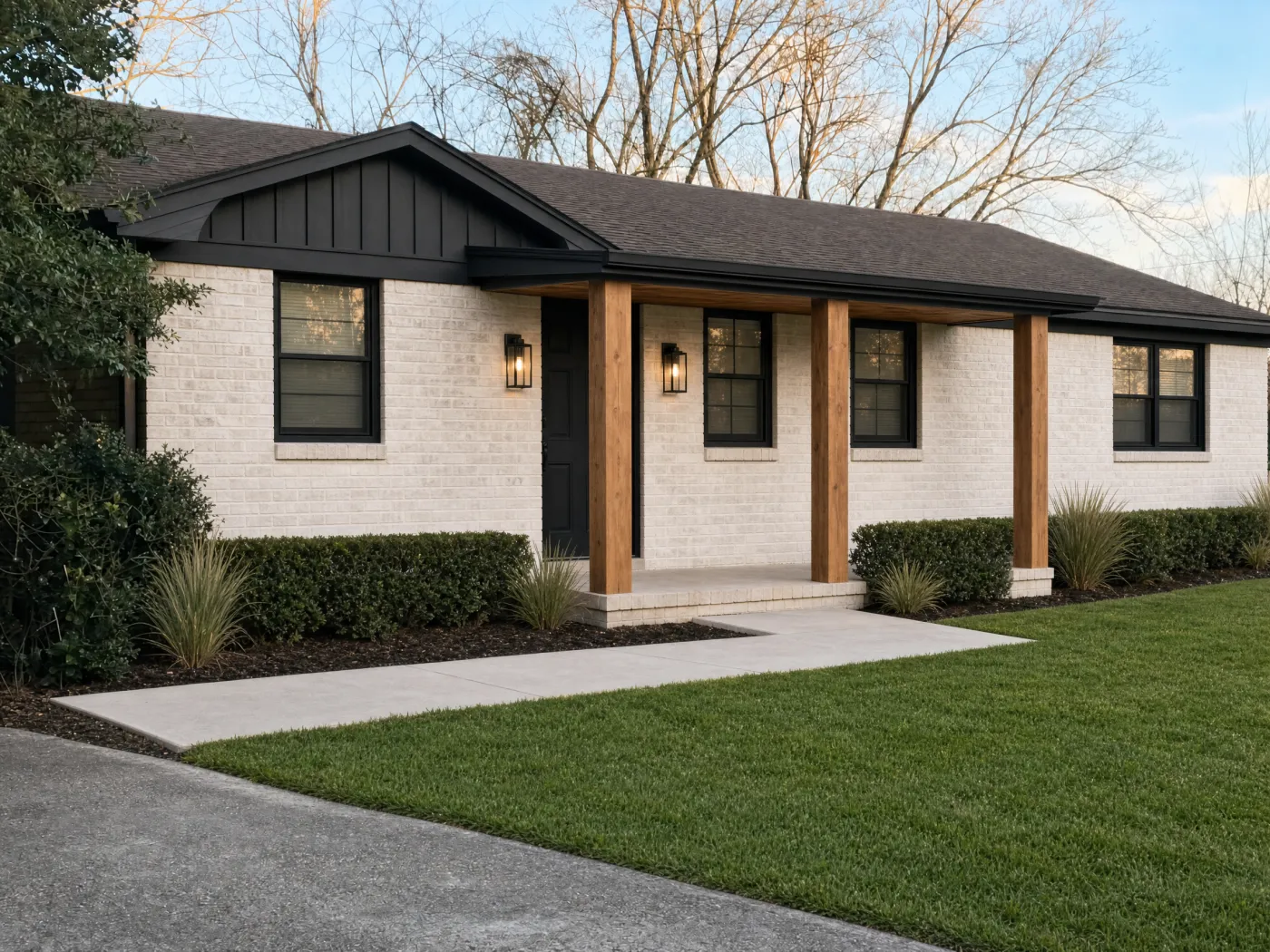 Before
After
Before
After
1. Idori: best for redesigning the exterior of the house you already own
Idori is first because of the premise it is built on. Every app on this list can show you a house in a new color. The hard part of an exterior is knowing what to change, what to keep, and why, and then committing money to a decision the whole street will see for fifteen years. So the goal of AI exterior design is not to design your house for you. It is to help you make better decisions about a facade you are about to spend real money on. Idori reads the actual house in your photo, proposes directions the way a designer would, and then hands you the controls. It runs on iPhone and iPad, and five features carry that idea, each one checkable on your own house.
It diagnoses the house before it restyles it. AI Ideas reads and analyzes the exterior in your photo, trained on real work from professional designers, then proposes five distinct directions, each with its reasoning: why the brick and the trim cancel each other out, why the entry disappears from the street, why removing the shutters and darkening the trim would do half the work of a full makeover. One tap shows any direction on your photo. Behind that tap sit several model calls that analyze the house and anchor each recommendation in it, a deliberately more expensive pipeline than a single generation, because a better answer to "what should this house become" is worth the inference cost.
Only what you pin changes. This is the one that matters most on an exterior. The recurring complaint about AI exterior apps is unwanted change: you ask for white brick and the windows move, you shade the lawn and plants grow on the wall. Spot Edit flips that relationship, and it is a rule rather than a toggle. Pin up to four exact spots, the siding, the front door, the garage door, the steps, tell Idori what each should become, attach a reference photo when a specific paint chip, door, or lantern has to match, and call out spots like @1 right in the prompt. Everything you did not pin stays exactly as it is. Body, trim, door, and garage become four separate decisions instead of one regenerated picture.
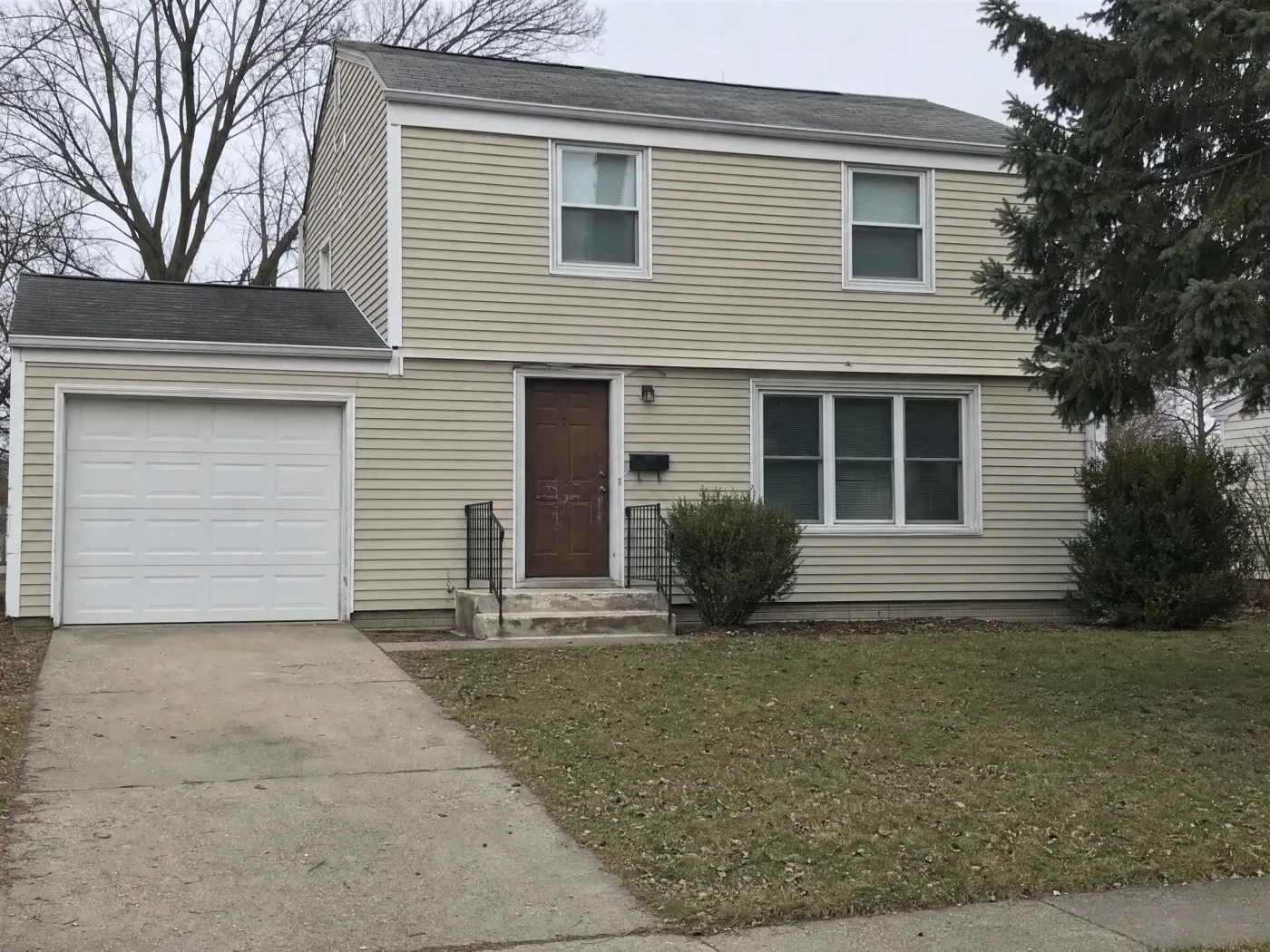
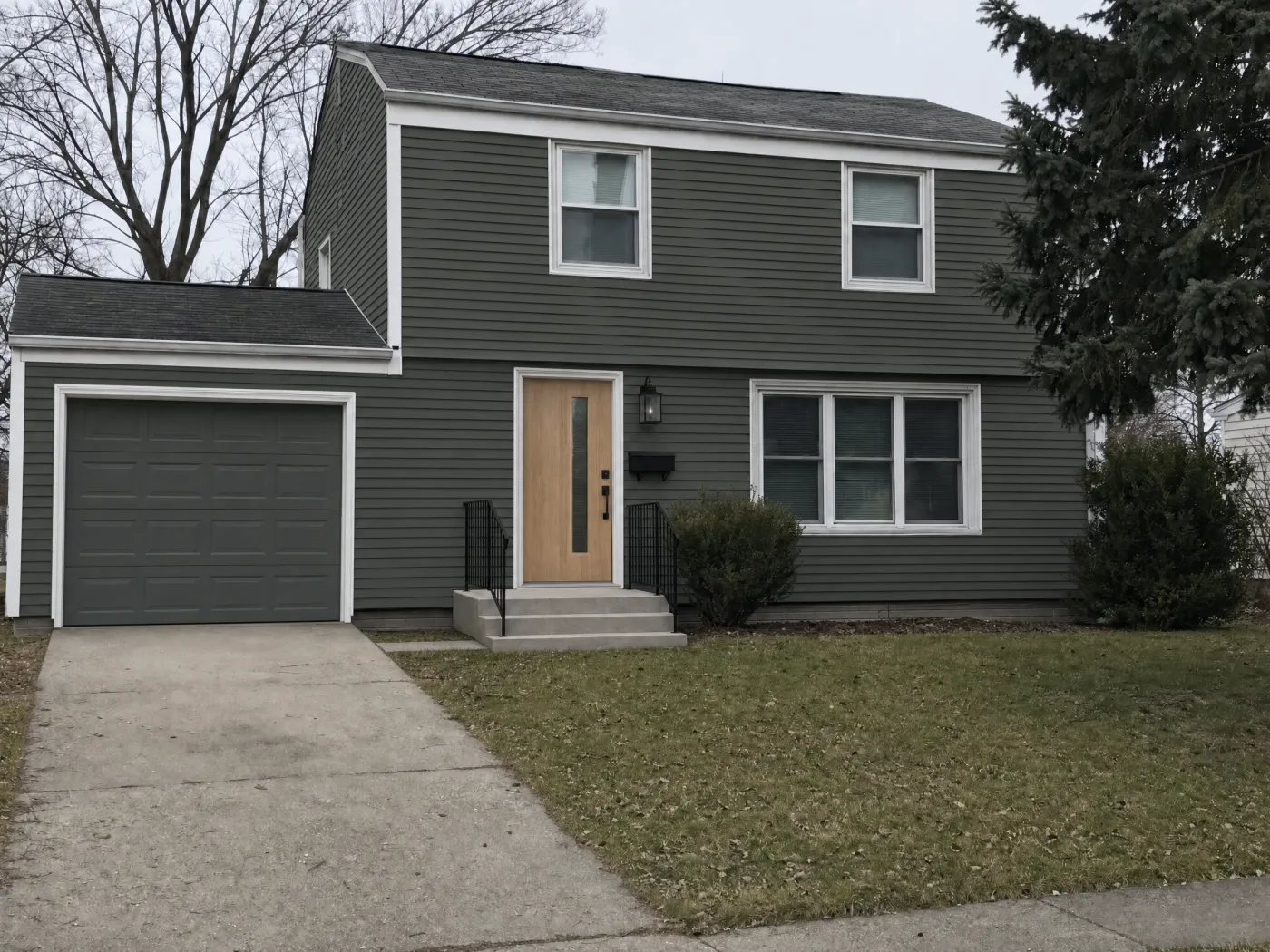
Thirty-plus complete looks for one house. Idori's 30+ curated styles are full, considered looks rather than filters, and every one applies to your exterior, roofline and windows included. Modern Farmhouse limewashes the brick and adds board-and-batten and timber posts. Coastal goes to shingle and white trim. Mediterranean brings stucco and terracotta. Japandi, Organic Modern, and Minimalist pull the facade back to wood, plaster, and a few honest lines. Rustic, Chalet, Cottagecore, Industrial, and Mid-Century Modern each take the same house somewhere else. Try five in five taps, then Compare them side by side, and find out which version of your house is still you before a painter or a siding crew tells you at a higher price.
Your own words, in any language. A Freeform Prompt is how you brief Idori when no preset fits: "keep the roof, the windows, and the white trim; paint the siding deep sage, the garage door to match; natural oak front door with black hardware." Write it in Spanish, German, Arabic, or Japanese and it works the same; Idori reads the intent, not the English. Naming what stays is most of what makes an AI exterior design useful, and Idori was built to be briefed that way.
An exterior is a project, and every result is a version. A facade is not one decision. It is a body color, then a trim color once you see the body, then the door, then the HOA form, then the quote. Idori keeps that sequence. Each house becomes a project in one continuous Workspace, and every result is a version you can return to. Compare slides between any two on the same photo, sage against charcoal, white trim against black, so you judge the color and nothing else. Branch turns a full makeover into a paint-only first phase, so this year's budget and next year's porch can live side by side. Version History keeps the whole tree, and any version exports at full quality, ready for the painter, the contractor, or the architectural review board.
Your house stays private. Projects and Version History live on your device. Uploads and prompts are used only to complete one generation, are not retained on Idori's servers, and are never used to train models. A photo of the front of your home shows your address in all but name; that should matter.
The trade-offs, in full: Idori runs on iPhone and iPad only, so Android and desktop users need one of the tools below. It does not measure the house or price materials; if you are replacing siding or a roof, a measured tool like Hover gives the contractor the numbers. It shows a color, not a named paint SKU, so once you have picked a direction, match it to a real brand color and paint a sample board. And AI Ideas and Spot Edit come with Idori Pro, while Freeform Prompt, all 30+ styles, Compare, and Version History are included in the free plan. If the house is real and the decisions are yours, this is the tool built for that. See it in action on the AI exterior home design page.
2. Hover: best for measured siding and roofing in 3D
Hover answers the question every other app on this list skips: how much? Walk around the house with your phone, and Hover builds a 3D model with measurements of the roof, siding, windows, and doors. On that model you can try real manufacturer siding, roofing, and colors, and the same measurements are what a contractor or insurer uses to quote the job. It runs on iPhone, iPad, Android, and the web, and it is the tool many homeowners first meet because a contractor sent them an invitation.
The trade-offs: it is a contractor tool with a homeowner door, not a designer. You see a clean 3D model, not your house in its own light with its own landscaping, and there is no diagnosis of what the facade needs or any style beyond the products you pick. Homeowner pricing is not spelled out on its site beyond "design for free." It is the right tool once you know what you want; it will not help you find it.
Best for: pricing new siding or a new roof with real products and real measurements.
3. Sherwin-Williams Color Expert: best for ordering samples of one brand's color
Sherwin-Williams' current app (the ColorSnap name now lives on mainly as its web visualizer) lets you paint an uploaded photo or the live camera view, suggests colors with AI, and orders chips and samples without leaving the app. If the house is going to be Sherwin-Williams anyway, it is the shortest path from "that green" to a quart on the porch, and it is free.
The trade-offs: it shows one brand's colors, and on exteriors the recent reviews are blunt about the masking. One reviewer wrote that no matter which category they picked, trim, garage doors, or main body, "it paints the whole house, including the brick"; another said it "really struggles to select body from trim from garage door to front door on an uploaded photo," and a third noted there seems to be no undo. Color, not design: it will not touch the door, the porch, or the materials.
Best for: turning a chosen direction into a named Sherwin-Williams color and a sample in the mail.
4. Repaint: best for matching named colors across paint brands
Repaint, from Housepaint AI, is a paint-only visualizer that does the masking for you: its AI separates siding, trim, shutters, doors, and brick automatically, then paints them from a catalog of roughly twenty thousand named colors across Sherwin-Williams, Benjamin Moore, Behr, PPG, Valspar, Dunn-Edwards, Farrow & Ball, and more. It runs on iPhone, iPad, Android, and the web, and it is well rated for its size.
The trade-offs: it is paint and only paint, with no materials, doors, porch, or style direction. Pricing is credits: a handful free, then credit packs or a monthly Pro plan, with each repaint costing credits. No published photo-retention statement on its homepage.
Best for: finding the exact named color, from whichever brand your painter uses, once the direction is decided.
5. Exterior Paint Visualizer: best for pay-as-you-go paint tests by surface
Exterior Paint Visualizer is a small, focused iPhone and iPad app: pick the surfaces yourself, walls, trim, shutters, doors, the garage door, and paint each one a different color from a catalog it says spans more than a hundred brands. There is no subscription; one visualization is free, then credit packs.
The trade-offs: like every paint app, it does not design, it fills. There is no diagnosis, no materials, and no project memory described in its listing, and its rating base is a few hundred reviews.
Best for: a few targeted paint tests without signing up for a plan.
6. Remodel AI: best for a one-shot exterior restyle on any device
Remodel AI, the App Store app by REIMAGE AI, has the largest rating base of the remodel-focused photo apps, around fifteen thousand ratings at 4.7 stars, and it runs on iPhone, iPad, Android, and the web. It restyles exteriors and architecture from presets, and the same company publishes separate apps for paint color, roofing, and landscaping. (A different company, at remodelai.io, publishes an unrelated app under the same name and the founder-written list mentioned above; this entry is the REIMAGE AI one.)
The trade-offs are the structural ones. Its exterior reviews describe exactly the failure this ranking checks for: "trying to remodel exterior of my house and it is changing windows and structure of the house," "if I shaded an area I wanted to landscape, it would also add plants ON our house, put windows in weird places," and simply "now, it gives you an entirely NEW house." Another reviewer asked for brown brick to become white and got "brown blurred brick" every time. There is no version history or Compare, and plans are weekly to yearly subscriptions after a trial.
Best for: a quick exterior restyle when you are not on an iPhone.
7. Renovate AI: best for a big library of preset exterior looks
Renovate AI covers a lot of exterior surface: paint, facade redesigns, roofing, siding, and landscaping, with more than seventy-five preset looks and a "Spot Design" box for targeted edits. It runs on iPhone, iPad, Android, and the web, with around ten thousand ratings.
The trade-offs: a box is a blunt instrument on a facade, and reviewers say so: one tried to box a wall section to change the windows and siding and was disappointed, another called it "quite terrible at repainting a brick and wood house," and a third asked for a specific named paint color and found it "incapable of understanding simple instructions." Pricing mixes a three-day trial, weekly and yearly plans, and credit packs, and one review describes being charged a full year upfront.
Best for: browsing many preset exterior styles quickly.
8. Home AI: best for a quick outdoor mood board
Home AI is the most-rated app in the whole AI home design category, with more than a hundred and sixty thousand ratings, and its Outdoor mode applies the same upload-and-tap formula to exteriors and landscaping. As a first look at a style you have not considered, it is fast.
The trade-offs: it is built around rooms, and exterior users notice. A September 2026 review from someone who came "to see different paint colors and trims for my home" said the app "has not provided that," with very few choices. The listing describes no way to keep specific parts of the house, pricing centers on weekly plans after a trial, and its App Store privacy label lists data used to track you.
Best for: a fast spark before the real decisions start.
What about Gemini and ChatGPT?
General-purpose image models will repaint a photo of your house if you ask, and one reviewer of a paint brand app said they found it much easier to work with ChatGPT. For ruling out a whole direction ("definitely not white") they are a fine playground.
They are the wrong instrument for a decision. They regenerate the whole image, so the windows drift, the roofline shifts, and the stone you were keeping comes back as something else. There is no memory of the version you liked, no way to protect the parts that are staying, and no reasoning about why the house looks tired. Play there; decide somewhere built for it.
The rest of the store
Search "AI exterior home design" on the App Store and the first results are small apps with the phrase as their name, a preset gallery, a weekly subscription, and a few dozen ratings, often from a single developer. Some are fine for a quick look; none offers pinned control over what stays. Benjamin Moore Color Portfolio is the other big paint brand app, with a photo visualizer and a live AR mode, and it is built around rooms first. And full architectural CAD suites exist for designers and builders, which are the right tools for construction drawings and overkill for choosing a color.
Match the app to the job
Reach for Idori when
- The house exists, and you want to see it redesigned before you pay for it
- The change is partial: new siding color, same brick, same roof
- The windows, the roofline, and the landscaping must survive the redesign
- You want body, trim, door, and garage as separate decisions
- You will decide over weeks of samples and quotes, and want every version still there
- You want photos of your home to stay private
Reach for the others when
- You need measured siding or roofing with real products and a quote: Hover
- The house will be Sherwin-Williams and you want samples ordered: Color Expert
- You need the exact named color in your painter's brand: Repaint
- You want a few paint tests with no plan: Exterior Paint Visualizer
- You only want a quick restyle, on Android or the web too: Remodel AI
- You want a quick spark from a big style gallery: Renovate AI or Home AI
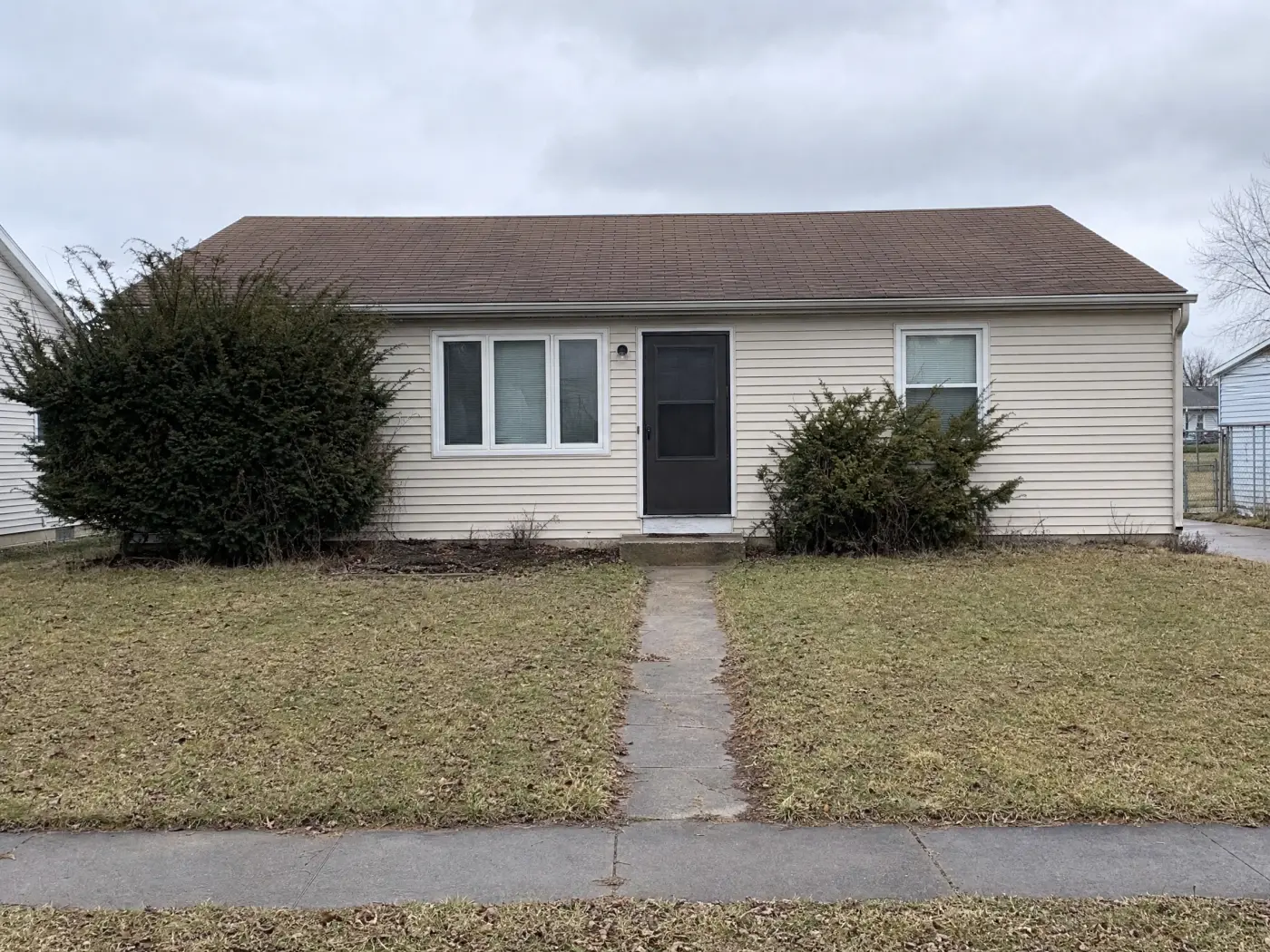
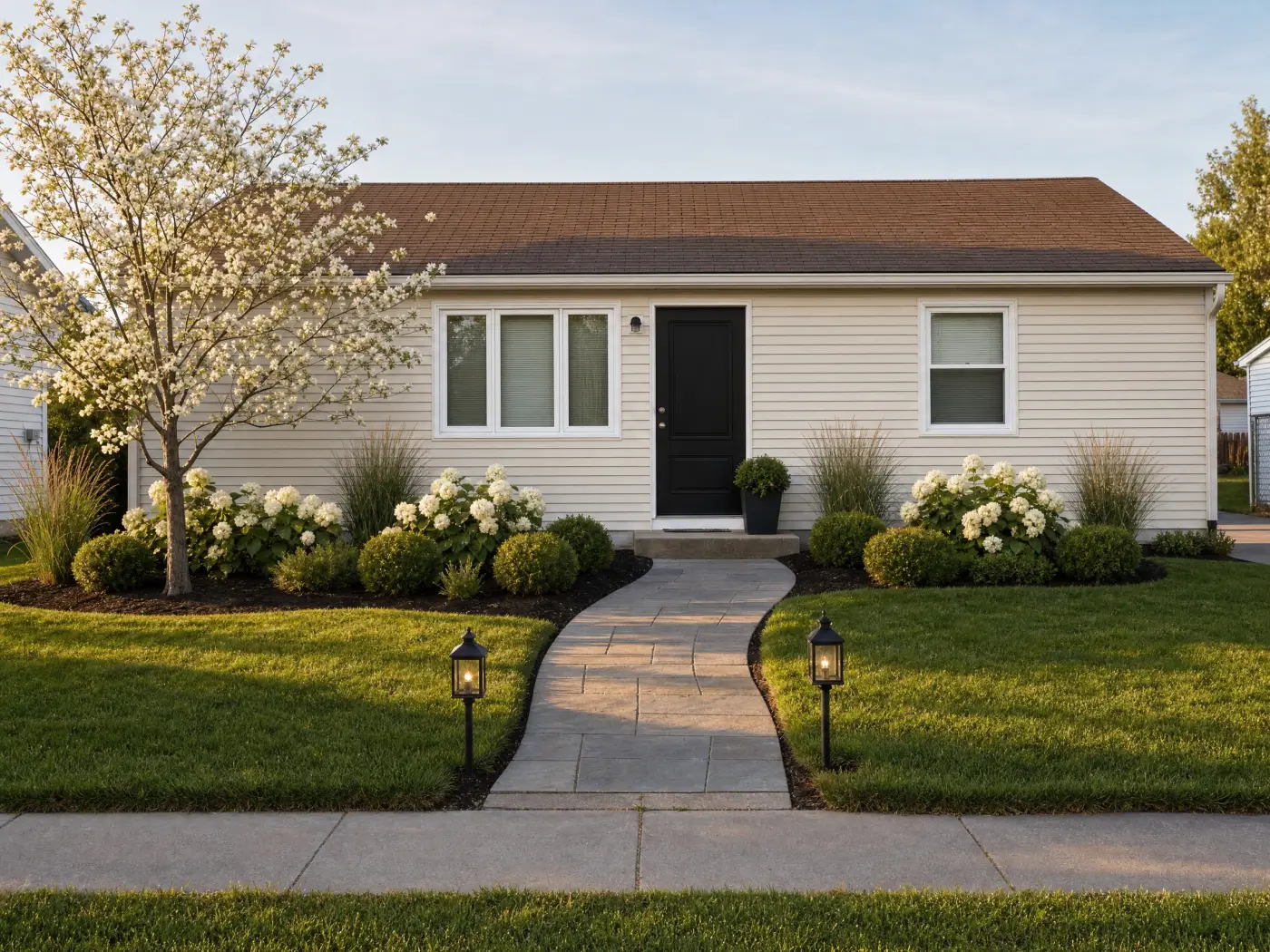 Before
After
Before
After
Why the ranking comes out this way
Strip away the marketing and the category settles into three shapes. Measuring tools build a model of the house and price it, and they are the right tools once the decision is made. Paint apps fill surfaces with named colors, and they are the right tools for the last step. One-shot restylers produce a picture and move on, and their reviews are full of windows that moved and houses that came back as different houses. What remains is the part that decides how an exterior actually turns out: looking at the real house, being shown directions you would not have thought of, changing the siding without touching the brick, and being able to change your mind while it is still free. That is the part Idori is built for. The capability comes from the AI. The judgment stays with you.
Popularity is not the ordering principle here. Several apps on this list have far more ratings, more platforms, and bigger color catalogs than Idori, and two of them are the right tool for the final step. But a house that already exists asks different things of its app: diagnose it before restyling it, protect what stays while the rest changes, and remember every option while the samples dry. This list is ordered by that job, not by download count.
Run the comparison on your own house
The fastest way to judge any of this is with your own house. Idori redesigns the exterior from one photo, changes only what you pin, and keeps every version, on iPhone and iPad. The yard gets the same treatment in AI landscape design. Free to start.
Download Idori freeQuestions people ask
For redesigning the house you already own, Idori: it starts from a photo of your real facade, AI Ideas proposes five directions with the reasoning behind each, and Spot Edit changes only the spots you pin, so the roof, the windows, and anything you are keeping stay exactly as they are. For measured siding and roofing with real manufacturer products, Hover. For choosing and ordering samples of one brand's paint, Sherwin-Williams Color Expert. For matching exact colors across several paint brands, Repaint.
Yes. Idori is free to download and free to start on iPhone and iPad; the free plan includes Freeform Prompt redesigns, all 30+ curated styles, and Compare with Version History on a weekly credit allowance, and Idori Pro unlocks AI Ideas, Spot Edit, and watermark-free exports. The paint brand apps are free but show only their own colors. Most AI exterior apps offer a few free renders or a short trial, then a weekly subscription or credit packs.
The one that keeps everything except the paint. In Idori you pin the siding, the trim, the front door, and the garage door as separate spots, and only those change, so the roof, the windows, and the landscaping come back exactly as they were and the color is the only thing you are judging. When you have narrowed it to a few colors, a brand app such as Sherwin-Williams Color Expert or a multi-brand visualizer such as Repaint helps you find the exact named color to sample.
Yes, and the useful kind explains itself. Idori's AI Ideas reads the house in your photo, the roof you are not replacing, the brick or stone you are keeping, and the light, and proposes five directions with the reasoning behind each, such as a darker body so the garage door recedes. You still make the call; Compare lets you slide between your finalists on the same photo before you buy a single sample.
Because most AI exterior apps regenerate the whole image from a style preset, and the model redraws the house along with the paint. It is the most common complaint in their App Store reviews: windows moved, extra structure added, a different house. Idori's Spot Edit works the other way around: you pin the parts that change, and everything you did not pin stays exactly as it is in your photo.
Yes. Idori runs on iPhone and iPad, and the larger screen makes Spot Edit pins and Compare easier to work with on a full facade. Every other app on this list also runs on iPad; Hover, Remodel AI, Renovate AI, and Repaint also have Android or web versions.
It treats an exterior as a set of decisions on a house that already exists. AI Ideas reads your actual facade and proposes five directions with the reasoning behind each. Spot Edit changes only what you pin, so the roof, the windows, and the stone you are keeping are protected. All 30+ styles apply to exteriors. And every result is a version in one Workspace: Compare, Branch a paint-only phase from a full makeover, and keep the whole path in Version History.