The Best iPad Apps for Interior Design in 2026, Ranked by the Job
 The Idori team
·
·
12 min read
The Idori team
·
·
12 min read
The iPad is the best interior design device most people already own. It has a screen large enough to judge a whole room, a camera good enough to photograph one, an Apple Pencil for sketching over it, and, on the Pro models, a LiDAR scanner that measures it. The best iPad app for interior design is the one that uses those strengths for the job you actually have: redesigning a real room, sketching a concept, drawing a floor plan, or building a 3D model. Here is the honest map of the category, ranked by the job each app wins.
The best iPad app for interior design in 2026 depends on the job. Redesigning the room you actually have, from a photo, with control over what changes and every version kept to Compare: Idori. Sketching and marking up designs by hand with Apple Pencil, to scale, the way designers work: Morpholio Trace. Scanning a room into a measured floor plan with an iPad Pro's LiDAR: magicplan. Drawing a full 2D and 3D plan with catalog furniture: Planner 5D. Desktop-class 3D home design you can buy once: Live Home 3D. Professional 3D modeling with CAD files: SketchUp for iPad. Drawing multi-story floor plans in 2D and 3D: Home Design 3D. A one-tap AI restyle from a preset: Home AI. Below, each one is ranked for the job it wins, with the trade-offs in plain terms.
Search "best iPad apps for interior design" and one of the top results is a list of thirteen apps published by a company that sells iPad keyboard cases, with links to its own products and no disclosure. Not one of the thirteen starts from a photo of your room and redesigns it. Most of the other lists are written by the apps on them. This one is published by Idori, and Idori is first. The difference is that the case below is made of things you can check on your own iPad in ten minutes: does the app start from your real room or from an empty grid, can you change one thing without the whole room being redrawn, does it use the big screen for decisions or just for bigger buttons, and is the version you liked on Sunday still there to compare on Wednesday. Where another app is the better pick for a job, this page says so.
There is also a real split in this category that most lists blur. Drawing and modeling apps (Trace, SketchUp) are instruments: they do exactly what your hand or your mouse tells them, and they reward skill. Floor plan apps (magicplan, Planner 5D, Live Home 3D, Home Design 3D) rebuild the room as a measured model and let you furnish it from a catalog. And photo apps (Idori, Home AI) work on a picture of the room as it is. All three belong on an iPad. They answer different questions: "how do I draw this idea," "will it fit," and "what should this room become." Most people searching for an interior design app are asking the third one.
How this ranking works
Every app on this list can produce a beautiful screenshot, so a beautiful screenshot proves nothing. Each one is judged against one question instead: will it help you make better design decisions about a real room on an iPad? Six checkable things follow.
- Your room, not a model of it. Does it start from a photo or a scan of the room in front of you, with its light and its quirks, or from walls you redraw by hand?
- Control over what changes. Most design decisions are small: one wall, one sofa, one light. Can you change one thing and keep everything else exactly as it is?
- Ideas with reasons. When a room feels wrong and you cannot say why, does the app propose directions and explain them, or wait for you to know the answer?
- The iPad, used well. Does it make real use of the large screen, Apple Pencil, or LiDAR, or is it a phone app stretched to fit?
- Memory. Design is a comparison problem. Is each option a version you can return to and Compare side by side?
- Honest pricing and private photos. Is there a real free plan, a one-time purchase, or a short trial into a weekly charge, and what happens to photos of your home?
| App | What it is | Starts from your room | Best use of the iPad | Versions & Compare | Pricing |
|---|---|---|---|---|---|
| Idori | Photo-based AI interior design + iteration studio (iPhone, iPad) | Yes: one photo of the room | Large-screen Spot Edit pins and side-by-side Compare | Projects, Version History, Compare, Branch | Free to start, weekly credit allowance; Pro |
| Morpholio Trace | Hand sketching and markup to scale (iPhone, iPad) | Sketch over your photos, PDFs, plans | Apple Pencil drawing in layers, AR perspective tools | Layers and projects | Free up to 5 projects; tiers from $4.99 |
| magicplan | Measured floor plans for professionals (iPhone, iPad, Android) | Yes: a camera or LiDAR scan | LiDAR Auto-Scan on iPad Pro | Projects and reports | Plans from $12.99/month to $899.99/year |
| Planner 5D | 2D/3D home planner, 8,400+ catalog items (iPhone, iPad, Android, web) | Via drawing or a camera scan | Apple Pencil support, split-screen | Saved projects | Free to start; $9.99/month or $59.99/year |
| Live Home 3D | 2D plans to 3D, 5,000+ objects (iPhone, iPad, Mac, Windows, Vision Pro) | Via drawing or LiDAR Room Scanner | LiDAR scan, AR walk-through | Saved projects | Free with watermarks; lifetime from $59.99 |
| SketchUp for iPad | Professional 3D modeling, DWG and DXF (iPad, web) | Via modeling or Scan-to-Design | Touch 3D modeling, AR, Scan-to-Design | Saved models | 7-day trial; Go $19.99/month or $129/year |
| Home Design 3D | 2D to 3D floor plans, multi-story (iPhone, iPad, Mac) | No: you draw the plan | Large-canvas plan drawing | Saved versions to compare | Weekly $4.99; yearly plans from $44.99 |
| Home AI | One-tap AI restyle from presets (iPhone, iPad) | Yes: from a photo | Bigger preview of the result | Not described | Weekly plans from $4.99 |
Characterizations reflect each product's published features, App Store listing, and in-app purchase prices in the US store at the time of writing, October 2026. Prices and free allowances change often; check before you subscribe anywhere.
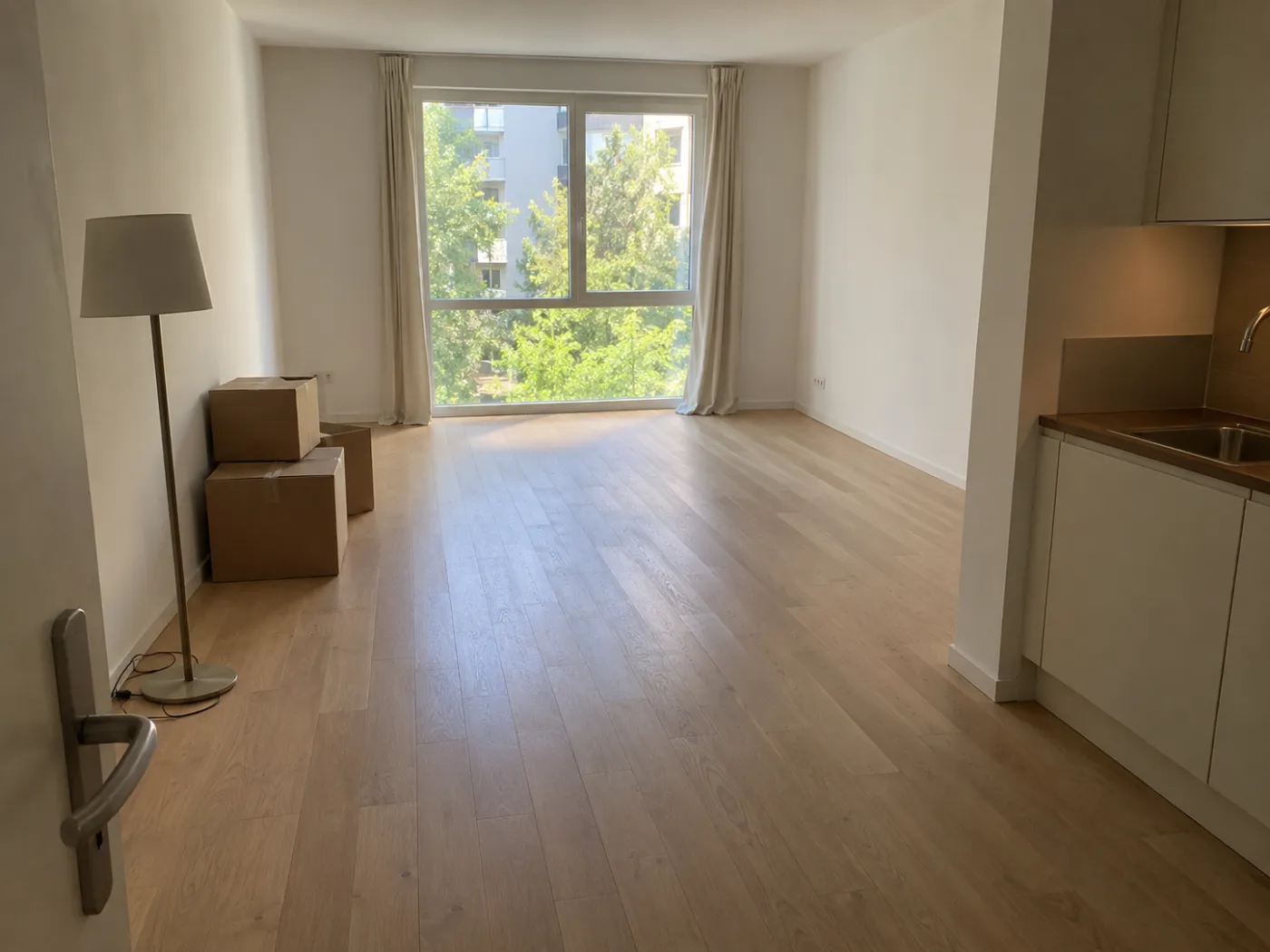
 Before
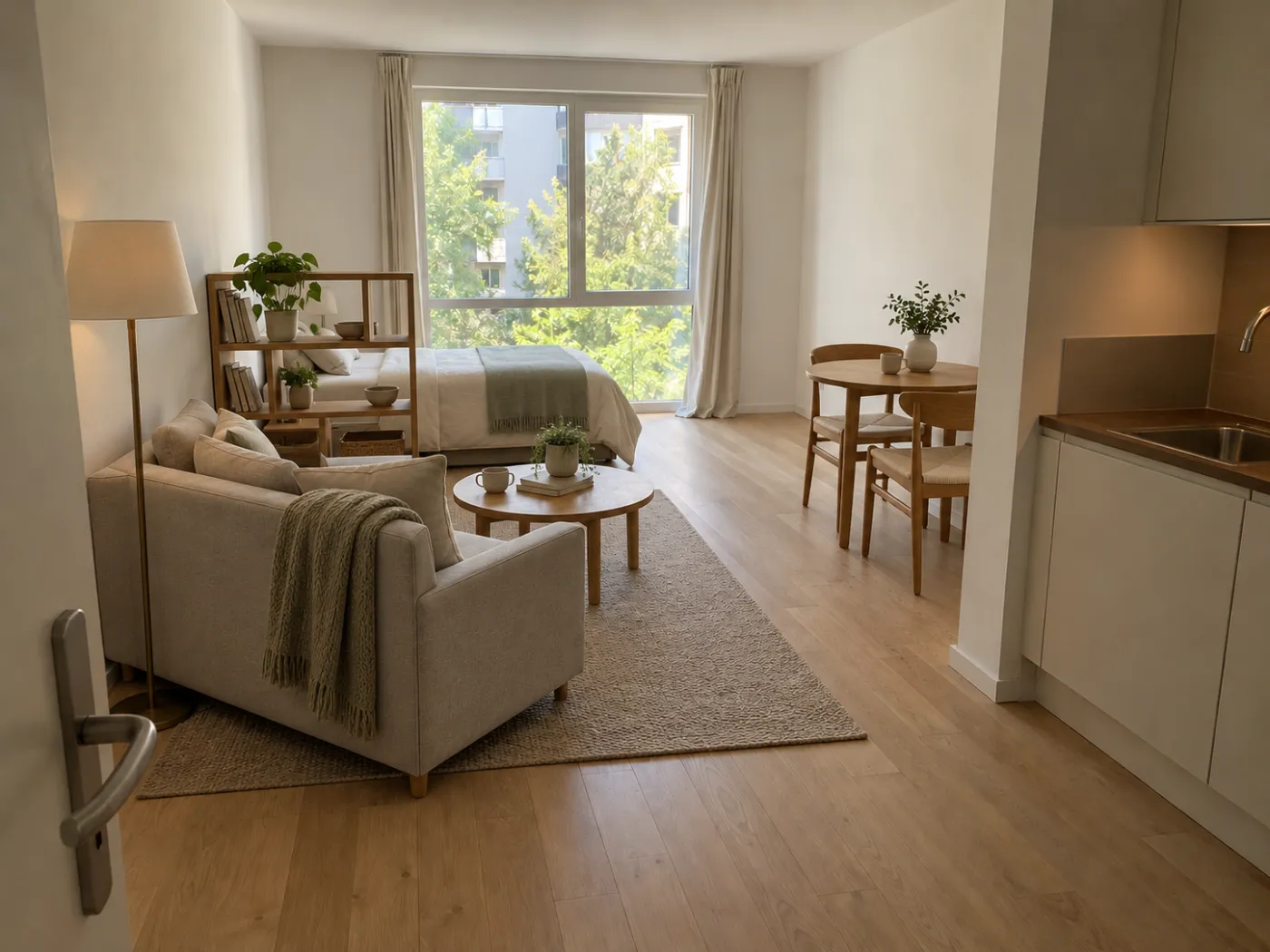
After
Before
After
1. Idori: best for redesigning the room you actually have
Idori is first because of the premise it is built on. AI should not design your room for you; it should help you make better decisions about it. Most AI design apps take a photo, apply a style, and hand back a new room you had no part in. Idori starts from one photo of the room as it is, reads it the way a designer would, proposes directions with reasons, and then hands you precise controls and a memory of every option. On an iPad that matters twice: the screen is large enough to judge a whole room at a glance and to place pins exactly where you mean them. Five features carry the idea, each one checkable on your own room.
It diagnoses the room before it changes anything. AI Ideas reads and analyzes the room in your photo, trained on real work from professional interior designers, then proposes five distinct directions, each with its reasoning: why the room feels dark, why the seating fights the window, why the walls and the floor are arguing. One tap shows any of them on your photo. Behind that tap sit several model calls that analyze the room and anchor each recommendation in it, a deliberately more expensive pipeline than a single generation, because a better answer to "what should this room become" is worth the inference cost.
Only what you pin changes. Most design decisions are small, and small is exactly what one-shot AI cannot do: ask it for a new rug and it redraws the sofa, the walls, and the window too. Spot Edit makes that a rule rather than a toggle. Pin up to four exact spots on your photo and give each its own instruction: this wall in sage, that sofa in cream linen, a rattan pendant here. Attach a photo of a real product you are considering and call it out as @1 to place that exact piece. Everything you did not pin stays exactly as it is. On the iPad's screen, pinning the left nightstand instead of the lamp beside it is not a guessing game.
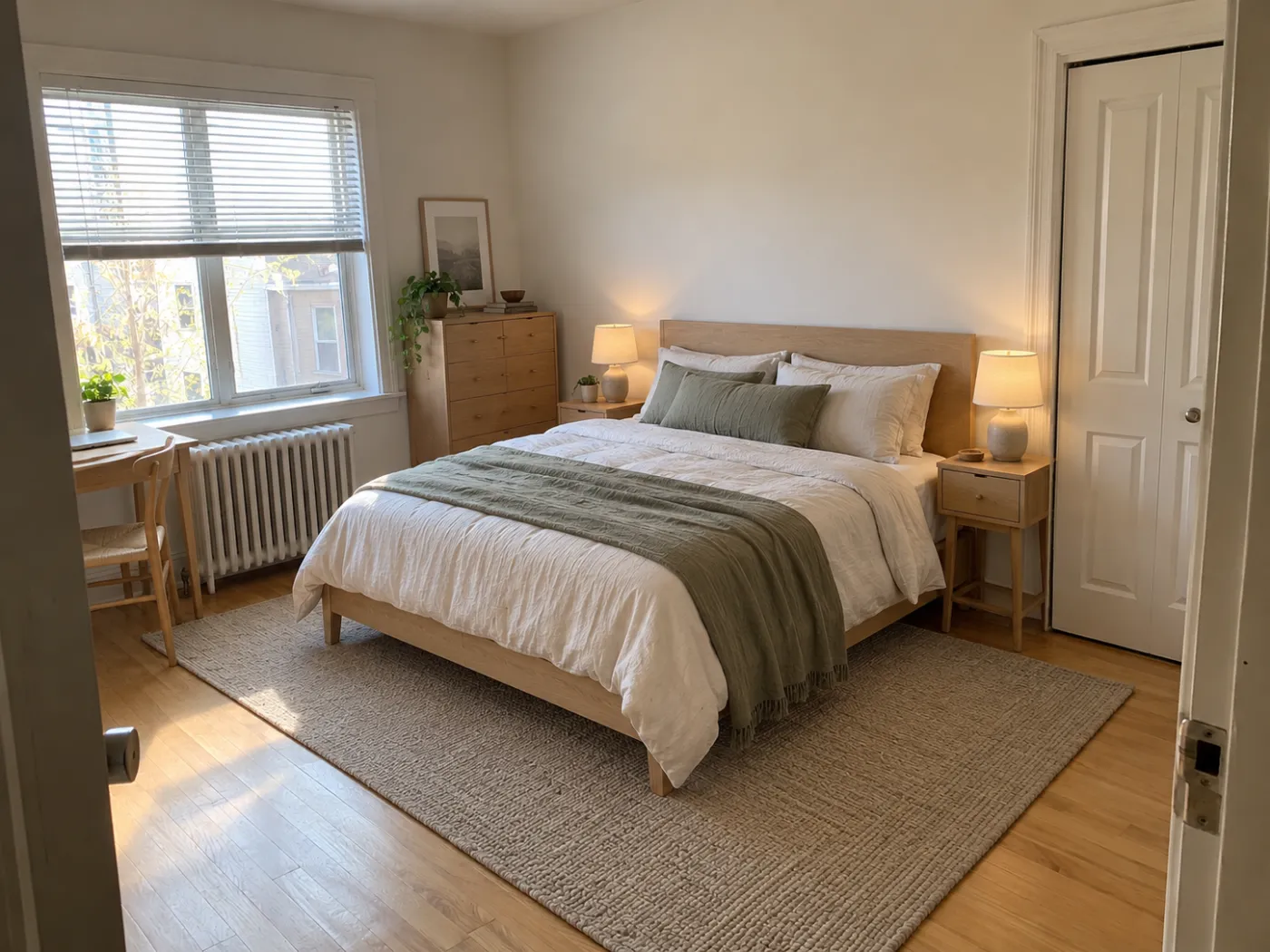
Your own words, in any language. A Freeform Prompt is how you brief Idori when you already know what you want: "keep the oak floor and the layout; make the walls warm white, swap the overhead light for a linen pendant, and add a jute rug." Write it in Spanish, Italian, Arabic, or Japanese and it works the same; Idori reads the intent, not the English. Naming what stays is most of what makes AI interior design useful, and Idori was built to be briefed that way.
Thirty-plus complete looks, one tap each. When you know the mood but not the details, any of Idori's 30+ curated styles applies to your room in one tap, restyling the palette, textiles, lighting, and the character of every piece while the room itself stays the room: Japandi, Scandinavian, Minimalist, Mid-Century, Industrial, Art Deco, Coastal, Modern Farmhouse, Cottagecore, Maximalist, and more. Try five on the same photo and line them up.
Design is a comparison problem, so every option is a version. Sage or warm white? The linen sofa or the leather one? Nobody can hold two rooms in their head at once. Each room becomes a project in one continuous Workspace, and every result is a version you can return to. Compare slides between any two on the same photo, which on an iPad is the closest thing to standing in both rooms at once. Branch from a version you like to explore a variation without losing it, Version History keeps the whole path, and any version exports at full quality for your partner, your contractor, or the store.
Your room stays private. Projects and Version History live on your device. Uploads and prompts are used only to complete one generation, are not retained on Idori's servers, and are never used to train models. A photo of your bedroom is about as personal as a photo gets; that should matter.
The trade-offs, in full: Idori runs on iPhone and iPad only, so Android and desktop users need one of the tools below. It shows a visual design on your photo, not a dimensioned floor plan or a CAD drawing, so for measurements pair it with magicplan or a tape measure; our guide to planning a room layout lists the clearances designers use. And AI Ideas and Spot Edit come with Idori Pro, while Freeform Prompt, all 30+ styles, Compare, and Version History are included in the free plan. If the room is real and the decisions are yours, this is the app built for that. See it in action on the AI interior design page, or plan a new place on the room planning page.
2. Morpholio Trace: best for sketching by hand with Apple Pencil
Morpholio Trace, now owned by Vectorworks, is the iPad app working designers reach for when the idea is still in their hand. Its Pro version launched alongside the first iPad Pro and Apple Pencil as a digital roll of trace paper, and it has grown into a full sketching and markup tool with about ten thousand ratings: draw in layers over photos, PDFs, maps, drawing sets, and 3D models, to scale, with designer pens and a scale ruler, then export drawing sets. Paid tiers add perspective tools, an AR Perspective Finder, and AR SketchWalk for drawing in the room around you.
The trade-offs: it is an instrument, not an assistant. It will draw exactly what you draw and nothing more, so it rewards people who can already sketch a room. There are no design suggestions and no rendering of what the room would look like finished. The free plan covers up to five projects; subscription tiers start at $4.99.
Best for: interior designers and architects who think with a pencil, and for marking up plans and photos for a client or contractor.
3. magicplan: best for scanning a room into a measured floor plan
magicplan turns the camera into a measuring tool, and on an iPad Pro it uses the LiDAR scanner: its Auto-Scan mode, built on Apple's RoomPlan, captures walls, doors, windows, and furniture across several rooms in one pass and produces a floor plan you can then adjust. It adds photos, notes, 360° panoramas, reports, and estimates, and integrates with insurance tools like Xactimate. It has more than forty thousand ratings.
The trade-offs: it is built for remodelers, restoration, and claims professionals, and the pricing says so: plans run from $12.99 a month to $899.99 a year. It measures the room superbly and tells you nothing about what the room should become. If you need dimensions to hand to someone else, it is excellent.
Best for: an accurate floor plan of an existing room, fast, especially on an iPad Pro.
4. Planner 5D: best for a full 2D and 3D plan with catalog furniture
Planner 5D is the big name in casual home planning, with more than forty thousand ratings and versions for iPhone, iPad, Android, and the web. Draw the room or capture it with the camera, switch between 2D and 3D, furnish it from more than 8,400 catalog items, and render a photo-realistic snapshot. On iPad it supports Apple Pencil and split-screen multitasking, and it works offline.
The trade-offs: to design a room you first rebuild it, and the furniture in the plan is the catalog's, not yours, so you are decorating a model of your room with lookalikes. The full catalog and most rendering sit behind a subscription, listed at $9.99 a month or $59.99 a year. It is the right choice when the room is still empty and you want to plan it piece by piece.
Best for: planning a room or a whole home from scratch in measured 2D and 3D.
5. Live Home 3D: best for desktop-class 3D design you buy once
Live Home 3D, from BeLight Software, is the most complete home design tool on the iPad that you can pay for once. Draw a 2D floor plan, walk through it in 3D, furnish it from more than 5,000 objects and 3,000 materials, set real lighting by location and time of day, and render images and flyover videos. On LiDAR iPads, its Room Scanner recreates your room as a model, and AR mode places the design in the space around you. Projects move between iPhone, iPad, Mac, Windows, and Vision Pro.
The trade-offs: power means a learning curve, and the free version limits you to one project with watermarked exports. Standard features cost $59.99 for life and Pro features $129.99 for life, or a monthly or yearly plan. Like every modeler, it shows a model of your room, not a photo of it.
Best for: serious hobbyists who want to model a home properly and dislike subscriptions.
6. SketchUp for iPad: best for professional 3D modeling
SketchUp is the 3D modeling standard in architecture and interiors, and SketchUp for iPad brings the real thing to the tablet, with AR viewing, Scan-to-Design that turns a scan of a space into an editable model, generative AI visuals, and import and export of DWG, DXF, SKP, OBJ, and USDZ. It has about eighteen thousand ratings.
The trade-offs: it is a professional modeler with a professional price: without a subscription you can only view models, and the Go plan is $19.99 a month or $129 a year after a seven-day trial. It is also the most skill-dependent app on this list; it will build anything, but only if you can build it.
Best for: designers and architects producing models and drawings that have to travel to CAD software.
7. Home Design 3D: best for drawing multi-story floor plans
Home Design 3D is one of the oldest and most rated home planners on the App Store, with more than a hundred thousand ratings. Draw floor plans in 2D and see them in 3D, plan multi-story homes with adjustable walls, furnish from thousands of items, save versions to compare, and preview day and night lighting. The iPad's canvas suits it well.
The trade-offs: you draw everything; there is no starting from your actual room. Premium features are a subscription, from $4.99 a week to yearly plans from $44.99. It is a planning tool, not a design adviser.
Best for: sketching the plan of a whole house, floor by floor.
8. Home AI: best for a quick one-tap AI restyle
Home AI, from HUBX, is one of the most rated AI room design apps on the store, with more than 160,000 ratings. Upload a photo, choose a style, and get a makeover concept in seconds, for interiors, exteriors, and gardens. It is fast and it is easy.
The trade-offs: its own description is the flow: upload, choose a style, generate. There is no described way to change one thing and keep the rest, no reasoning behind a result, and no version history or Compare. Pricing is a set of weekly plans starting at $4.99, with yearly options.
Best for: a quick spark of inspiration from a preset look.
What about Gemini and ChatGPT?
Both run on the iPad and will take a photo of your living room and "redesign" it if you ask, and for a rough idea they are a fine playground.
They are the wrong instrument for a decision. They regenerate the whole image, so the sofa you were keeping comes back as a different sofa and the window moves. There is no memory of the version you liked, no way to pin one wall while the rest stays put, and no reasoning about why the room feels off. Play there; decide somewhere built for it.
The rest of the store
Search "interior design" on the iPad App Store and several of the highest-rated results are not design tools at all: Design Home and Redecor are decorating games, scored by other players. Beyond those, Houzz is the best place to collect inspiration and find professionals; Morpholio Board makes presentation mood boards; Procreate and Concepts are superb sketching tools that are not specific to interiors; ArcSite draws CAD-quality floor plans for contractors; Polycam and Scaniverse capture 3D scans; and Homestyler, Roomle, and 4Plan are more catalog planners. Most of these are useful for one slice of a project. Very few start from your actual room and help you decide what it should become.
Match the app to the job
Reach for Idori when
- The room is real, and the question is what it should become
- You want ideas for your room with the reasoning behind them
- You want to change one thing and keep everything else exactly as it is
- You want to place a real product in your room before you buy it
- You want to Compare options side by side on the big screen
- You want photos of your home to stay private
Reach for the others when
- You think with a pencil and want to sketch to scale: Morpholio Trace
- You need a measured floor plan from a LiDAR scan: magicplan
- The room is empty and you want a catalog plan in 3D: Planner 5D
- You want a full 3D modeler without a subscription: Live Home 3D
- Your drawings have to open in CAD: SketchUp for iPad
- You are drawing a whole house floor by floor: Home Design 3D
Why the ranking comes out this way
Strip away the marketing and iPad interior design apps settle into three shapes. Drawing and modeling apps are instruments, and the best of them, Trace and SketchUp, are wonderful in skilled hands. Floor plan apps measure and rebuild the room, and they are the right tools for checking a fit or briefing a contractor. AI restylers produce a new picture of a room and move on. What remains is the part that decides whether a room actually gets better: looking at the real room, being shown directions you would not have thought of and why they work, changing one thing without losing the rest, and comparing the options while changing your mind is still free. That is the part Idori is built for. The capability comes from the AI. The judgment stays with you.
Popularity is not the ordering principle here. Several apps on this list have far more ratings, more platforms, and more years on the store than Idori, and three of them are the right tool for a professional's drawing set. But most people who search for an iPad interior design app have a room, not a drawing set, and want to know what it should become. This list is ordered by that job, not by download count.
Try it on your own room, on your iPad
The fastest way to judge any of this is with your own room. Idori redesigns your room from one photo, explains its ideas, changes only what you pin, and keeps every version to Compare, on iPad and iPhone. Free to start.
Download Idori freeQuestions people ask
For redesigning the room you actually have, Idori: it starts from one photo of your room, AI Ideas proposes five directions with the reasoning behind each, Spot Edit changes only the spots you pin, and every version is kept to Compare side by side on the iPad's large screen. For sketching by hand with Apple Pencil, Morpholio Trace. For a measured floor plan from a LiDAR scan, magicplan. For a full 2D and 3D plan with catalog furniture, Planner 5D.
Yes. Idori is free to download and free to start on iPad and iPhone; the free plan includes Freeform Prompt redesigns, all 30+ curated styles, and Compare with Version History on a weekly credit allowance, and Idori Pro unlocks AI Ideas, Spot Edit, and watermark-free exports. Morpholio Trace is free for up to five projects. Planner 5D and Home Design 3D are free to start with premium features behind a subscription, and Live Home 3D is free with watermarked exports.
Working designers tend to combine a few: Morpholio Trace for sketching and marking up plans with Apple Pencil, SketchUp for iPad for 3D models that travel to CAD, magicplan for measuring an existing room, and Morpholio Board or Houzz for mood boards and inspiration. Idori fills the gap between them: showing a client their own room redesigned from a photo, changing one element at a time, and comparing options side by side in a meeting.
For a measured plan of a room that already exists, magicplan, especially on an iPad Pro, where its LiDAR Auto-Scan captures several rooms in one pass. For drawing a plan from scratch and seeing it in 3D, Planner 5D, Live Home 3D, or Home Design 3D. For hand-drawn plans to scale, Morpholio Trace. Idori does not draw floor plans; it shows what the room itself could look like, which is the decision a floor plan cannot make for you. Our guide to floor plan apps vs AI room design explains the split.
No. LiDAR helps the scanning apps: magicplan's Auto-Scan and Live Home 3D's Room Scanner need it, and other planners measure more accurately with it. Photo-based apps like Idori work on any iPad that runs the app, because they start from an ordinary photo of the room.
Yes. Idori runs on iPad and iPhone. On the iPad's larger screen, Spot Edit pins are easier to place precisely, and Compare shows two versions of your room at a size where the differences are easy to judge.
It treats design as a set of decisions about a room that already exists. AI Ideas reads your actual room and proposes five directions with the reasoning behind each. Spot Edit changes only what you pin, so everything you like stays put. All 30+ styles apply to your room in one tap, Freeform Prompt works in any language, and every result is a version in one Workspace: Compare any two, Branch a variation, and keep the whole path in Version History.