The Best AI Kitchen Design Apps for iPhone and iPad in 2026, Ranked by the Job
 The Idori team
·
·
11 min read
The Idori team
·
·
11 min read
A kitchen remodel is the most expensive room decision most people ever make, and it is almost never a blank slate. You are keeping the counters and changing the cabinets, or keeping the cabinets and changing everything around them. The best AI kitchen design app is the one that understands which is which. Here is the honest map of the category, from the kitchen you have to the one that only exists as measurements.
The best AI kitchen design app in 2026 depends on the job. Remodeling the kitchen you actually have, and changing only what you mean to change: Idori. Planning a new cabinet layout in 3D with real dimensions: Planner 5D. Pricing a kitchen out of IKEA pieces, free: the IKEA app. Photoreal 3D renders with branded products: Homestyler. Swapping the flooring or wall paint on a photo: Remodel AI. Fast one-tap style inspiration: Home AI. Photoreal restyles in a browser: Interior AI. Below, each one is ranked for the job it wins, with the trade-offs in plain terms.
Search "best AI for kitchen design" and nearly every result is a list published by one of the apps on it. The page that ranks at the top for the query scores its own app 9.3 out of 10, and the only hint that the author built it is a byline. This list is published by Idori, and Idori is first. The difference is that the case below is made of things you can check on your own kitchen in ten minutes: does the app start from a photo of your kitchen or a generic one, do your counters survive when you ask about the cabinets, does the window stay where it is, and is the version you liked before the contractor's quote still there after it. Where another tool is the better pick for a job, this page says so.
There is also a real split in this category that most lists blur. Some apps design how a kitchen looks: finishes, colors, light, style, on a photo of the room. Others plan how a kitchen works: cabinet runs, appliance clearances, the triangle between sink, stove, and fridge, in a measured 3D model. Both jobs matter on a remodel. They are just different jobs, and the right app depends on which one you are doing today.
How this ranking works
Every app on this list can produce a beautiful kitchen, so a beautiful kitchen proves nothing. Each one is judged against one question instead: will it get you to a remodel you are glad you paid for? Six checkable things follow.
- Your kitchen, not a kitchen. Does it start from a photo of the room in front of you, keeping the window, the ceiling height, and the light, or from a model you rebuild by hand?
- Partial remodels. Can you change the cabinet fronts and keep the counters, or retile the backsplash and keep everything else? Most real remodels are partial, and this is where most AI tools fail.
- Structure stays put. Across the App Store, the most common complaint about photo redesign apps is windows, doors, and walls moving between renders. A kitchen you cannot build is not a design.
- It explains what it sees. When the kitchen feels dark and dated and you cannot say why, does the app diagnose it and propose directions, or wait for you to pick a style name?
- Memory. A remodel takes weeks of quotes and samples. Is a result a version you can return to, Compare, and branch, or a download you lose track of?
- Honest pricing and private photos. Is there a real free plan or just a three-day trial into a weekly charge, and what happens to photos of your home?
| App | What it is | Starts from your kitchen | Keeps what you didn't ask to change | Versions & Compare | Free to start |
|---|---|---|---|---|---|
| Idori | Photo redesign + iteration studio (iPhone, iPad) | Yes: one photo of the kitchen | Spot Edit: only pinned spots change | Projects, Version History, Compare, Branch | Yes, weekly credit allowance |
| Planner 5D | 3D planner + AI layouts (iPhone, iPad, web, Android) | No: you build the model | Manual, you place every cabinet | Manual saves | Yes, with limits |
| IKEA app (IKEA Kreativ) | Room scan + IKEA planners (iPhone, iPad, Android) | Yes: a scan of your room | Erases and places furniture, not finishes | Saved designs | Free |
| Homestyler | 3D plans + branded renders (iPhone, iPad, web) | No: you build the model | Manual, you control every surface | Manual saves | Yes, free tier |
| Remodel AI (REIMAGE AI) | One-shot restyle + floor and wall tools (iPhone, Android, web) | Yes: from a photo | Brush and auto-select areas | No | Trial, then weekly or yearly plans |
| Home AI | One-tap style presets (iPhone, iPad) | Yes: from a photo | No masking described | No | Trial, then weekly or yearly plans |
| Interior AI | Photoreal restyle in the browser (web) | Yes: from a photo | Brush to regenerate artifacts | No | No, paid plans only |
Characterizations reflect each product's published features, App Store listing, and plans at the time of writing, September 2026. Prices and free allowances in this category change monthly; check before you subscribe anywhere.
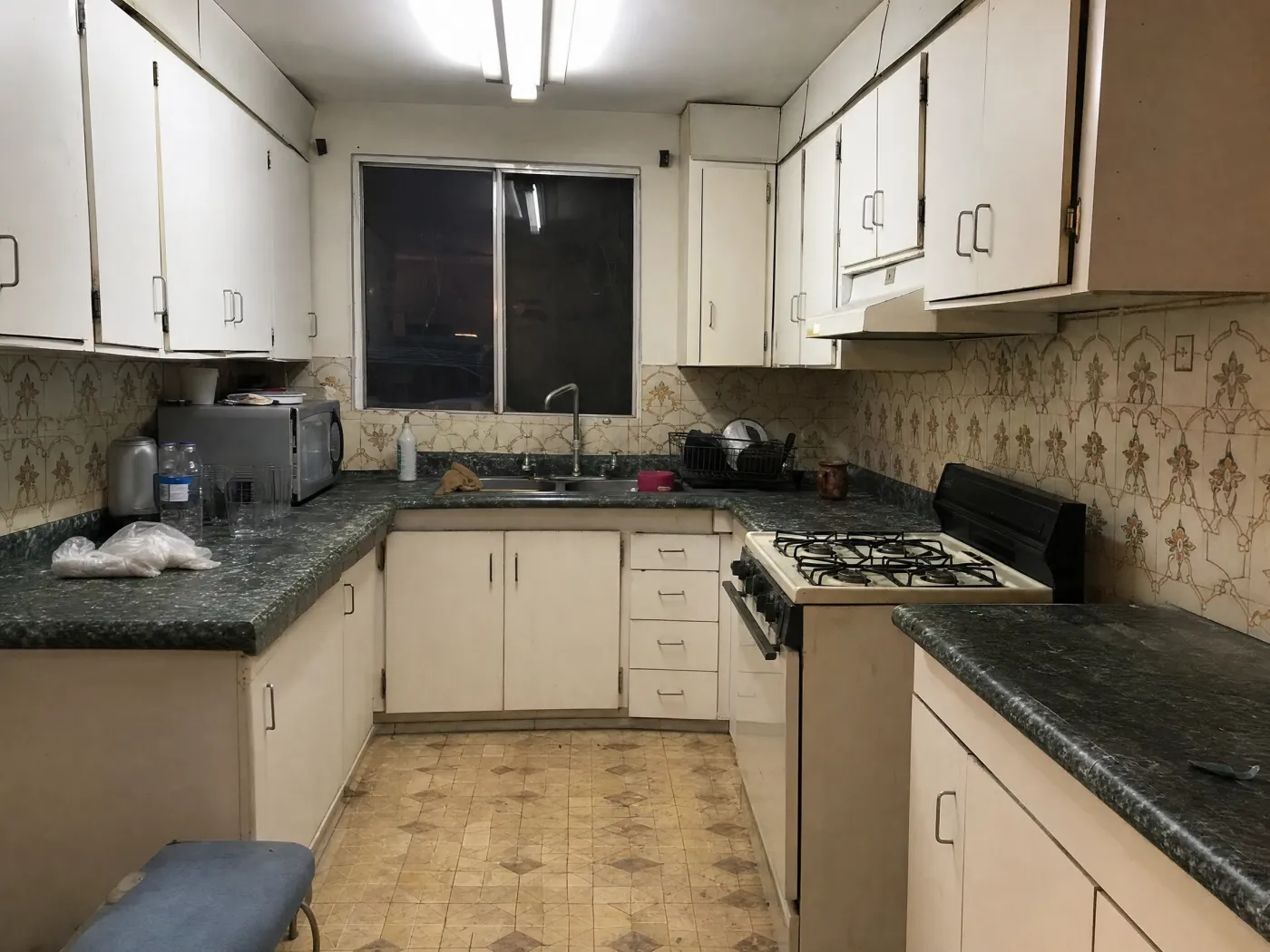
 Before
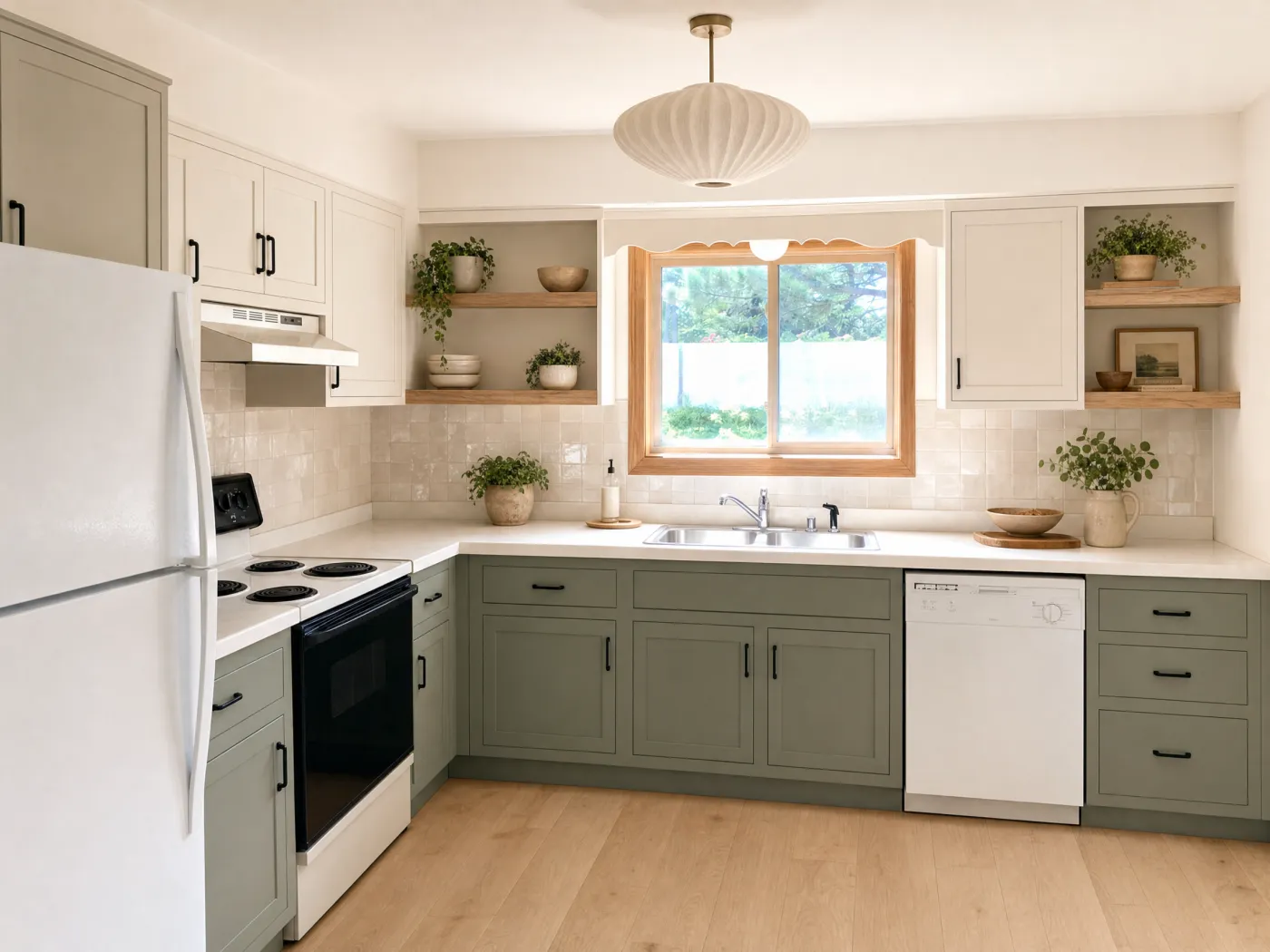
After
Before
After
1. Idori: best for remodeling the kitchen you already have
Idori is first because of the premise it is built on. Every app on this list can put a nice kitchen on your screen. The hard part of a kitchen is knowing what to change, what to keep, and why, and then paying for the answer. So the goal of AI kitchen design is not to design your kitchen for you. It is to help you make better decisions about a kitchen you are about to spend real money on. Idori reads the actual room in your photo, proposes directions the way a designer would, and then hands you the controls. It runs on iPhone and iPad, and five features carry that idea, each one checkable on your own kitchen.
It diagnoses the kitchen before it restyles it. AI Ideas reads and analyzes the kitchen in your photo, trained on real work from professional designers, then proposes five distinct remodel directions, each with its reasoning: why the room reads dark even with a big window, why two-tone cabinetry would calm a long run of oak, why a budget refresh of fronts, hardware, and backsplash would get you most of the way without touching the counters. One tap shows any direction on your photo. Behind that tap sit several model calls that analyze the space and anchor each recommendation in it, a deliberately more expensive pipeline than a single generation, because a better answer to "what should this kitchen become" is worth the inference cost.
Only what you pin changes. This is the one that matters most in a kitchen. The recurring complaint about one-shot tools is unwanted change: you ask for new cabinet color and the countertops change stone, you ask for a backsplash and the window moves. Spot Edit flips that relationship, and it is a rule rather than a toggle. Pin up to four exact spots, tell Idori what each should become, attach a reference photo when a specific tile, paint chip, or pendant has to match, and call out spots like @1 right in the prompt. Everything you did not pin stays exactly as it is. It is how you preview a partial remodel, which is what most kitchen remodels are.
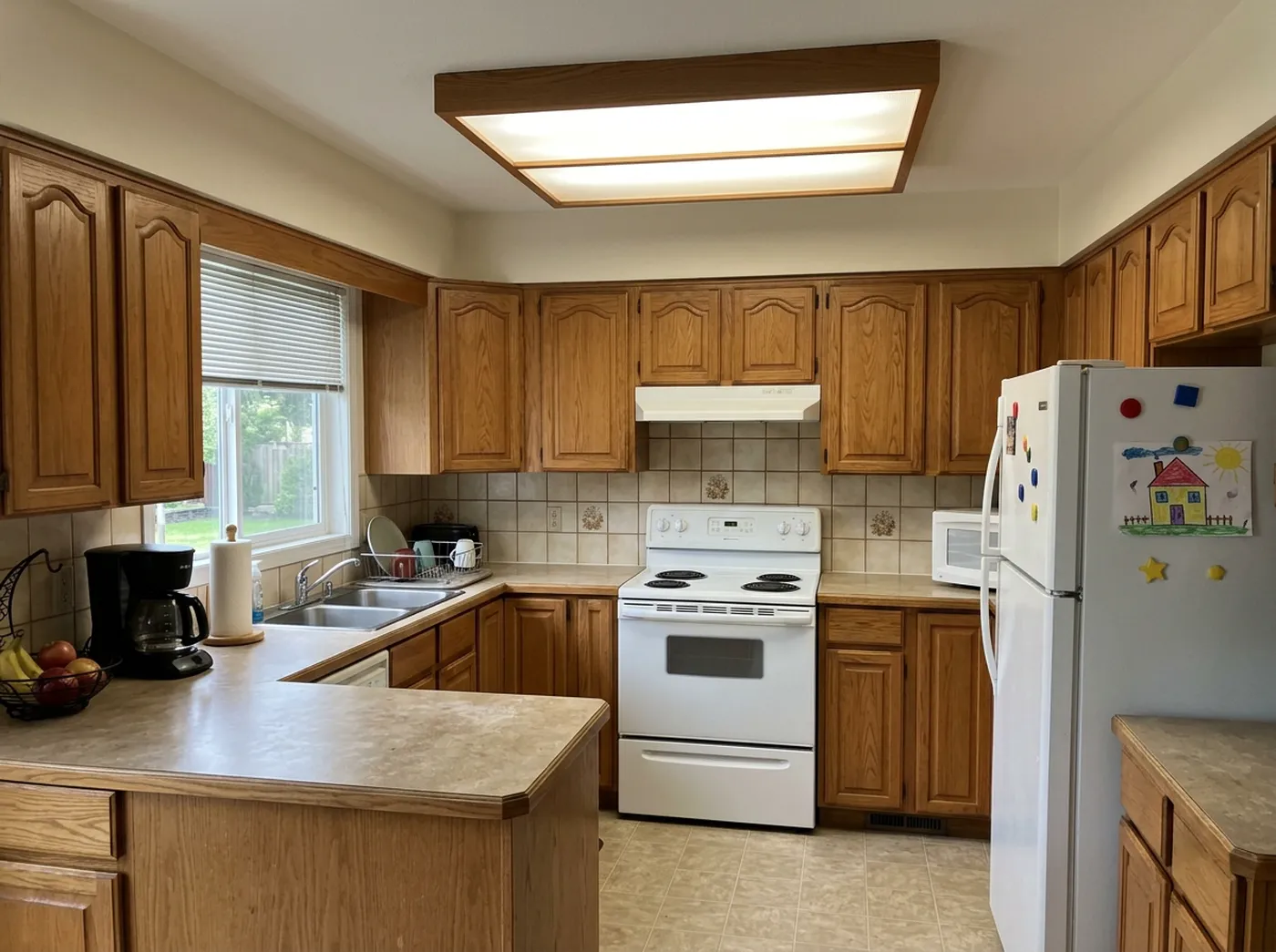
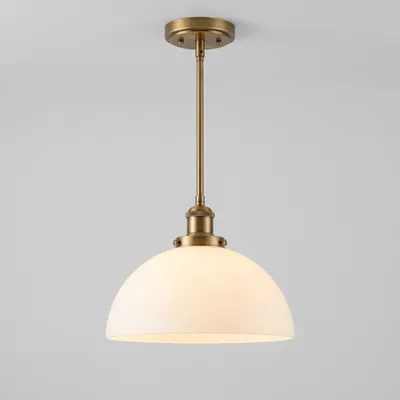 @3
Replace
@3
Replace
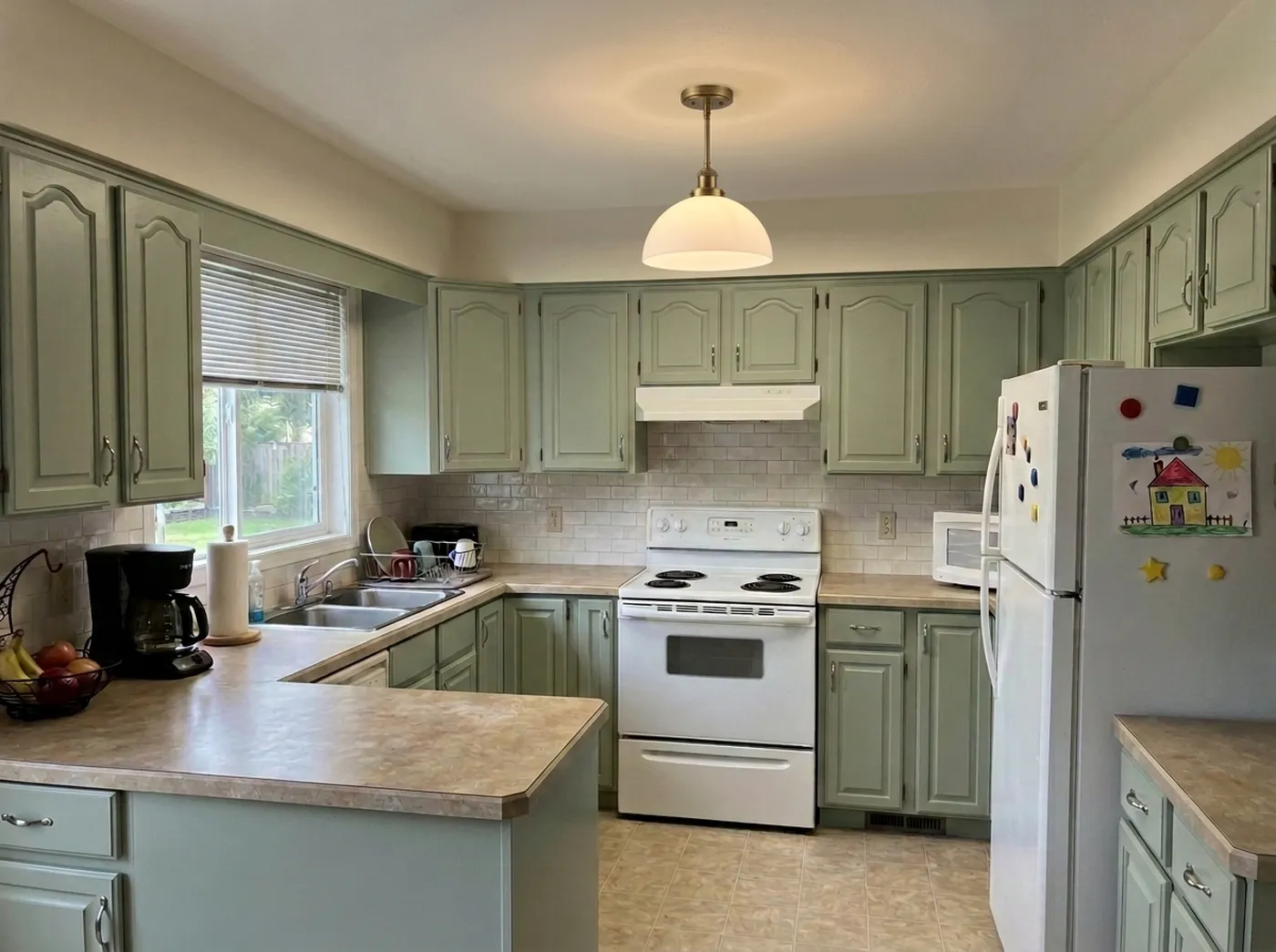
Thirty-plus complete looks for one kitchen. Idori's 30+ curated styles are full, considered looks rather than filters, and every one applies to your actual kitchen, cabinets, window, and all. Modern: Japandi, Scandinavian, Minimalist, Mid-Century, Organic Modern. Classic: Traditional, French Country, Mediterranean, Art Deco. Bold: Industrial, Maximalist, Dark Academia, Moroccan. Cozy: Modern Farmhouse, Coastal, Wabi-Sabi, Cottagecore. Try five in five taps, then Compare them side by side. It is the fastest way to find out that you do not want a white kitchen after all, before a showroom tells you the same thing at a higher price.
Your own words, in any language. A Freeform Prompt is how you brief Idori when no preset fits: "keep the counters and the floor, paint the lower cabinets deep green and the uppers white, white zellige backsplash to the ceiling, brass hardware." Write it in Spanish, German, Arabic, or Japanese and it works the same; Idori reads the intent, not the English. Naming what stays is most of what makes an AI kitchen design useful, and Idori was built to be briefed that way.
A remodel is a project, and every result is a version. A kitchen is not one decision. It is a dozen over weeks: the cabinet color, then the backsplash once you see the samples, then the hardware once you see the quote. Idori keeps that sequence. Each kitchen becomes a project in one continuous Workspace, and every result is a version you can return to. Compare slides between any two on the same photo, green lowers against navy lowers, zellige against subway tile. Branch turns an earlier version into the start of a new path instead of a dead end, so the budget version and the dream version can live side by side. Version History keeps the whole tree, and any version exports at full quality, ready to show a contractor, a cabinet maker, or the person you share the kitchen with.
Your kitchen stays private. Projects and Version History live on your device. Uploads and prompts are used only to complete one generation, are not retained on Idori's servers, and are never used to train models.
The trade-offs, in full: Idori runs on iPhone and iPad only, so Android and desktop users need one of the tools below. It deliberately does not plan measured cabinet layouts or appliance clearances; if you are moving the sink or the range, plan the layout in Planner 5D or the IKEA kitchen planner first, then bring a photo into Idori to design the look. And AI Ideas and Spot Edit come with Idori Pro, while Freeform Prompt, all 30+ styles, Compare, and Version History are included in the free plan. If the kitchen is real and the decisions are yours, this is the tool built for that. See it in action on the AI kitchen design page.
2. Planner 5D: best for planning the cabinet layout in 3D
Planner 5D answers the other half of a kitchen remodel: how it works. Build the room to its real dimensions, place cabinet runs and appliances, try an island or a peninsula, and walk around the result in 3D. Its AI features generate layouts from dimensions, sketches, or floor plans, and the plan opens on iPhone, iPad, the web, Android, and desktop, so you can share it with a partner or a contractor on whatever they use. With more than forty thousand App Store ratings, it is one of the most established planners in the store.
The trade-offs: it does not start from your kitchen. You rebuild an approximation of it, and the render shows a kitchen like yours in catalog finishes rather than your own light and window. The best features and the full catalog sit behind subscriptions and catalog passes. It is excellent at "will this layout work," and quieter on "what should this kitchen feel like."
Best for: moving the sink, adding an island, and checking the layout before you commit to it.
3. The IKEA app with IKEA Kreativ: best for planning with IKEA pieces, free
If the kitchen is going to be IKEA anyway, start in the IKEA app. IKEA Kreativ scans your room, can erase the furniture that is there, and places real IKEA products in the space, and the app lists interactive planners, kitchens included, for building a configuration you can actually price and order. It is free, runs on iPhone, iPad, and Android, and carries one of the largest rating bases of any app on this list.
The trade-offs: it is a catalog tool. Everything you place is an IKEA product, the design ideas come from you, and it is built for placing things rather than restyling finishes, light, and color across the whole room. It will not tell you what the kitchen should become; it will tell you exactly what an IKEA version costs.
Best for: an IKEA kitchen, planned and priced before you go to the store.
4. Homestyler: best for photoreal 3D renders with branded products
Homestyler is the render specialist. Draw the floor plan, furnish it from a catalog of more than a million branded models, and produce photoreal renders; the free tier includes a large materials library and free renders, and AR preview lets you place pieces in the room. For a kitchen with specific brands of fixtures and finishes in mind, it is a capable way to see them together in a crisp 3D scene.
The trade-offs: like every modeling tool here, you build the kitchen before you see it, and the scene is a model, not your photo. The AI features and credit packs are priced separately from the main subscription, and there is a learning curve before the first good render.
Best for: high-quality 3D renders of a kitchen built from real, named products.
5. Remodel AI: best for swapping the floor or wall paint on a photo
Remodel AI, the App Store app by REIMAGE AI, has the largest rating base of the photo-remodel apps built around home renovation, around fifteen thousand ratings at 4.7 stars, and it runs on iPhone, iPad, Android, and the web. Its dedicated tools for new flooring, new walls (paint, wallpaper, paneling), object removal, and furniture replacement are quick, and reviewers single out flooring swaps: one describes the wood floor in place of their carpet as looking very realistic. (A different company, at remodelai.io, publishes an unrelated app under the same name; this entry is the REIMAGE AI one.)
The trade-offs are the kitchen-specific ones. Its App Store listing names no cabinet, countertop, or backsplash tool, and reviewers describe the area selection as the weak spot: the auto-select for paint was called "terrible at selecting a clean area like a kitchen island," and another reviewer who tried to select half their cabinets with the brush reported the app crashing partway through, every time. There is no version history or Compare, and the plans are weekly or yearly subscriptions after a trial.
Best for: a quick flooring or wall-color preview on any device.
6. Home AI: best for fast one-tap style inspiration
Home AI is the most-rated app in the category, with more than a hundred and sixty thousand ratings, and the reason is obvious in the first minute: upload a photo, tap a style, get a result. As a mood board for a kitchen that you have not started thinking about yet, it is quick and easy.
The trade-offs: the listing describes no way to keep specific parts of the room, and the reviews say so directly: one user "wanted to keep my flooring and couldn't figure out how," another describes renderings that "unrealistically move windows, doors, room structures." Pricing centers on weekly plans after a short trial, and several reviews complain about weekly charges. Good for a spark; hard to build from.
Best for: a fast first look at styles before the real decisions start.
7. Interior AI: best for photoreal restyles in a browser
Interior AI is a web tool rather than an App Store app, and it earns a place on this list for render quality. Its 3D Vision mode is designed to stay close to the shape of the photographed room, and an editor lets you brush away artifacts and regenerate just those parts. On a laptop, for a photoreal kitchen restyle, it is one of the strongest single-image tools available.
The trade-offs: no free plan and pricing that starts well above the app-store tools, no native iPhone or iPad app from the maker (App Store apps with similar names are from other companies), and no project memory: each render stands alone. It restyles; it does not propose or explain.
Best for: one photoreal kitchen render on a desktop, on a budget that allows it.
What about Gemini and ChatGPT?
General-purpose image models will restyle a photo of your kitchen if you ask, they are free or nearly so, and they are already on your phone. For ruling out a whole direction ("definitely not all-white") they are a fine playground.
They are the wrong instrument for a remodel. They regenerate the whole image, so the window drifts, the cabinet count changes, and the counters you were keeping come back in a different stone. There is no memory of the version you liked, no way to protect the parts that are staying, and no reasoning about why the room feels dated. Play there; decide somewhere built for it.
The rest of the store
Search "AI kitchen design" on the App Store and most of what comes back is a wave of kitchen-only apps: a preset library of kitchen styles, a weekly subscription, and a handful of ratings, often from a single developer. The largest of them has around a hundred ratings; several have fewer than ten. Some are fine for a quick look, but their reviews mention long waits for a render and paywalls that appear before the first result, and none offers pinned control over what stays. There are also full kitchen CAD suites built for designers and cabinet shops, which are the right tools for shop drawings and overkill for choosing a direction.
Match the app to the job
Reach for Idori when
- The kitchen exists, and you want to see it remodeled before you pay for it
- The remodel is partial: new cabinets, same counters, or the other way around
- The window, the floor, or the appliances must survive the redesign
- You will decide over weeks of quotes and samples, and want every version still there
- You want photos of your home to stay private
Reach for the others when
- You are moving the sink or adding an island and need a measured layout: Planner 5D
- The kitchen will be IKEA and you want it priced: the IKEA app
- You want photoreal 3D renders with named products: Homestyler
- You only want to see a new floor or wall color, on Android too: Remodel AI
- You want a quick mood board before anything else: Home AI
- You want one photoreal render in a desktop browser: Interior AI
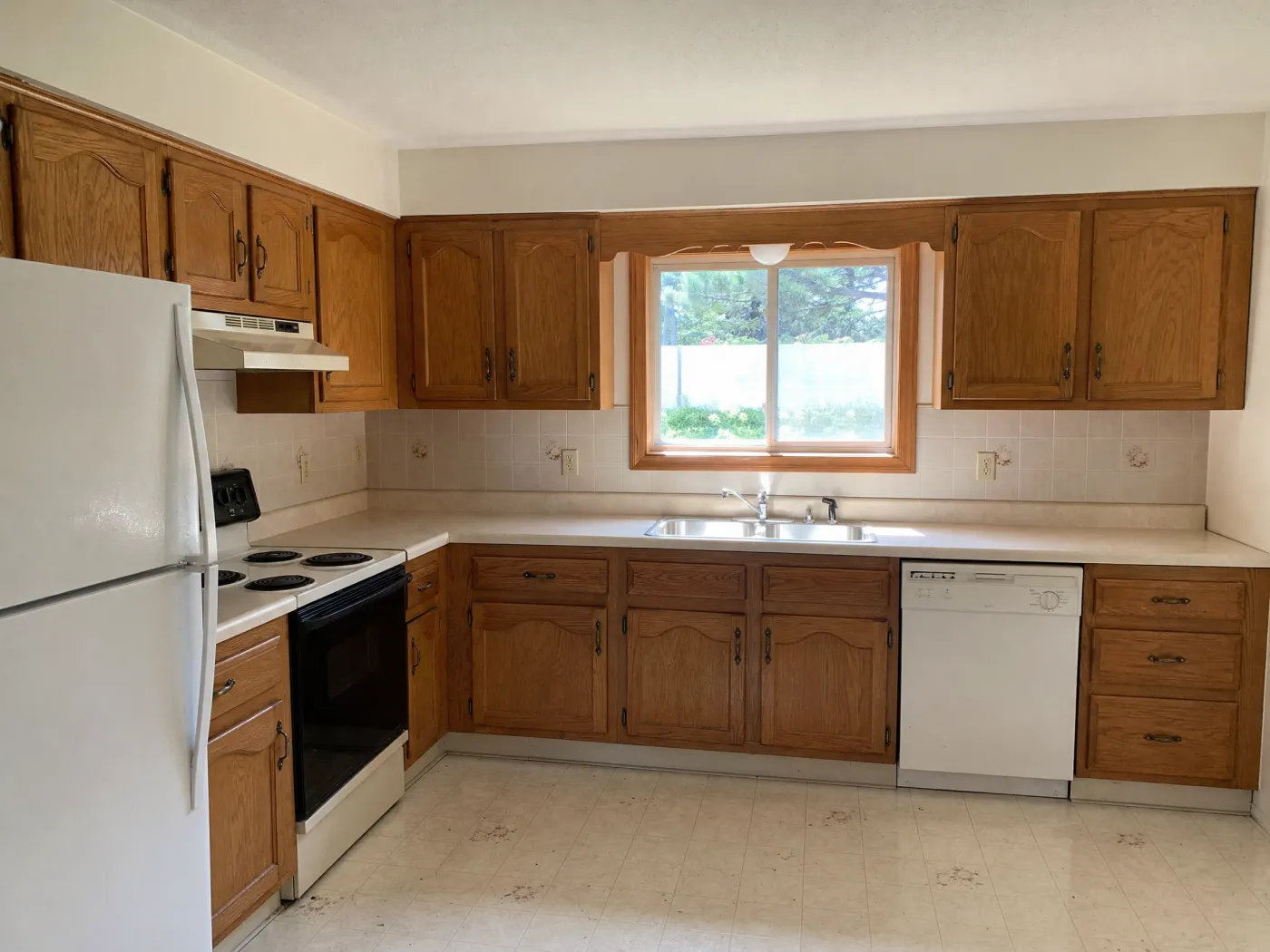
 Before
After
Before
After
Why the ranking comes out this way
Strip away the marketing and the category settles into three shapes. Planners ask you to build the kitchen before you can improve it, and they are the right tools for layout. One-shot restylers produce a picture and move on, and their reviews are full of windows that moved and cabinets that were meant to stay. What remains is the part that decides how a remodel actually turns out: looking at the real kitchen, being shown directions you would not have thought of, protecting what you are keeping, and being able to change your mind while it is still free. That is the part Idori is built for. The capability comes from the AI. The judgment stays with you.
Popularity is not the ordering principle here. Several apps on this list have far more ratings, more platforms, and bigger catalogs than Idori, and two of them are the right tool for a layout. But a kitchen that already exists asks different things of its app: diagnose it before restyling it, protect what stays while the rest changes, and remember every option while the quotes come in. This list is ordered by that job, not by download count.
Run the comparison on your own kitchen
The fastest way to judge any of this is with your own kitchen. Idori remodels it from one photo, changes only what you pin, and keeps every version, on iPhone and iPad. The same workflow covers every other room. Free to start.
Download Idori freeQuestions people ask
For redesigning the kitchen you already have, Idori: it starts from a photo of your real kitchen, AI Ideas proposes five remodel directions with the reasoning behind each, and Spot Edit changes only the spots you pin, so the cabinets or counters you are keeping stay exactly as they are. For planning a new cabinet layout with dimensions in 3D, Planner 5D. For pricing a kitchen out of IKEA pieces, the IKEA app. For fast one-tap style inspiration, Home AI.
A remodel is mostly a list of things you are changing and things you are keeping, so the best AI for it is the one that respects that list. Idori lets you pin the cabinet fronts, the backsplash, and the pendant and change only those, while the counters, the floor, and the window stay put, then keeps every option as a version to Compare. Photo tools that regenerate the whole image tend to move windows or change the cabinets you meant to keep, which is the most common complaint in their reviews.
Yes. Idori is free to download and free to start on iPhone and iPad, and the free plan includes Freeform Prompt redesigns, all 30+ curated styles, and Compare with Version History on a weekly credit allowance; Idori Pro unlocks AI Ideas, Spot Edit, and watermark-free exports. The IKEA app is free for planning with IKEA products, and Planner 5D and Homestyler have free tiers for 3D modeling. Most one-shot photo apps offer a short trial before a weekly subscription.
Take one photo from the doorway or the far corner with the cabinets, the counters, and the window in frame. In Idori, get AI Ideas to see five remodel directions read from your actual kitchen, tap a curated style, or describe the change in your own words: keep the counters and the floor, paint the lower cabinets deep green, white zellige backsplash. Then use Spot Edit to change one element at a time and Compare the versions before you order a single sample.
In Idori, yes. Pin the cabinet fronts with Spot Edit, describe the new color or door style, and attach a photo of a real paint chip if you have one. Only the pinned spots change, so the countertops, the backsplash, the floor, and the appliances come back exactly as they were. That is the difference between previewing a partial remodel and previewing a different kitchen.
For measured layouts, cabinet runs, and appliance clearances, use a 3D planner such as Planner 5D or the IKEA kitchen planner; they work from dimensions. Photo-based AI like Idori shows what your kitchen will look like and feel like, the finishes, colors, lighting, and style, on the room you really have. Many remodels use both: plan the layout in 3D, then design the look in Idori.
Yes. Idori runs on iPhone and iPad, and the larger screen makes Compare and Spot Edit pins easier to work with. Planner 5D, Homestyler, the IKEA app, Remodel AI, and Home AI also run on iPad; Interior AI is a web app you can open in the iPad browser.
It treats a kitchen remodel as a set of decisions, not a single picture. AI Ideas reads the actual kitchen in your photo, trained on real work from professional designers, and proposes five directions with the reasoning behind each. Spot Edit changes only the spots you pin, so the parts you are keeping are protected. And every result is a version in one Workspace: Compare slides between any two, Branch turns an earlier version into a new path, and Version History keeps the kitchen you rejected in March for when the quote comes back in June.