The Best AI Home Design Apps for iPhone and iPad in 2026, Ranked by the Job
 The Idori team
·
·
11 min read
The Idori team
·
·
11 min read
Most home design lists are written as if you were about to build a house from a blank plot. Most people searching for a home design app are standing in a home that already exists, with its own light, its own floors, and a front door that needs to make a first impression. That is the job this page is about, from the front of the house to the rooms inside, with the apps that draw plans kept in their own lane where they belong.
The best home design app in 2026 depends on the job. Redesigning the home you actually have, inside and out, and staying in control of what changes: Idori. Drawing floor plans and modeling the whole house in 3D: Home Design 3D or Planner 5D. A free, simple plan on an iPad: Keyplan 3D Lite. Free AI edits with a brush: CozyAI. A quick one-shot restyle on any platform, exteriors included: Remodel AI. Staging a home before a sale: REimagine Home. Below, each one is ranked for the job it wins, with the trade-offs in plain terms.
Type "easy app for house design" into a search box and the results blur two very different projects together. One is designing the home you have: better light, a warmer entry, a kitchen that works, a facade that does not look tired. The other is designing a home that does not exist yet: drawing walls, planning an addition, producing something a contractor can read. The first project is about decisions and taste, and it is the one most people are actually on. The second is about plans and measurements. Almost every list in this category treats them as the same question, and that is why so many people download a modeling tool, feel lost within an hour, and conclude that home design is not for them.
One thing worth knowing before you read any list in this category, including this one: most are published by an app that ranks itself first, and few say so. This one is published by Idori, and Idori is first. The difference is that the case below is made of things you can check on your own home in ten minutes: does the app start from a photo of your house or ask you to rebuild it, does it keep your kitchen cabinets when you talk about the floor, does the exterior get the same treatment as the living room, and is the version you liked in March still around in June. Where another tool is the better pick for a job, it says so.
How this ranking works
Every tool on this list can make a pretty picture, so a pretty picture proves nothing. Each one is judged against one question instead: will it get you to a home you are glad you chose? Six checkable things follow, all testable before you trust any app with your home.
- Your real home, not a model of it. Does it start from a photo of the home in front of you, keeping its proportions, windows, and light, or does it ask you to rebuild an approximation by hand first?
- The whole home, not one pretty room. Can you work through the entry, the kitchen, and the front of the house in one place, or does each room start over as a separate experiment?
- It explains what it sees. When the entry feels dark and you cannot say why, does the app diagnose the space and propose directions, or wait for you to name a style you have not figured out yet?
- Preservation. Ask for a new sofa or a repainted facade: do the floor, the cabinets, and the windows come back untouched? Preservation is where most AI tools quietly fail, and it is the failure that costs them your trust.
- Memory. Is a result a download you lose track of, or a version with a history you can branch and return to when the budget allows the kitchen?
- Honest plans and private photos. Is there a real free plan, and what happens to pictures of your home?
| App | What it is | Starts from your home | Keeps what you didn't ask to change | Versions & Compare | Free to start |
|---|---|---|---|---|---|
| Idori | Photo redesign + iteration studio (iPhone, iPad) | Yes: one photo of the room or the front of the house | Spot Edit: only pinned spots change | Projects, Version History, Compare, Branch | Yes, weekly credit allowance |
| Home Design 3D | Floor plan + 3D modeling (iPhone, iPad) | No: you draw the plan | Manual, you control every wall | Manual saves | Yes, with limits |
| Planner 5D | 3D modeling + catalog (web, iPhone, Android) | No: you build the model | Manual, you control every wall | Manual saves | Yes, with limits |
| Keyplan 3D Lite | Simple 3D home builder (iPhone, iPad) | No: you draw walls | Manual, you control every wall | Manual saves | Free plan with in-app upgrades |
| CozyAI | AI photo restyle + brush editing (iPhone, iPad) | Yes: from a photo | Brush to edit specific areas | Saved designs, no Compare | A free allowance, then plans |
| Remodel AI | One-shot restyle, interiors + exteriors (web, iPhone, Android) | Yes: from a photo | Object removal and swaps, not pinned control | No | A few free designs |
| REimagine Home | Virtual staging for listings (web) | Yes: from a photo | Style-led | No | One-time allowance |
Characterizations reflect each product's published features and plans at the time of writing, September 2026. Prices and free allowances in this category change monthly; check before you subscribe anywhere.
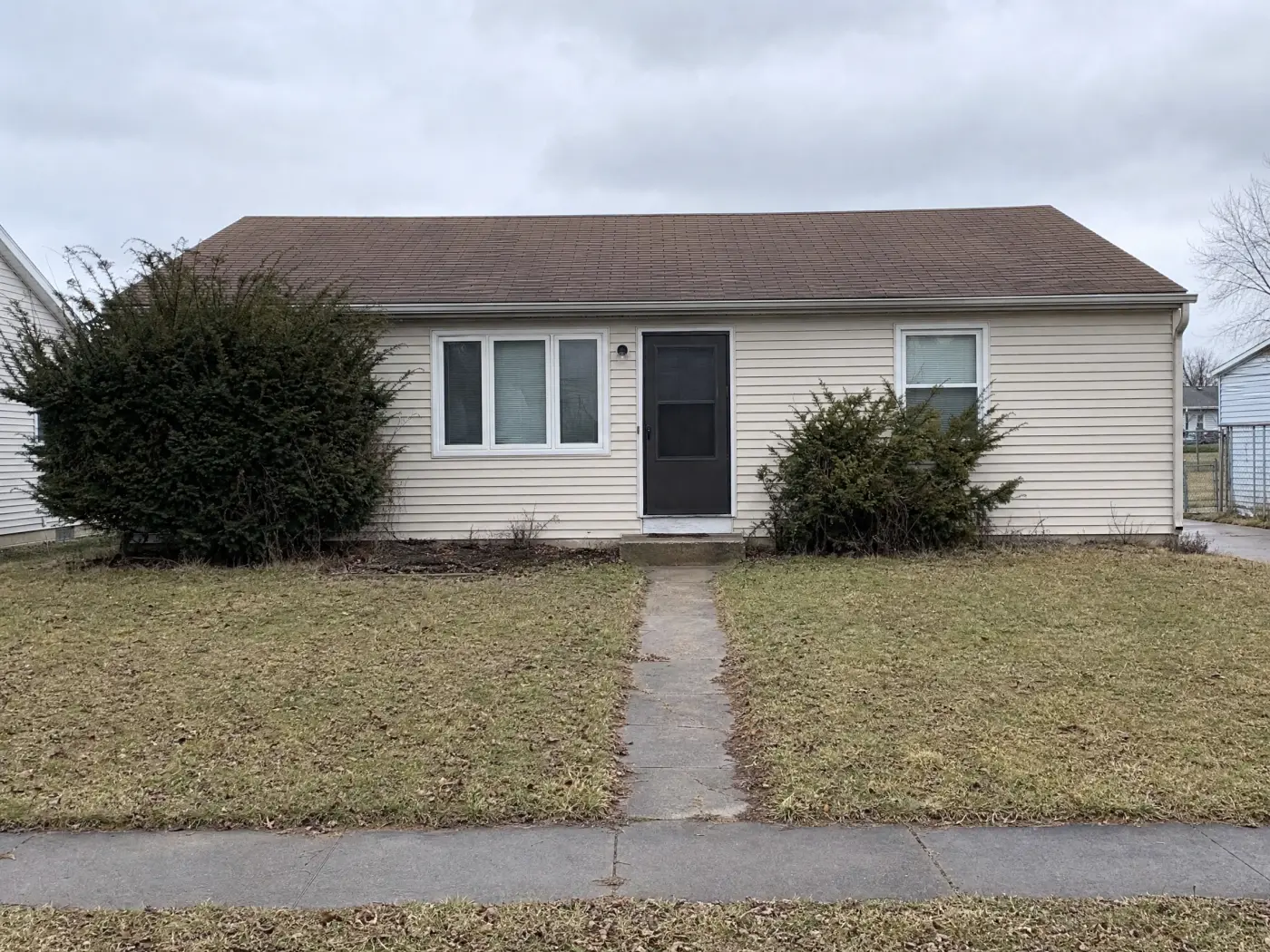
 Before
After
Before
After
1. Idori: best for redesigning the home you already have
Idori is first because of the premise it is built on. Every app on this list can put a picture of a house on your screen. The hard part of a home is knowing what to change and why, and then living with the answer for years. So the goal of AI home design is not to design your home for you. It is to help you make better decisions about a home you already own. Idori reads the actual space in your photo, proposes directions the way a designer would, and then hands you the controls. It runs on iPhone and iPad, and five features carry that idea, each one checkable on your own home.
It diagnoses the space before it restyles it. AI Ideas reads and analyzes the room or exterior in your photo, trained on real work from professional interior designers, then proposes five distinct directions, each with the reasoning: why the entry reads dark and what would fix it, why a lower sofa would open the sightline to the garden, why the facade would calm down with one material instead of three. One tap visualizes any direction on your photo. Behind that simple interaction sit several model calls that analyze the space and anchor each recommendation in it, a deliberately more expensive pipeline than a single generation. There are cheaper ways to build this. A meaningfully better result is worth the inference cost.
Only what you pin changes. The recurring failure of one-shot tools is unwanted change: you ask for a new sofa and lose the flooring you paid for, you restyle a facade and the windows move, you brighten a kitchen and the cabinets change species. Spot Edit flips that relationship, and it is a rule rather than a toggle. Pin up to four exact spots, tell Idori what each should become, attach a reference photo when a specific tile, paint, or fixture has to match, and call out spots like @1 right in the prompt. Everything you did not pin stays exactly as it is. This interaction is much harder to get right than it looks; it has been refined with user feedback for over half a year, and it is the reason "keep my cabinets" is a promise Idori can actually make.
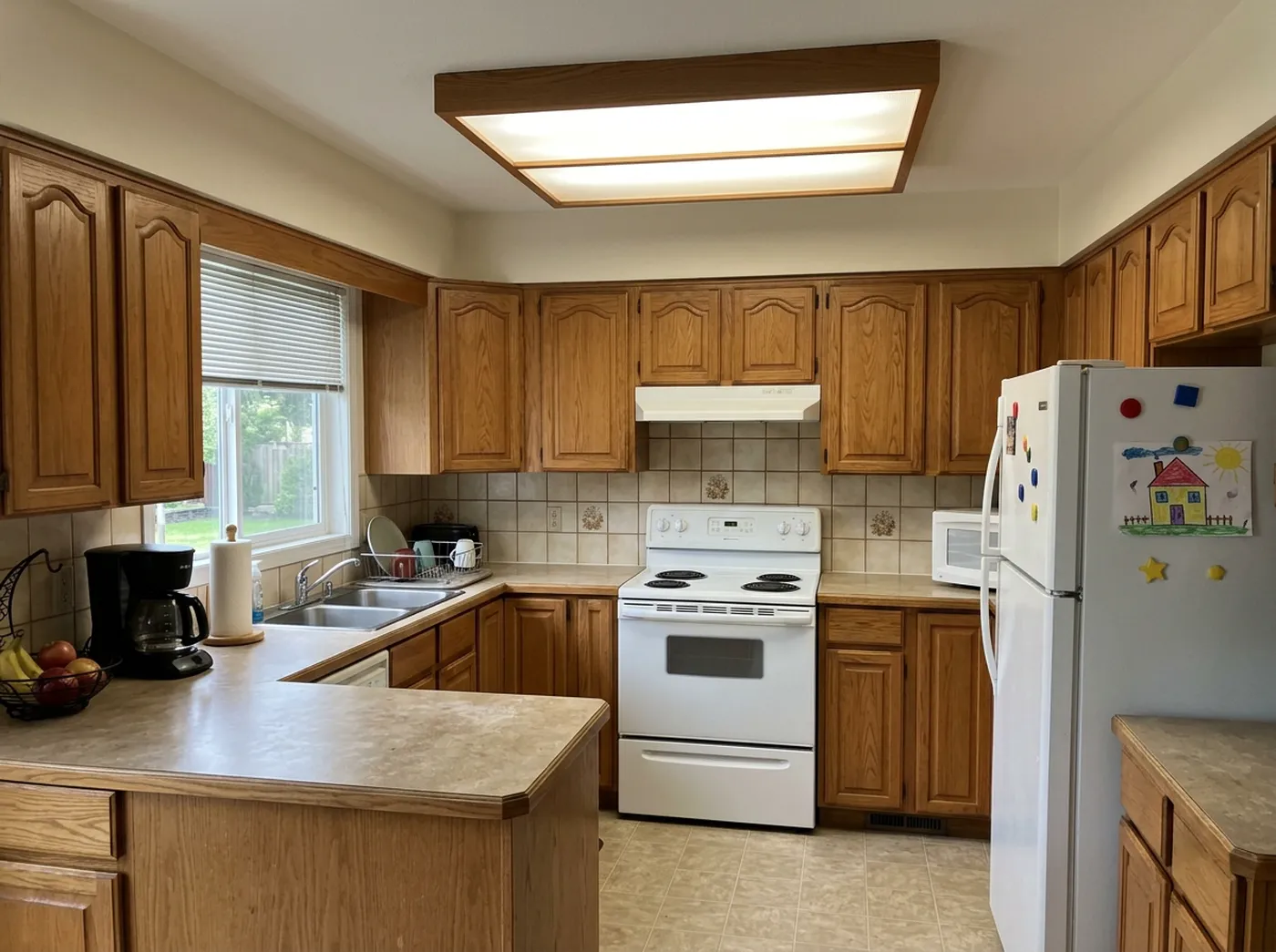
 @3
Replace
@3
Replace
Thirty-plus complete looks, indoors and out. Idori's 30+ curated styles are full, considered looks rather than filters, and every one of them applies to any space, inside or outside. That matters for a whole home: the style you settle on in the living room can be carried to the front of the house and the backyard, so the property reads as one place instead of a set of unrelated makeovers. Modern: Japandi, Scandinavian, Minimalist, Mid-Century, Organic Modern. Classic: Traditional, French Country, Mediterranean, Art Deco. Bold: Industrial, Bohemian, Maximalist, Dark Academia, Moroccan. Cozy: Modern Farmhouse, Coastal, Wabi-Sabi, Cottagecore. Try five on your own home in five taps, then Compare them side by side.
Describe it in your own words, in any language. A Freeform Prompt is how you brief Idori when no preset fits: "keep the kitchen cabinets, change the backsplash to white zellige, and make the entry feel warmer." Write it in Spanish, German, Arabic, or Japanese and it works the same; Idori reads the intent, not the English. Naming what stays and what the home is for is most of what makes an AI redesign good, and Idori was built to be briefed that way.
Every room is a project, and every result is a version. A home is not one decision, it is dozens over months: the paint now, the sofa when it goes on sale, the facade when the season turns. Idori keeps that sequence. Each space becomes part of one continuous Workspace, and every result is a version you can return to. Start from an AI Idea, refine it with a Freeform Prompt, then recolor one wall with Spot Edit, and the project holds three versions and three explored decisions, with nothing lost. Compare slides between any two on the same photo, and Branch turns an earlier version into the start of a new path instead of a dead end. Version History keeps the whole tree, so the kitchen you rejected in March is still there in June. Any version exports at full quality, ready to show a contractor, a partner, or the landlord. A home is designed once and lived in for years. The record of how you got there is worth keeping.
Your home stays private. Projects and Version History live on your device. Uploads and prompts are used only to complete one generation, are not retained on Idori's servers, and are never used to train models. For comparison, some web tools show free-plan uploads publicly.
The trade-offs, in full: Idori runs on iPhone and iPad only, so Android and desktop users need one of the web tools below. It deliberately does not draw or measure floor plans, so if you are planning an addition or a home that does not exist yet, model it in Home Design 3D or Planner 5D and then bring a photo of the plan into Idori to design and furnish it. And AI Ideas and Spot Edit come with Idori Pro, while Freeform Prompt, all 30+ styles, Compare, and Version History are included in the free plan. If the home is real and the decisions are yours, this is the tool built for that. Free to start.
2. Home Design 3D: best for drawing the plan and modeling the whole house
Home Design 3D is the most established name in home design apps, with a scale few competitors match: more than a hundred thousand ratings, tens of millions of users by its own count, and well over a decade of updates behind it. Its strength is the draft: draw your walls as a 2D plan, then step into the same home in 3D, across unlimited floors, with control over wall thickness, height, and angles. You can import an existing blueprint and draw directly on top of it, furnish every space from a large catalog, adjust materials and lighting, preview the house at different times of day, and even export a VR walkthrough.
The trade-offs: it does not start from your home. You rebuild an approximation of it by hand, which takes real time before you see a single idea, and the result is a model of a home like yours rather than your home. It is a planning tool at heart: excellent for walls and measurements, quiet on the question of what the place should feel like.
Best for: drawing plans, additions, and wall changes, and for homes that do not exist yet.
3. Planner 5D: best for planning a renovation in the browser
Planner 5D covers the same home-building job as Home Design 3D, with two advantages of its own: it runs in a browser, so a plan can be opened on any computer and shared with a partner or a contractor, and its furniture catalog is unusually deep. Draw the layout, model the rooms in 3D, place furniture, and render the result on the web, iPhone, or Android. For a renovation you are coordinating with other people, that shared plan is worth a lot.
The trade-offs for the question this post answers: like every modeling tool here, it does not read your actual home. You build the model yourself, piece by piece, and the tool answers "how would this layout work" far better than "what should this home become." AI features assist the process, but the taste decisions remain fully manual.
Best for: wall changes, renovation layouts, and homes that only exist on paper so far.
4. Keyplan 3D Lite: best for a free, simple 3D plan on an iPad
Keyplan 3D Lite is the easiest on-ramp to a home model that does not cost anything to try. Drawing walls is as simple as drawing a line, the plan and the 3D view update together in real time, and a library of free objects, paints, and materials lets you furnish the result as far as you want to go. Projects sync across your devices, and 2D snapshots and 3D renders are easy to share with family or a contractor.
The trade-offs: simple is the point, and also the limit. The object library and the rendering are lighter than Home Design 3D's, the most capable features sit behind in-app upgrades, and it is still manual modeling: you draw the home before you can see it.
Best for: a quick, free home plan on the couch, before you decide whether a bigger tool is worth learning.
5. CozyAI: best for free AI edits with a brush
CozyAI sits closest to Idori in this list, and it is a genuinely useful tool: upload a photo, choose a style or describe the change in plain language, and edit specific areas by painting over them with a brush so that the sofa, rug, or wall you circled is the thing that changes. Reference photos and moodboards can guide the look, the outdoor modes cover gardens and yards, and the app leans on its free allowance as a way in. Its ratings are strong, and for casual experimentation that is well earned.
The trade-offs: a brush is a looser instrument than a pin. There is no promise that everything outside your strokes survives, no Compare sliding between versions on the same photo, and no version history to return to; reviews note that unusual angles can confuse the results. It is iteration without a memory, which is fine for trying things and frustrating when you are deciding.
Best for: free, playful AI edits when you already know roughly what you want to change.
6. Remodel AI: best one-shot restyle with exteriors on any platform
Remodel AI is the pragmatic pick when you are not on an iPhone: it runs on the web, on iPhone, and on Android, and it covers more surface than most one-shot tools, including interiors across a wide set of styles, exterior facades, and landscaping. Generations are fast, a few free designs are included, and for seeing one direction applied in under a minute it does the job.
The trade-offs: it is a one-shot loop at heart. Upload, pick a style, generate, and that is where the conversation ends. Nothing proposes or explains a direction, there is no version history or Compare, and its editing tools, object removal and furniture swaps, are not the same as pinned control over what must stay unchanged. Worth knowing too: the "best home design app" articles published on its own site rank Remodel AI first, which is a fair reminder to read this whole category with your eyes open.
Best for: a quick one-shot interior or exterior restyle on any device.
7. REimagine Home: best for staging a home before a sale
REimagine Home is built for a specific and valuable job: making a home that is about to go on the market look its best. Furnish empty rooms, refresh dated ones, and produce listing-ready images at volume, with floor-plan-aware features most photo tools lack. When the goal is a buyer's first click on a listing, it is purpose-built for that goal.
The trade-offs: it optimizes for "makes buyers click," not "matches how you want to live." Idea discovery is style-led, precision editing is limited, and the free allowance is a one-time gift rather than an ongoing plan. Its audience is the market, not the people who will live in the house.
Best for: sellers and agents preparing a home for the market.
What about Gemini and ChatGPT?
General-purpose image models will restyle a photo of your home if you ask nicely, they are free or nearly so, and they are probably already on your phone. For ruling out an entire direction ("definitely not an all-white kitchen") they are a fine playground.
They are the wrong instrument for a home. They regenerate the whole image, so the windows drift, the roofline changes, and the house gets wider each time you ask. There is no memory of the version you liked, no way to protect one wall, no reasoning about why the entry feels dark, and no idea what a Mediterranean facade needs that a modern farmhouse one does not. Play here; decide somewhere built for it.
The rest of the store
Search "home design" on the App Store and most of what comes back is one of three things. Renovation suites built for professionals and serious DIY, with CAD-grade drawings and steep learning curves; they are the right tools for a build, and overkill for choosing a direction for a home you already have. Thin one-shot clones with a dozen styles and a weekly subscription, whose reviews mention the window or the floor changing unprompted; skip them. And inspiration apps, which show you other people's homes rather than yours. None of them answers the question this page is about.
Match the app to the job
Reach for Idori when
- The home exists, and you want to see it changed before you commit
- The front of the house matters as much as the rooms inside
- The cabinets, the floor, or the facade must survive the redesign
- You will decide over months, and want every version still there
- You want photos of your home to stay private
Reach for the others when
- You are drawing a plan, an addition, or a home that does not exist yet: Home Design 3D
- You want a shared renovation plan in a browser: Planner 5D
- You want a free, simple 3D plan on an iPad: Keyplan 3D Lite
- You want free AI edits with a brush: CozyAI
- You are on Android and want a quick one-shot restyle: Remodel AI
- You are staging a home to sell: REimagine Home
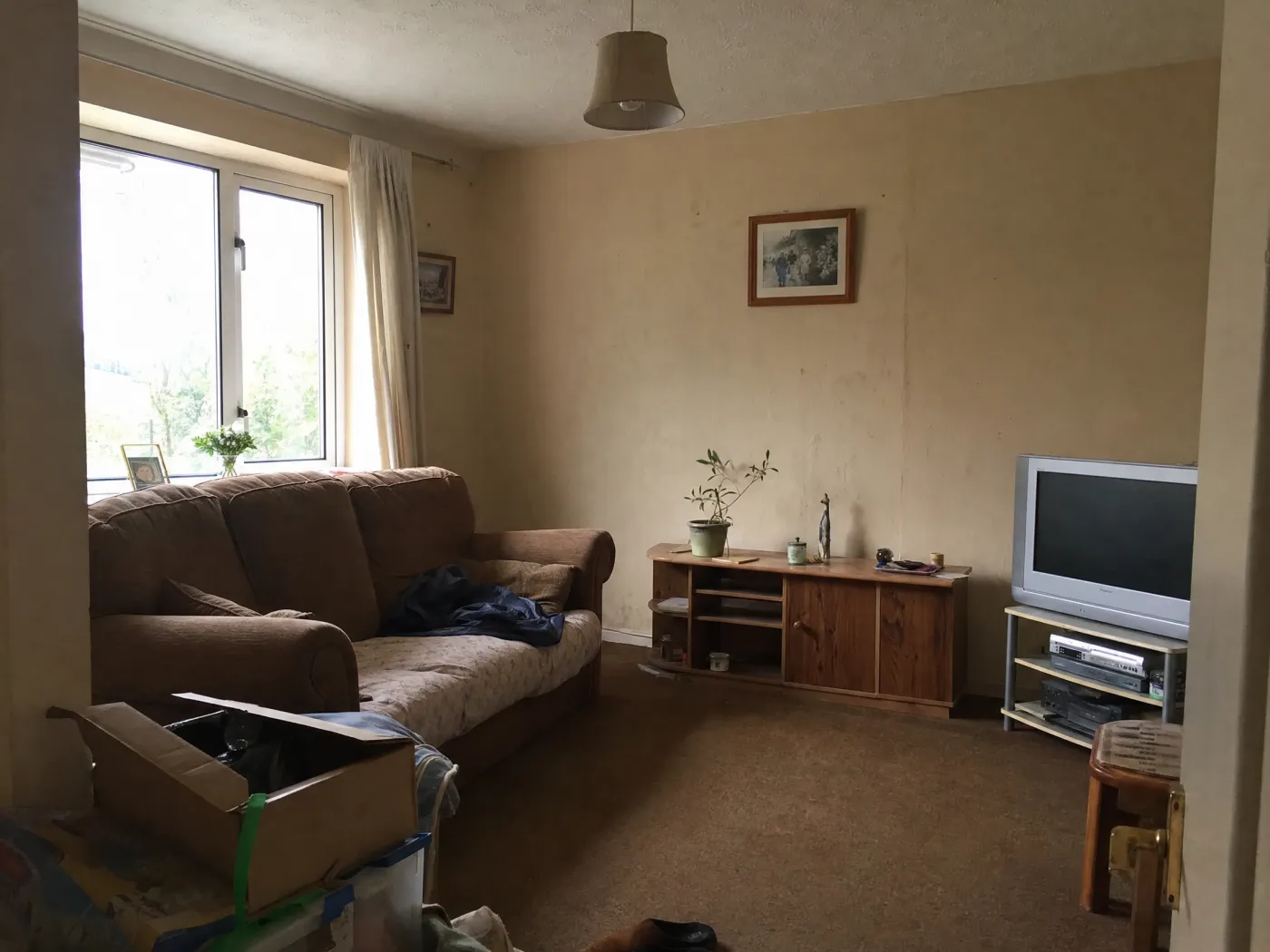
 Before
After
Before
After
Why the ranking comes out this way
Strip away the marketing and the category settles into three shapes. Modeling tools ask you to build the home before you can improve it. One-shot restylers produce a picture and move on. Staging tools answer to buyers rather than the people who will live there. What remains is the part that decides how a home actually turns out: looking at the real space, being shown directions you would not have thought of, protecting what you love, and being able to change your mind cheaply. That is the part Idori is built for. The capability comes from the AI. The judgment stays with you.
Popularity is not the ordering principle here either. Several apps on this list have more ratings, more platforms, and larger catalogs than Idori, and some of them are the right tool for a build. But a home that already exists asks different things of its app: it wants to be diagnosed before it is restyled, protected while it changes, and remembered while the decisions pile up over months. This list is ordered by that job, not by download count.
Run the comparison on your own home
The fastest way to judge any of this is with your own space. Idori is the app that designs your room with you, from one photo, on iPhone and iPad, and the same workflow covers the rooms inside and the yard and facade outside. Free to start.
Download Idori freeQuestions people ask
The easiest path depends on whether the house already exists. If it does, Idori is the simplest way in: take a photo of a room or the front of the house, and Idori redesigns that exact space in one tap, with 30+ curated styles and a Freeform Prompt for plain-language changes. If the house is still a drawing, Keyplan 3D Lite is the lightest way to try a plan: draw walls like lines and see the home rise in 3D on an iPad, free.
For the home you already live in, Idori, because it redesigns your real rooms and exteriors from photos and keeps every result as a version you can Compare. For drawing plans and modeling a home that does not exist yet, Home Design 3D and Planner 5D are the established choices, and Keyplan 3D Lite is the simplest free one. For staging a home before a sale, REimagine Home.
Yes, with a caveat worth understanding. Idori is free to download and free to start on iPhone and iPad, and the free plan includes Freeform Prompt redesigns, the full library of 30+ curated styles, and Compare with Version History on a weekly credit allowance. Keyplan 3D Lite and the free plans of Home Design 3D and Planner 5D let you build a model without paying, though the most capable features sit behind upgrades.
Yes, and that is the fastest way to start if the house exists. Idori designs from a single photo: it reads the actual room or exterior in the picture, keeps the geometry, and shows the same home in new directions. One-shot tools can also restyle a photo, but they tend to change things you did not ask about, which is why Idori pinpoints changes with Spot Edit instead of re-rendering everything.
Only for the jobs software is actually built for: drawing measured plans, planning wall changes, or producing drawings a contractor can build from. Those are 2D and 3D modeling jobs, and the tools above (Home Design 3D, Planner 5D, Keyplan 3D Lite) handle them. For choosing what your home should look like inside and out, a photo app like Idori gets you there without learning software, and Idori does not draw or measure plans, so the two jobs stay separate.
Yes. A photo of the front of your house is enough for Idori to show new directions for the facade, entry, and landscaping, and all 30+ styles apply outdoors as well as indoors. With Spot Edit you can pin the siding, the trim, or the front door and test exterior paint colors while the roof and windows stay exactly as they are; see AI exterior home design in Idori for a full repaint and a brick ranch makeover. The result is a visual direction to react to, not a construction drawing; confirm materials, dimensions, and structural changes with a qualified professional before acting on any of it.
In Idori, yes, and the rooms can share one project. Each room becomes part of your Workspace, every result is a version you can return to, and Compare lets you check that the living room and the hallway you just redesigned read as the same home. That continuity is the difference between a set of good rooms and a home that feels considered.
The way it reads your home. AI Ideas analyzes the actual room or exterior in your photo, trained on real work from professional interior designers, and proposes five distinct directions with the reasoning behind each, the way a professional would approach it: what to change and why it would improve the space. The philosophy underneath is that AI should help you make better decisions about your own home, not make them for you, so the controls stay with you: Spot Edit changes only the spots you pin, and every result is a version in one Workspace. Compare slides between any two directions, Branch turns an earlier version into a new path, and Version History keeps the ones you want to return to.